
restore_db
What is restore_db?
Restore_db is the job used to refresh a database from a backup from the S3 bucket. This does not work for random FTP servers and backup files.
Why would a restore_db be used?
Reasons why a restore_db job is needed includes but is not limited to:
replicating a potential bug internally reported to us from the client working out of their production environment
the restore_db job is a pre-requisite prior to running a script deploy in an internal or non-prod environment
the data required prior to running the script in the internal/non-prod environment only exists in the prod environment, thus a refresh from prod down to the target environment is needed
How to Run a restore_db job?
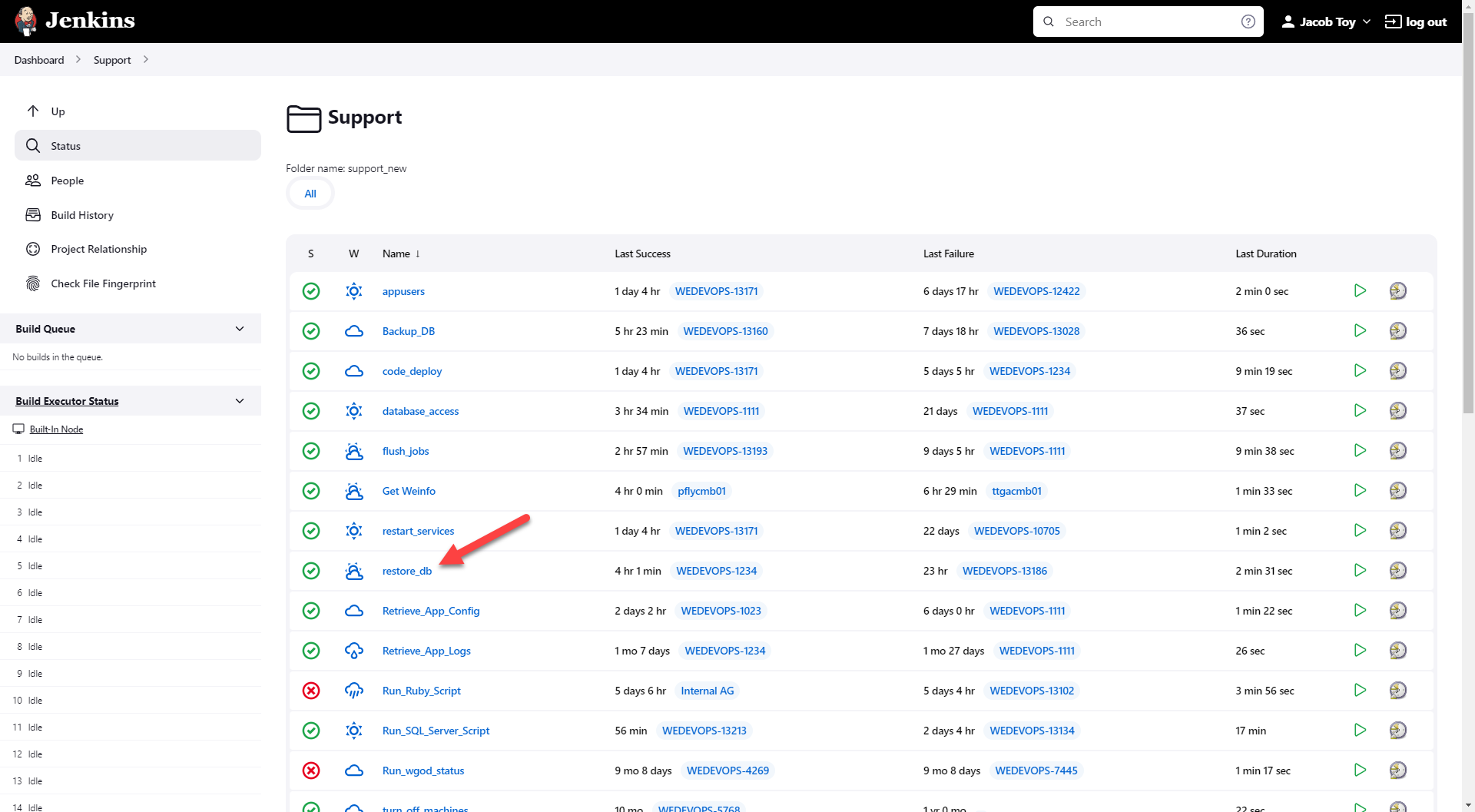
In the Support folder of Jenkins Automation, select the restore_db job.
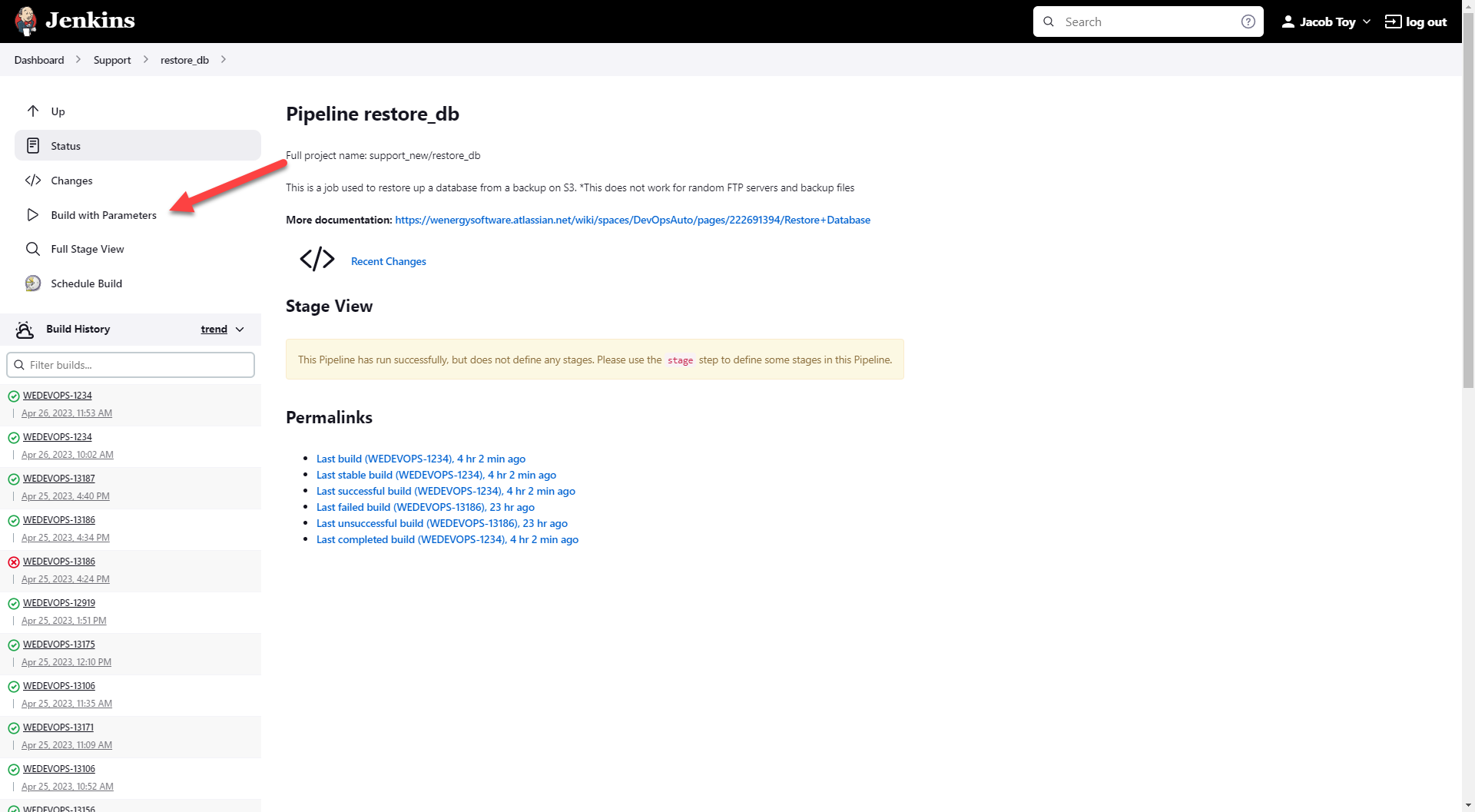
Select Build with Parameters.
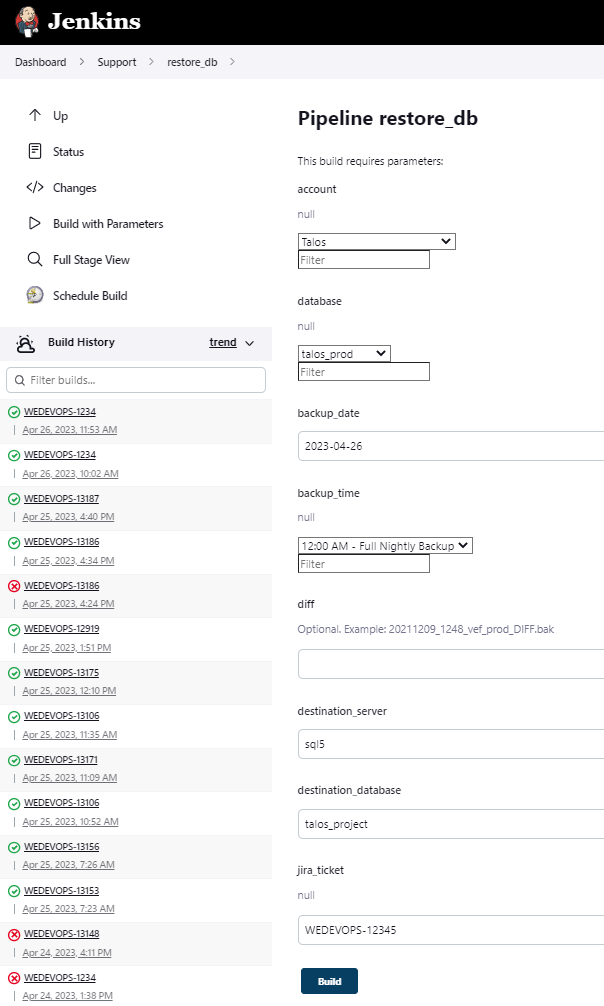
Input the required parameters to specify the origin and target databases.
The diff field is an optional field to populate.
If the diff field is left blank, then the full nightly backup from the backup_time specified in the field above will be used.
If the diff field is populated with a diff or full backup, then that backup will be used instead of the full nightly backup.
For more information on generating backups, please refer to Backup_DB.
Hit build.
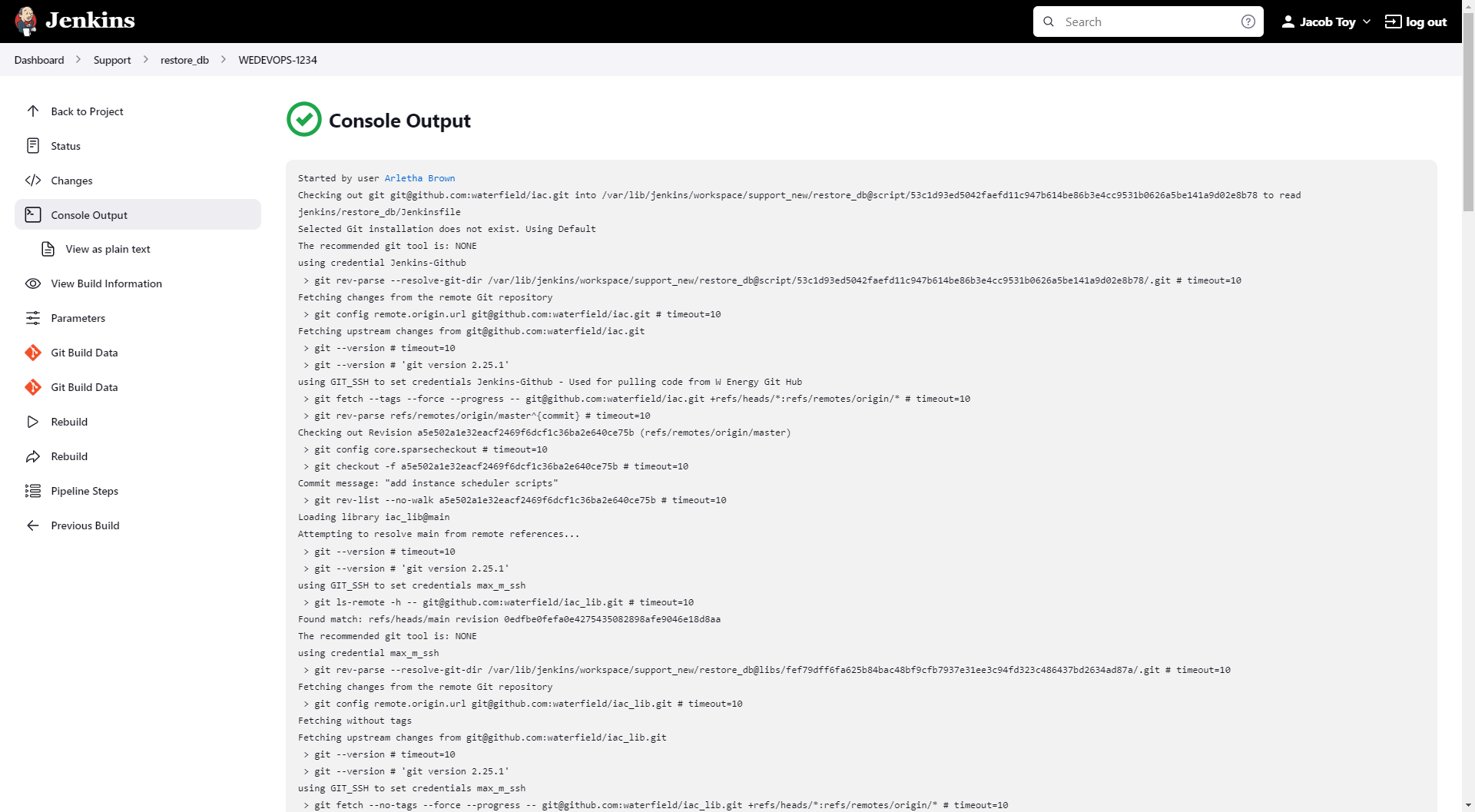
Select Console Output.
Upon scrolling to the bottom of Console Output, if a hyperlink saying Input Requested appears, then the job requires DevOps approval prior to the job completing.
If the hyperlink at the bottom says Starting building: Support_internal >> restore_DB #, then the job does not require DevOps approval.
Restore_db and Run_SQL_Server_Script jobs require DevOps approval for the initiated job to complete if the target database sits on the same SQL server as a Prod database.
Once the job has a solid green checkmark, the restore_db job completed.
📘 If there are multiple ways to do this setup list each one out
DevOps and Support can manually restore databases.
Other items worth noting that would impact the process.
Changes coming soon
Known issues with the process
Frequently Asked Client Questions
Links provided are from W Energy Software Support Confluence Space @a user