
Jenkins Automation
What is Jenkins Automation
Jenkins Automation is an in-house platform that queries and pushes changes to local and non-Prod environments.
Why would Jenkins Automation be Used?
Jenkins Automation allows W Energy employees outside of the DevOps department to run common jobs on project and non-prod target databases/environments. This reduces the DevOps queue which can be a be a bottleneck for some projects and support tasks.
Things to Note
Below are the various jobs that Jenkins Automation has to offer:
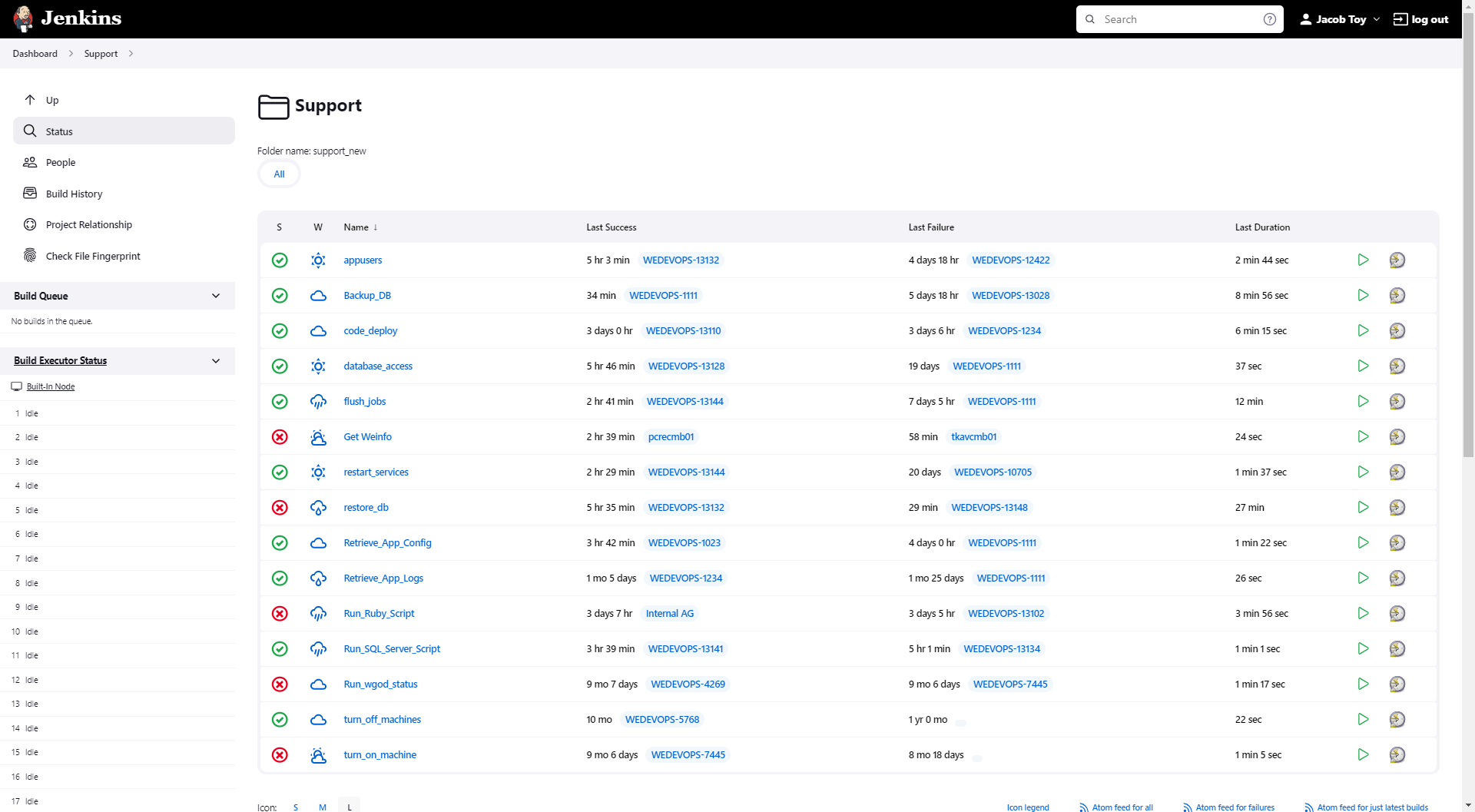
The green check mark and the red Xs indicate if the most recent deploy that was a ran for that job was successful or not. For example, the most recent code_deploy was successful in WEDEVOPS-13110, thus the check mark is green.
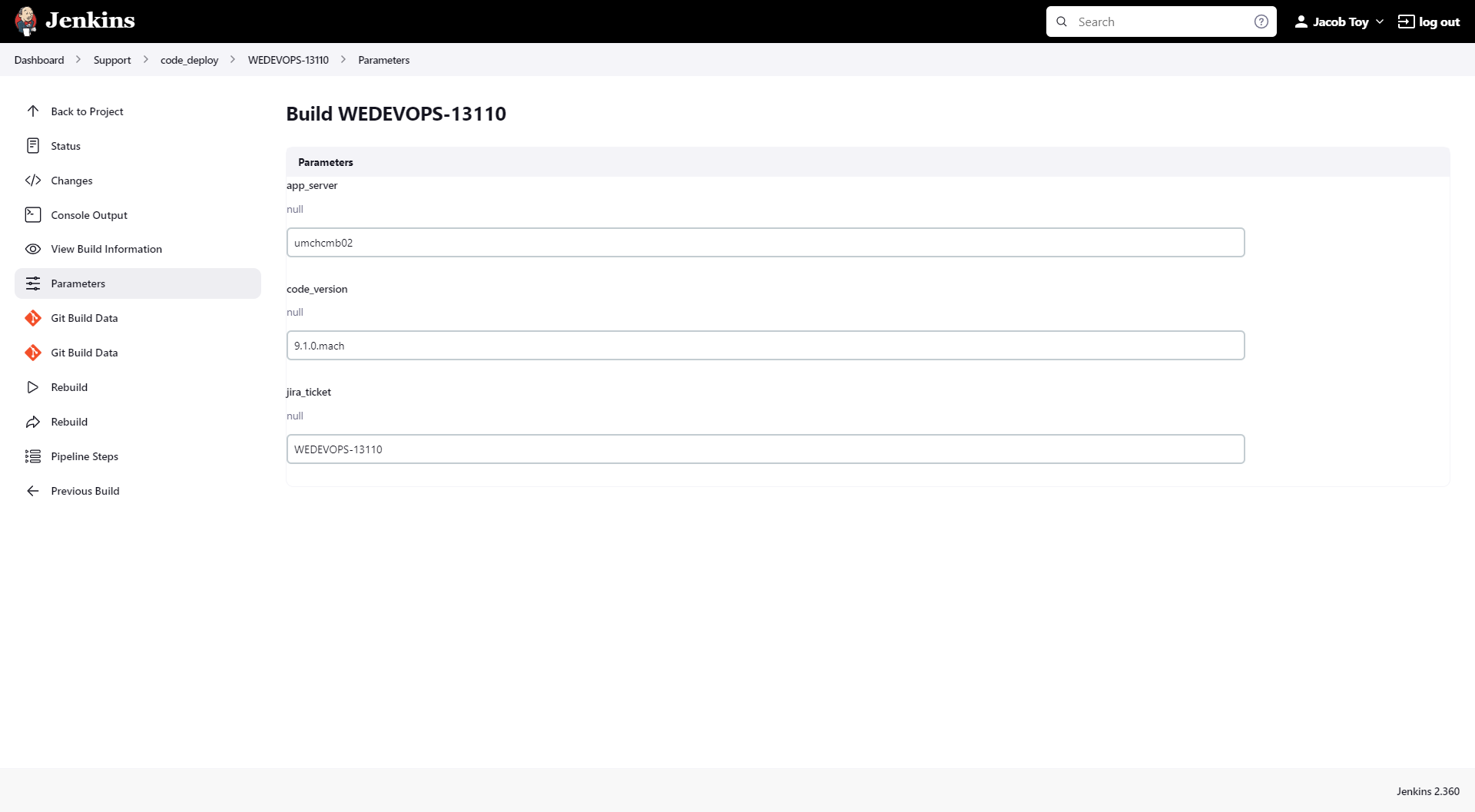
Upon clicking into the job followed by a particular ticket, the Parameters that were inputted into that ticket can be viewed by clicking on the Parameters tab in the left sidebar. This can be helpful in troubleshooting why a particular job failed since the parameters inputted could be incorrect.
Jobs that Require DevOps Approval
Certain jobs that may require DevOps approval once the job has been kicked off include:
restore_db
Run_SQL_Server_Script
If either job targets a database that shares the same SQL server that the Prod environment sits on, then the job requires DevOps approval once the job is kicked off in order for the job to complete.
All jobs, whether they require approval or not, abort after 24 hours.
How does this concept impact/feed other areas in the application?
For example, Check input is required for Revenue to to allocate funds to correct owners.
Other items worth noting that would impact the process.
Changes coming soon
Known issues with the process
Frequently Asked Client Questions
Links provided are from W Energy Software Support Confluence Space @a user