
Backup_DB
What is a Backup_DB?
Backup_DB is a job used to back up a database and to store the results in an AWS S3 bucket.
Why would Backup_DB be Used?
Backup_DB can be used to take a snapshot of the current database with all of the data and changes at that particular moment. That snapshot can be saved away or refreshed down to another environment.
For example, if I wish to refresh from a client prod down to an internal project environment, I can take a backup of the prod database to, wipe out the project database, and replace the project database with the information from the prod database.
There are two type of database back ups:
FULL: A FULL database back up is the entire snapshot of the database from when the back up was taken. FULL nightly back ups are automatically taken by DevOps each night for non-prod and prod environments.
DIFF: A DIFF database back up is the difference between the FULL nightly back up taken the previous night and the data that the DIFF captured. A DIFF is used when a fresh/current/most recent copy of a database needs to be restored. A DIFF without a FULL to reference is useless thus taking a DIFF of a project environment is not viable since FULL nightly back ups are not taken of project environments.
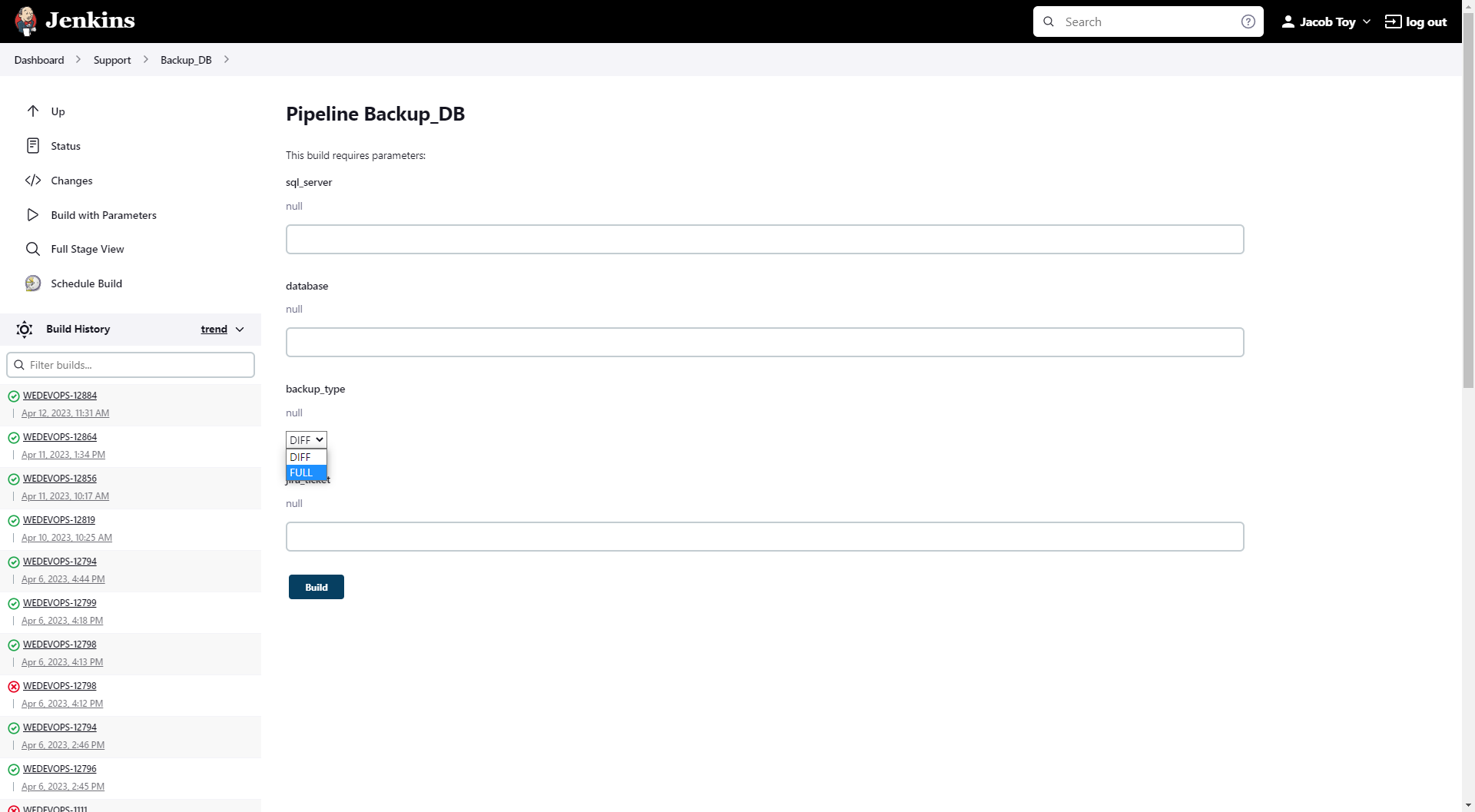
When a fresh database copy needs to be taken, a DIFF should be generated and restored along with the FULL nightly back up. A FULL back up generated by the Backup_DB job takes too much time and resources to generate thus using a DIFF is more efficient. A FULL should be generated when a current snapshot of the database needs to be taken and stored away in case the database needs to be restored back to that exact point in the future.
How to Run Backup_DB
Select the Backup_DB automation job.
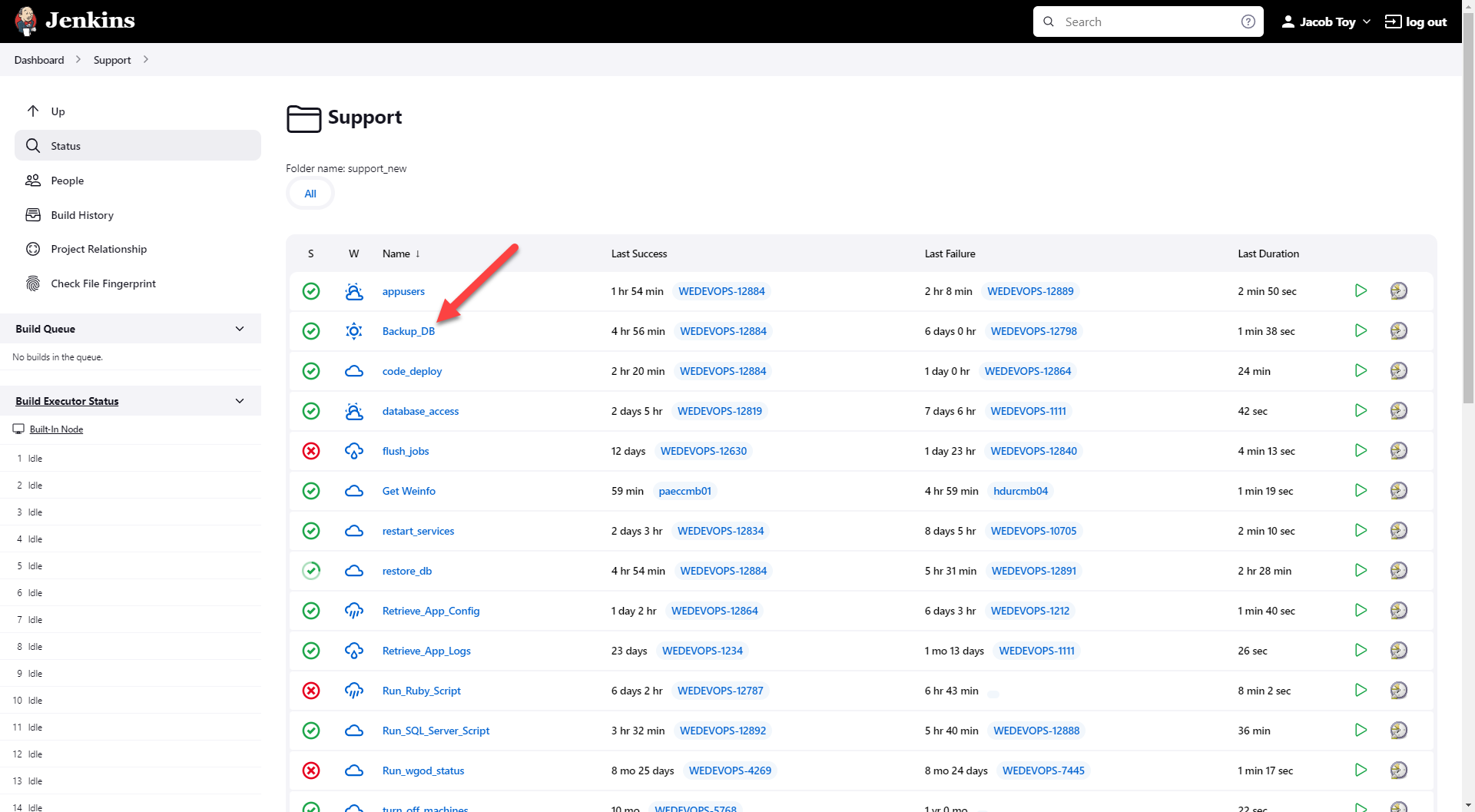
Select Build with Parameters on the left sidebar.
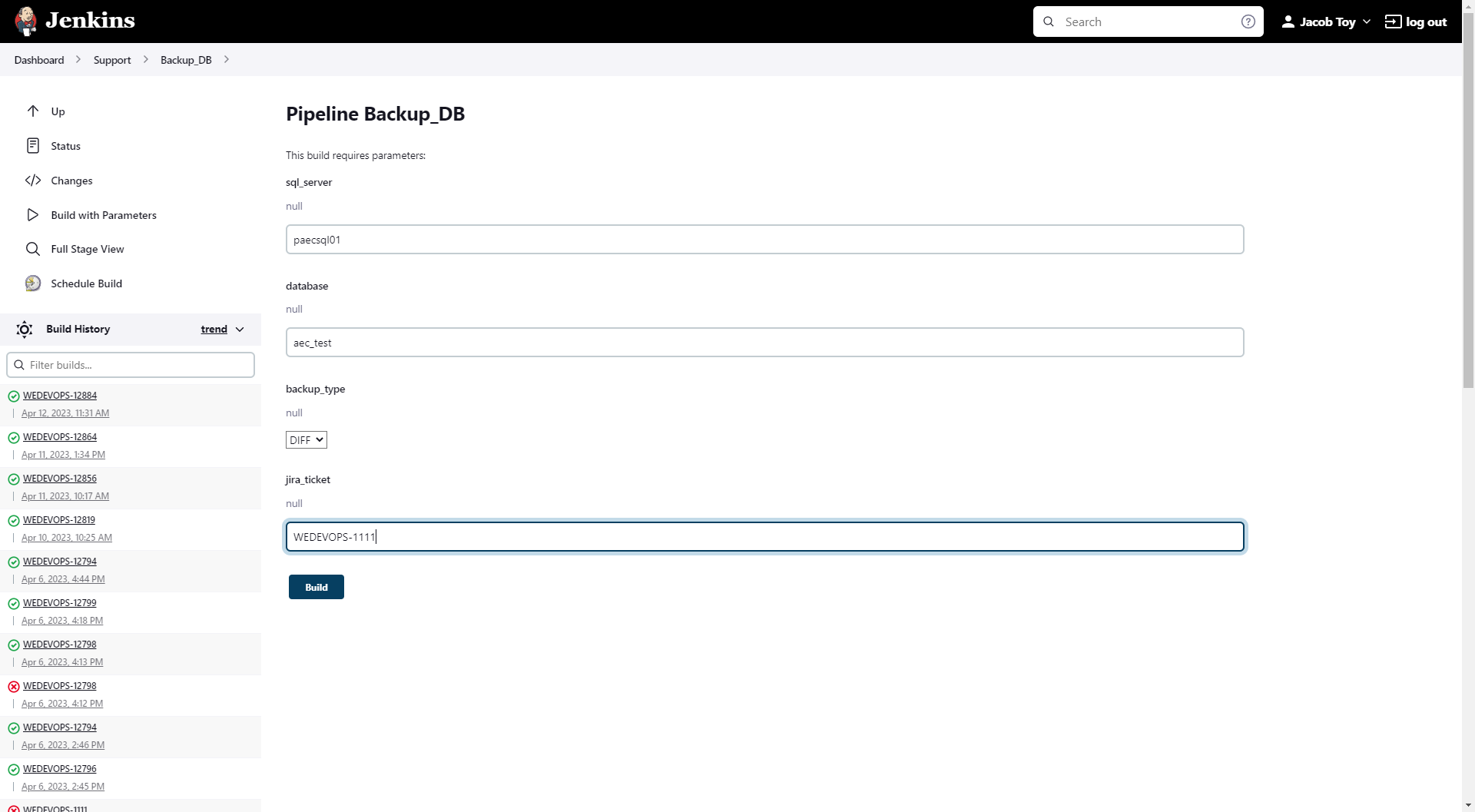
Input the required parameters.
Hit Build.
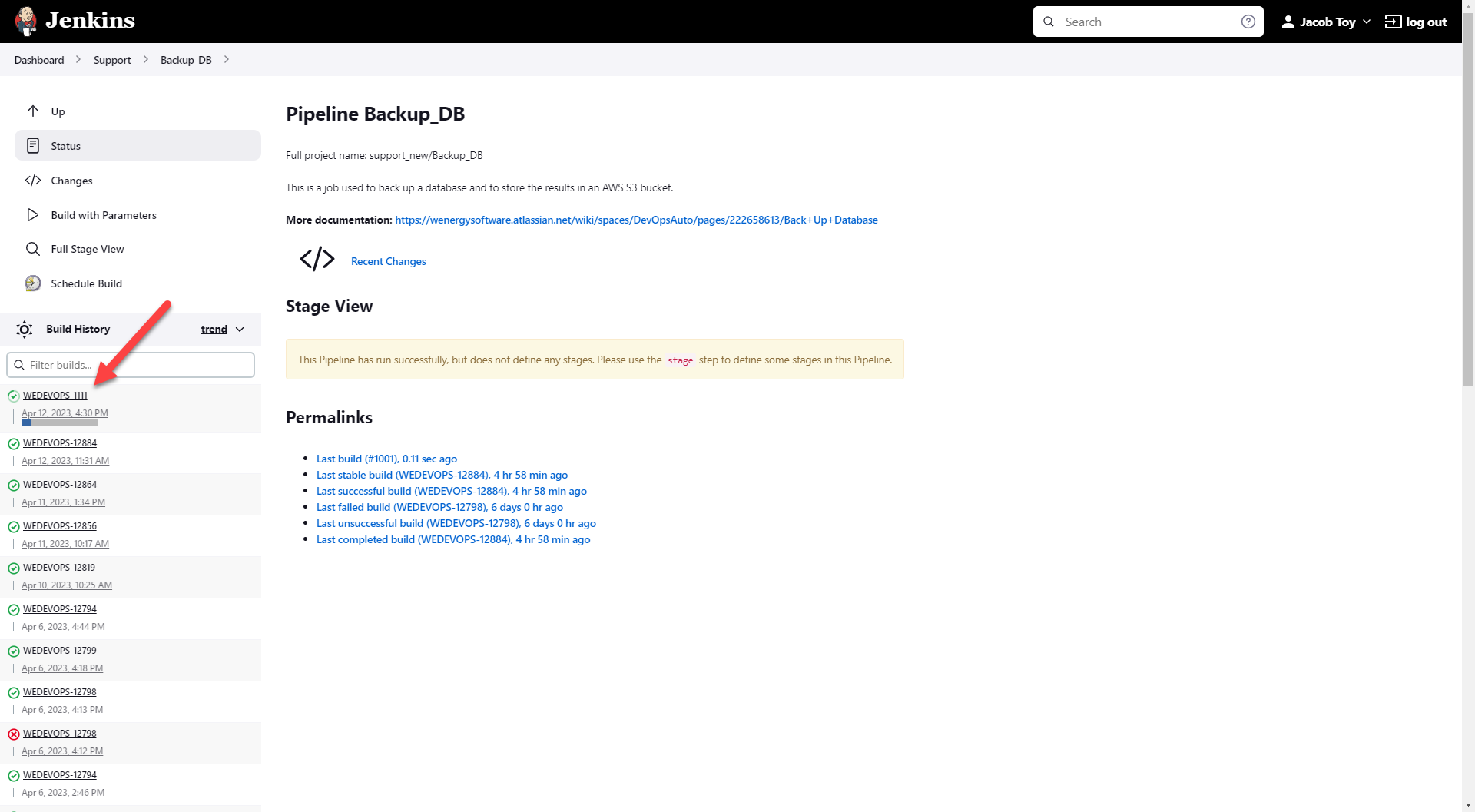
Click on the job that was kicked off.
Select Console Output.
Select the Starting building hyperlink at the bottom of the screen.
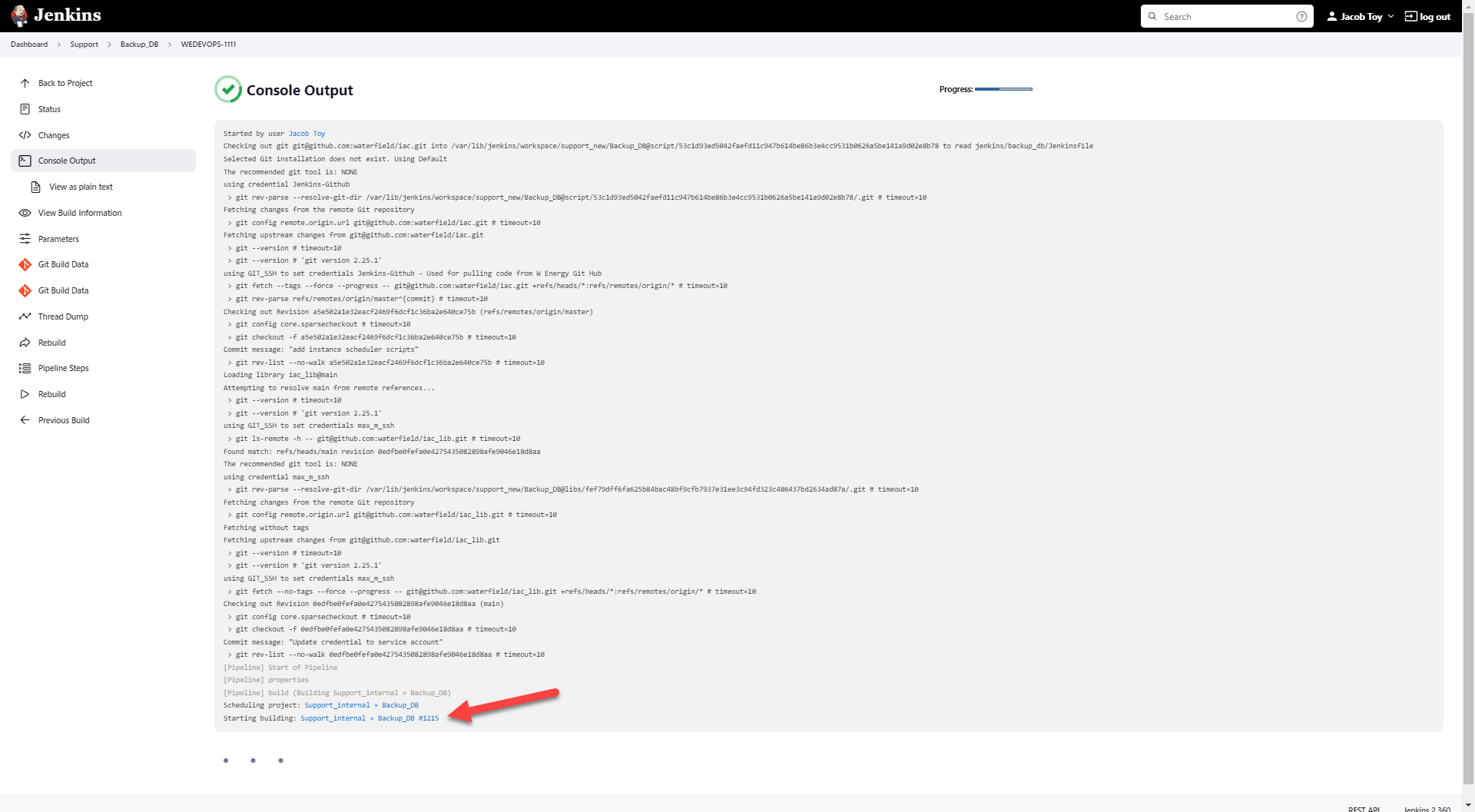
Select Console Output one more time.
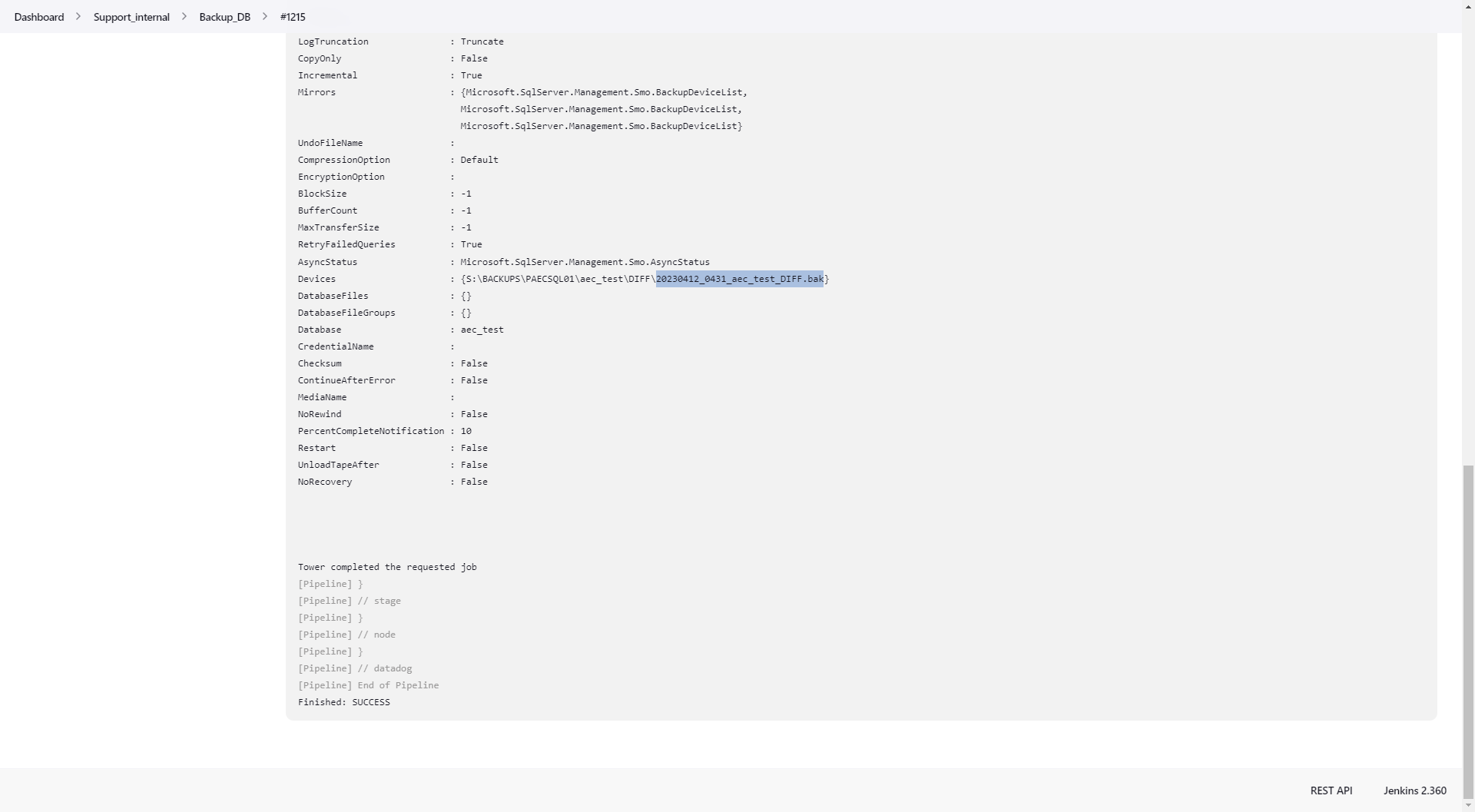
Scroll down to the bottom of the output.
The highlighted portion in the screenshot below is the back up that is to be inputted when another automation job asks for it.
The entire portion within the brackets is the file path to where the back up was generated to.
If a back up needs to be saved away, asking DevOps to save it can be requested.
How does this concept impact/feed other areas in the application?
Database back ups go hand-in-hand with refreshing databases. Whether the refresh is using a FULL nightly back up, a FULL nightly back up with a DIFF, or a FULL back up manually generated, refreshes always use some sort of back up.
As we will see in the restore_db article, the database backup can be specified as an optional field to be populated.
Other items worth noting that would impact the process.
Changes coming soon
Known issues with the process
Perhaps not necessarily an issue but rather an inconvenience is when the generated database back up name and file path does not appear under the completed automation job. If that is the case, please reach out to a member in DevOps to provide you with the back up name and file path.
Frequently Asked Client Questions
Links provided are from W Energy Software Support Confluence Space @a user