
Projects
Why would a client use Projects?
Projects are just a helpful way to group your AFEs and show you a summary of the gross and net amount in relation to your commitments, actuals and budget amount for all the related AFEs. Anyway clients want to group AFEs, we can do.
Some clients do not want projects/don’t care to categories their AFEs - Have the client setup some generic project(s). Ex: a non-operated and operated project
Some clients want to utilize project in a meaningful way - Have client group their AFEs in order to budget
Some clients set up projects so its a 1:1 relationship - Have client create a project for every AFE
How to setup Projects in the system
AFE Project Stages:
Navigate to Global Setup>Code Tables>AFE Project Stages
Add the stages relevant to business needs
Some use multiple stages for projects
Others use a single “Approved” stage to meet the requirement of a populated field
Click on “New”
Populate fields:
Code
Description
Sequence
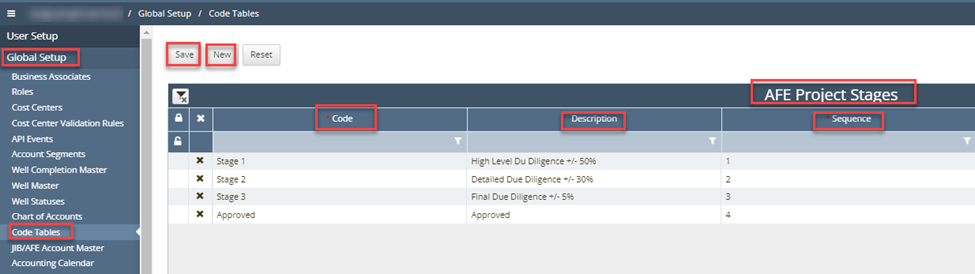
Repeat Steps 3-4 as many times as needed.
Click on “Save”
AFE Documents:
This is an optional setup item but can be used for requiring different document types to be loaded with each AFE
Navigate to Global Setup>Code Tables>Documents Types
Click on “New”
Populate:
Code
Description
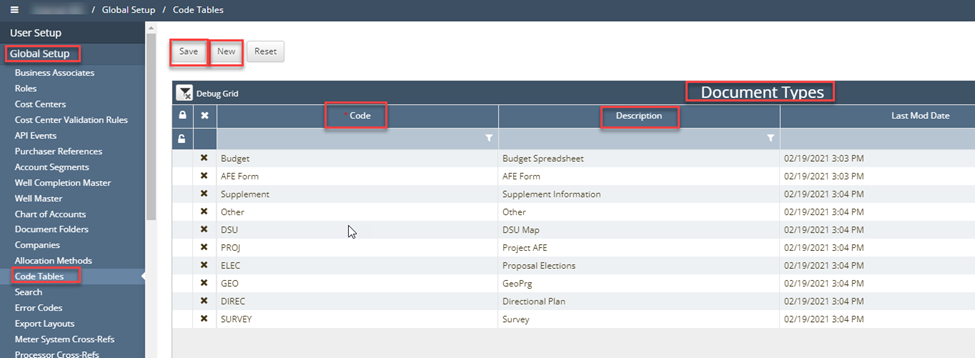
Repeat steps 3-4 for as many documents as needed
Click Save at the top of the screen.
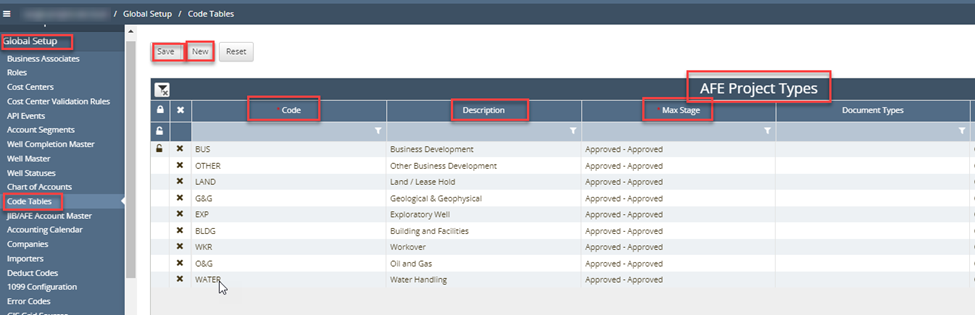
Project Types:
Navigate to Global Setup>Code Tables>AFE Project Type
Click on “New”
Populate required fields:
Code
Description
Max Stage
Document types - optional
Project Size:
Navigate to Global Setup>Code Tables>AFE Project Sizes
Click on “New”
Project Sizes can be used to group different projects. This is a system requirement for Project setup.
Create different sizes
Create a single size
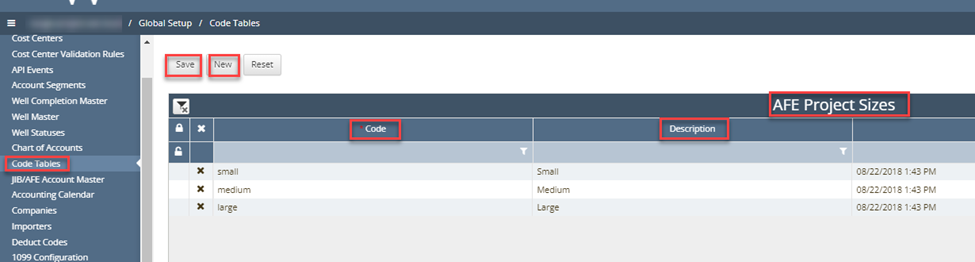
Populate:
Code
Description
Repeat steps 2-4 to create all needed sizes
Click on Save at the top of the screen
Create a Project:
Manual
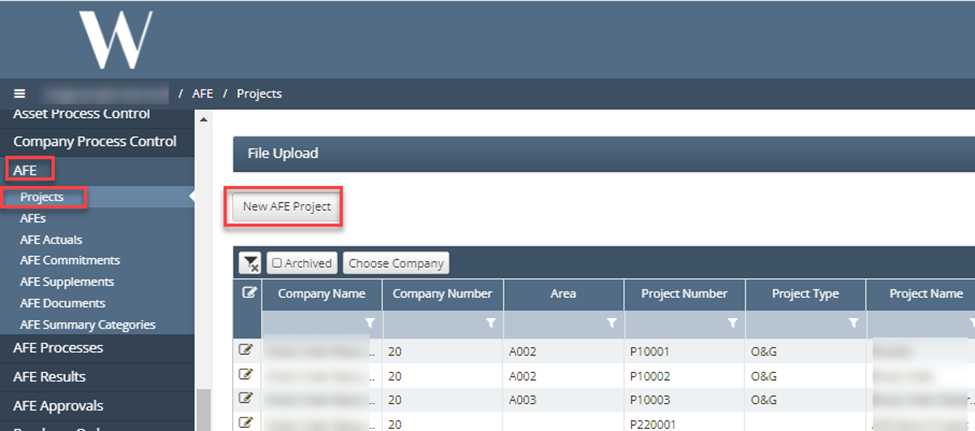
Navigate to AFE>Project
Click on “New” AFE Project button
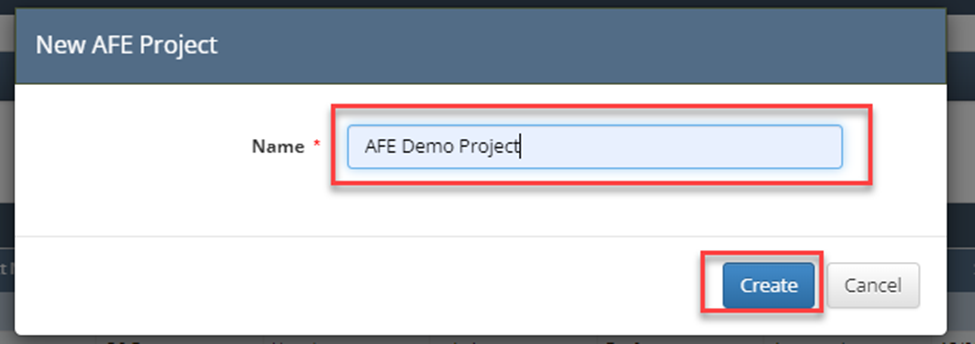
Enter AFE Name and Click on “Create” button
On the Project Header tab, input all required fields (*):
Area
Project Type
Project name
Project Manager - pulls from User table
Stage
Estimated Start
Estimated Completion
Project Size
Click Update at the top of the screen
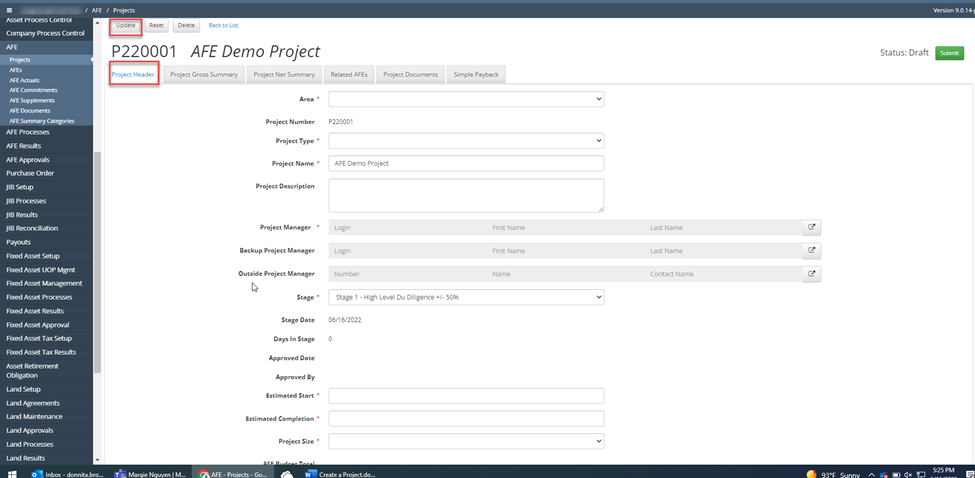
The Project Gross and Net Summary are calculated tabs from information entered at the AFE level

Related AFEs – this will display all AFEs attached to the Project. For further instruction on creating an AFE use the “Create AFE” document.
Simple Payback is an optional tab in the event a payback calculation needs to be calculated

📘 If there are multiple ways to do this setup list each one out
How does this concept impact/feed other areas in the application?
For example, Check input is required for Revenue to to allocate funds to correct owners.
Other items worth noting that would impact the process.
Changes coming soon
Known issues with the process
Frequently Asked Client Questions
Question: “Do we have to use Projects to setup AFEs?” Answer: YES, they are a requirement. *Reference above the purpose of setting up projects to the client if they ask this question.
Question: “Is there a way we can turn Projects off?” Answer: NO