
Populate the Legal Base and Tract Metadata Items Tables
What are the Legal Base and Tract Metadata Items Tables?
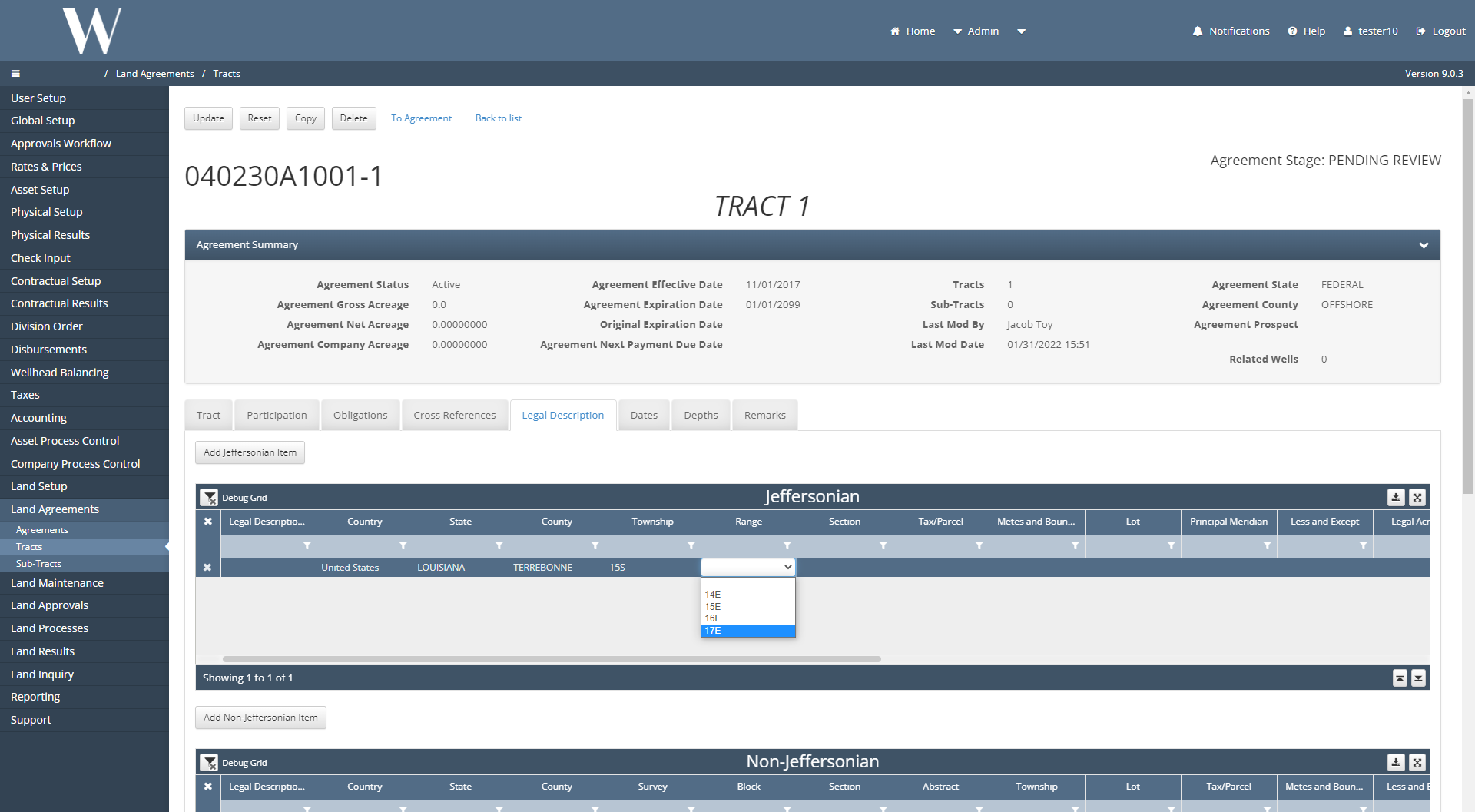
The Land Legal Description screen is where Land Analysts input geographic data to specify where each Tract exists. This screen has picklist dropdown options for the analyst to select from.
Before a Land Legal Description can be populated manually or uploaded into the application, the Legal Base and Tract Metadata Items Tables must be populated beforehand.
Why would a client use these tables?
The client only has access to the Tract Jeff Metadata Items and Tract Non-Jeff Metadata Items tables under the Global Setup / Code Tables/ Tract (Non-)Jeff Metadata Items screens but not the Legal Base tables in the application.
Without the Tract Metadata Items tables populated, the Land Legal Description dropdowns will not be populated.
Without the Legal Base tables populated, the Land Legal Description that was entered will not save.
How to Populate the Tract Metadata Items Tables in the System
Navigate to Global Setup / Code Tables / Tract Jeff Metadata Items or Tract Non-Jeff Metadata Items.
Select New and populate the blank row at the bottom of the table.
The Name and Description fields do not control the Land Legal Description dropdown options, thus these fields can be any value, but the rest of the fields do control the dropdowns.
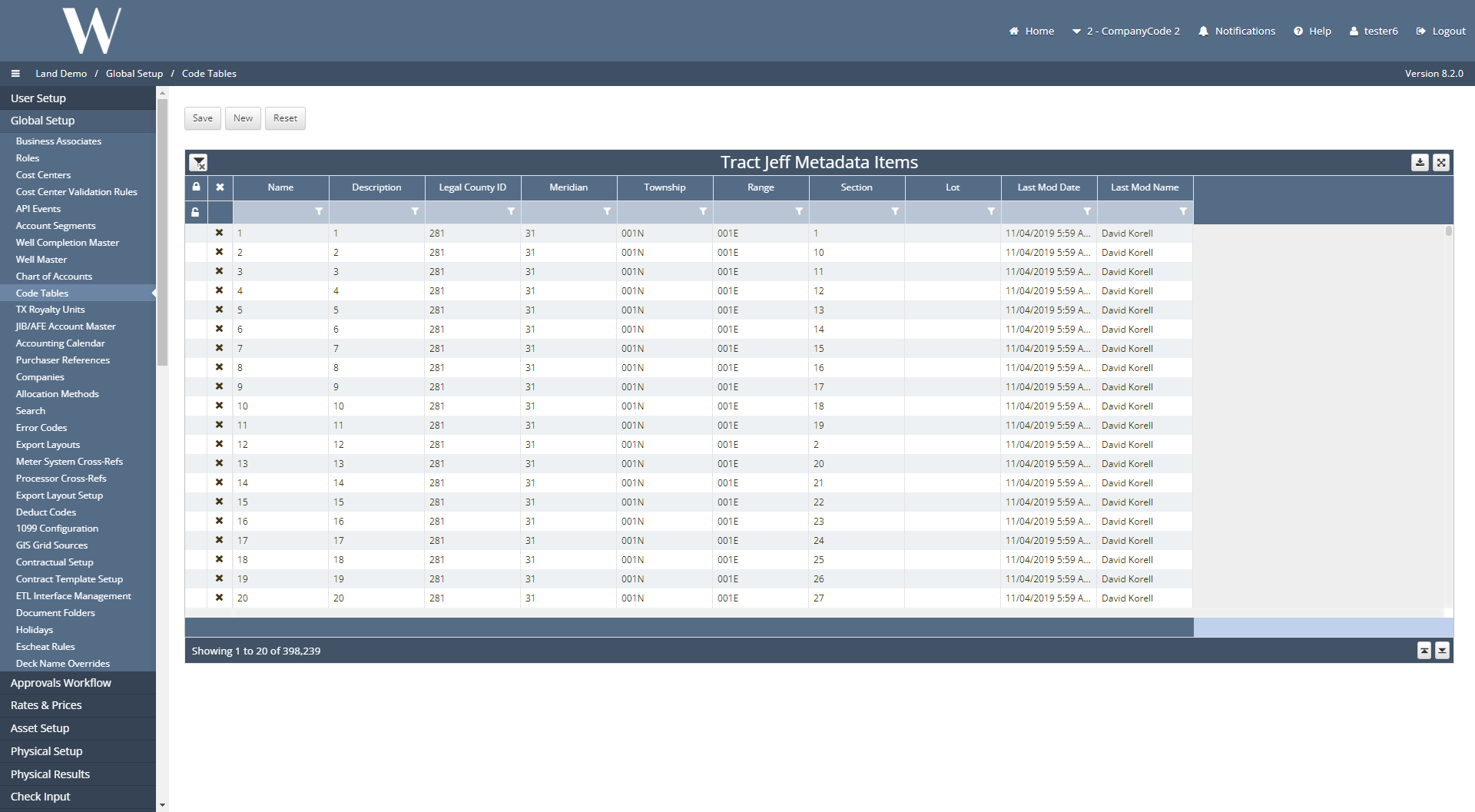
Once the new record has been populated, hit the Save button.
How to Populate the Tables in the Database
The Tract Metadata Items tables can be populated in the application or scripted into the database. The Legal Base tables must be scripted into the database.
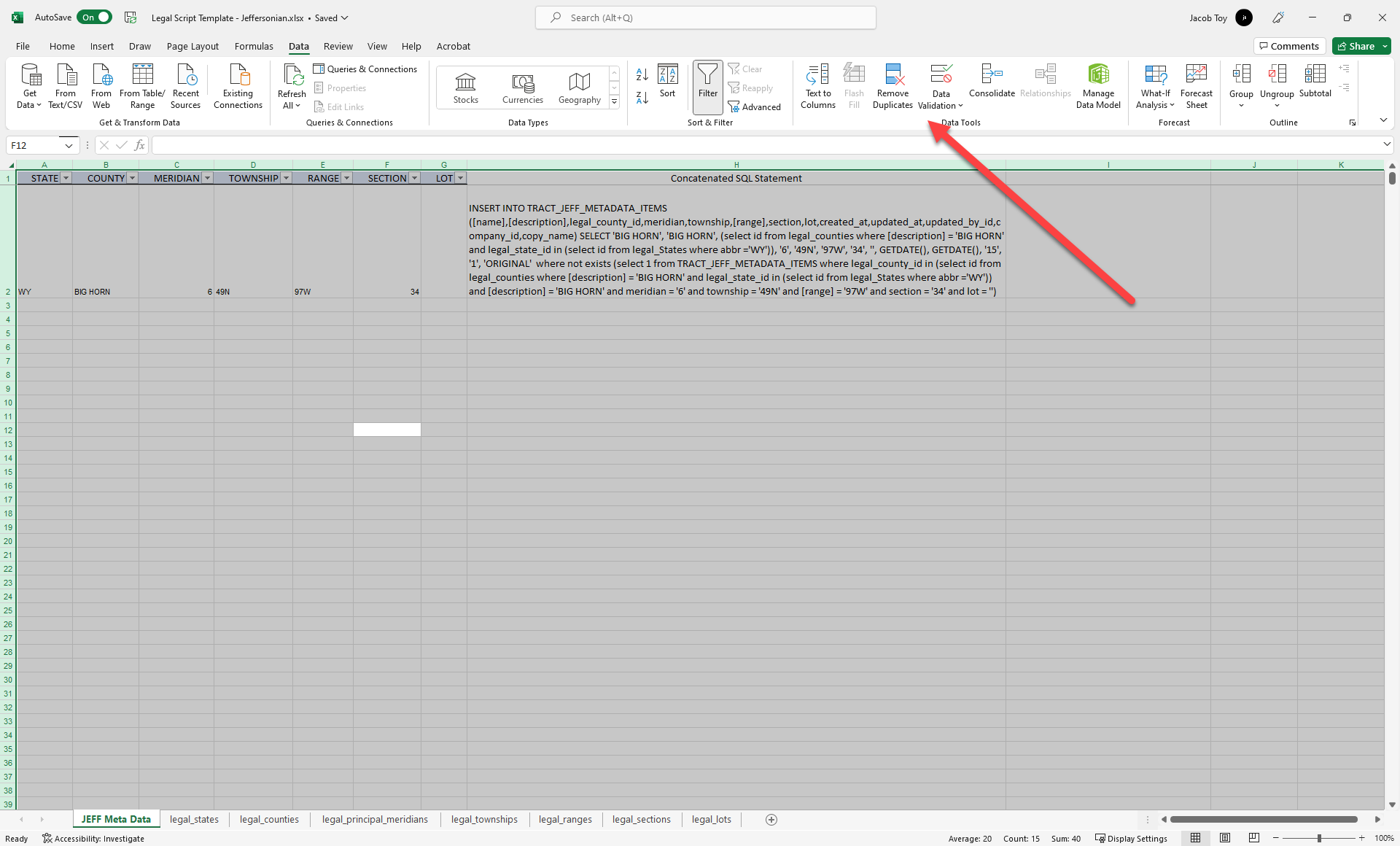
Once the Tract Import Template has been populated with Land Legal Descriptions on the Jeffersonian, Non-Jeffersonian, and/or Offshore tabs, migrate each column over from the uploader template to the script builders found below.
The script builders build out the SQL INSERT statements for each unique Land Legal Description in the Legal Base and Tract Metadata Items tables.
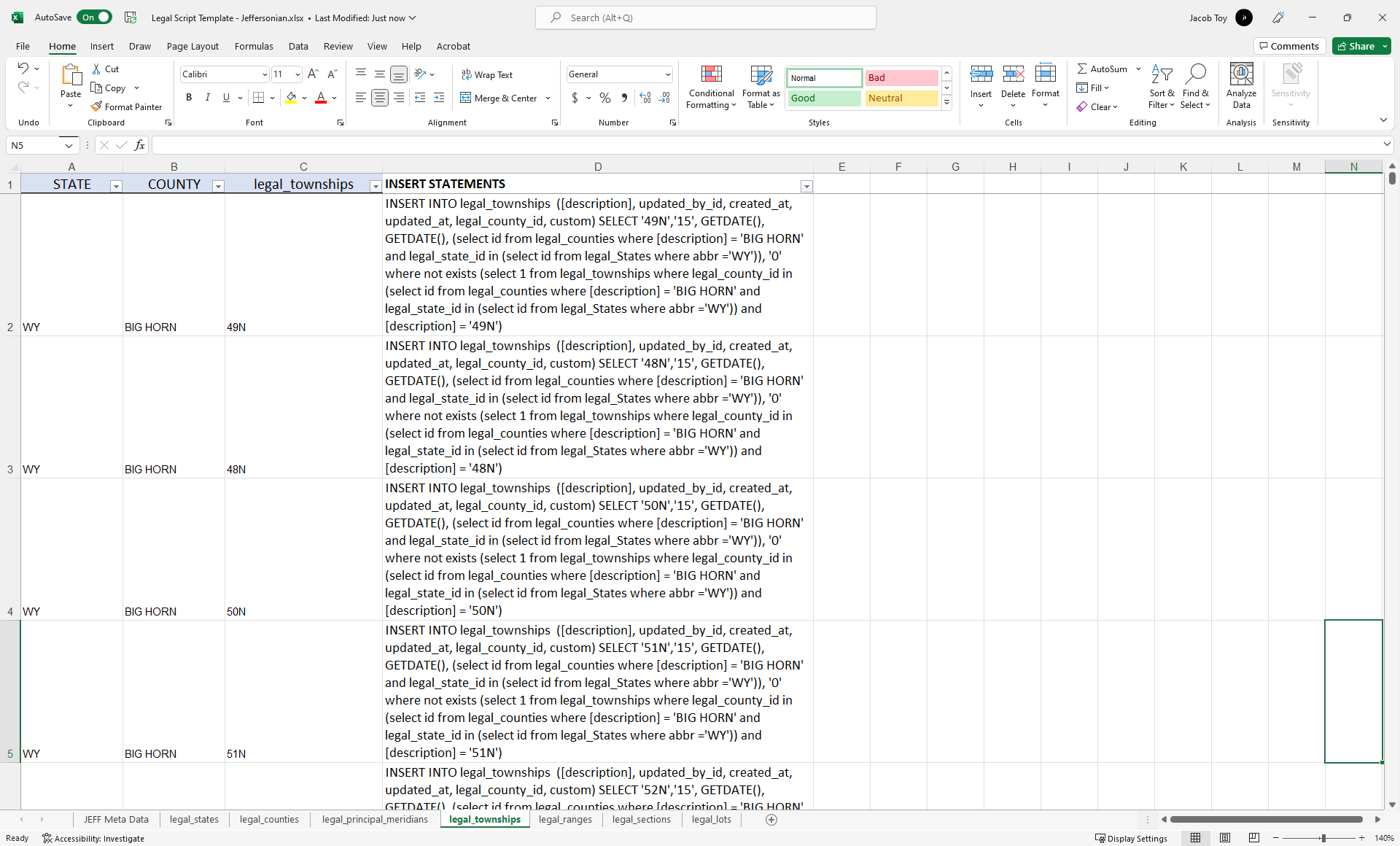
Once the Concatenated SQL Statements have been formed, hit Ctrl + A on your keyboard, toggle over to the Data tab in Excel and use the Remove Duplicates function for each Excel tab.
Tracts_Import_Template.xlsx 005 VEF_AR_GPOL_Load.sql Legal Script Template - Offshore.xlsx Legal Script Template - Non Jeffersonian.xlsx Legal Script Template - Jeffersonian.xlsx
How does this concept impact/feed other areas in the application?
This process is sometimes optional for the Land module but always a pre-requisite for GIS. Without the Legal Base and Tract Metadata Items tables populated, the Land Legal Description dropdowns in the main application will not appear.
Without those dropdowns, the Land Analyst cannot upload/select values and enter in the Land Legal Descriptions and there is nothing for the GIS module to automap.
Other items worth noting that would impact the process.
Known issues with the process
Sometimes the data set that is trying to be scripted into the database is too large and cumbersome for DevOps to complete. An alternative method is to sideload the data just like it was completed for previous clients:
WEDEVOPS-9173
WEDEVOPS-9370
Frequently Asked Client Questions
Can the client themselves populate the Land Legal Description dropdowns?
No, the client cannot. The client does not have access to the legal base tables; they must be populated in the backend database. What can be done is to have the GIS grid data attribute tables exported for specified counties/regions. The grid data can be used to back-populate all of the Land Legal Description dropdown options.