
Get Weinfo
What is Get Weinfo
Get Weinfo is an automation job that retrieves the results of Weinfo command.
Why would Get Weinfo be used?
This job provides basic information about the particular environment that is being queried. This information is often times the pre-requisites to the parameters that need to be inputted to run other automation jobs.
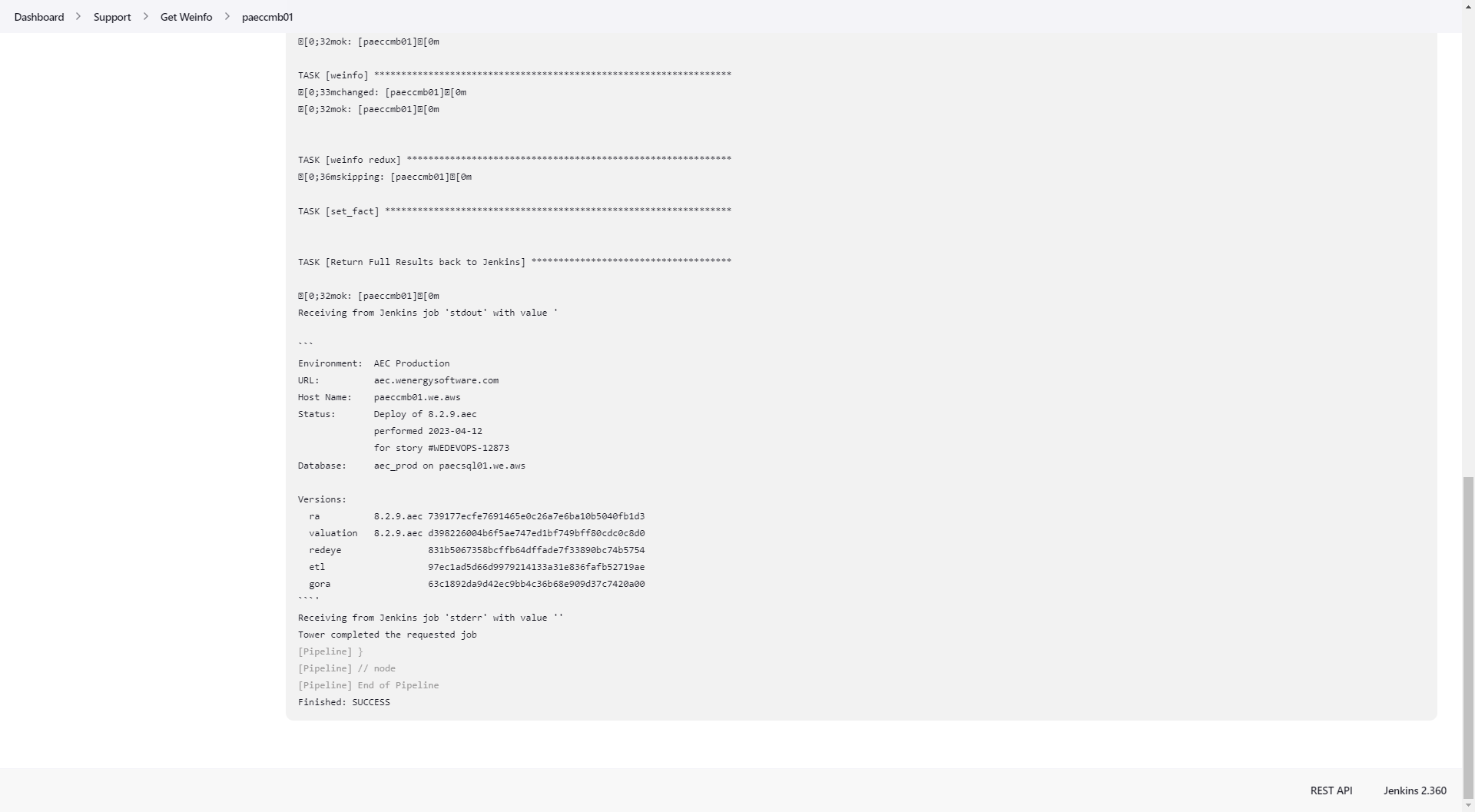
For example, line 3 displays the app server of dtercmb01 which is a parameter asked to run other jobs including appusers and code_deploy.
Line 3: App Server
Line 4: Code Version
Line 5: Last Code Deploy
Line 7: SQL Server
Lines 9 - 14: Software Version that can also be found in the application under Support / Software Version
Environment:  Terra Dev
URL:          terraep-dev.wenergysoftware.com
Host Name:    dtercmb01.we.aws
Status:       Deploy of 8.3.2.terra
              performed 2023-03-22
              for story #None
Database:     terra_dev on ntersql01.we.aws

Versions:
  ra          8.3.2.terra 18edf277c0038567c6974a5ff61959713df7ff64
  valuation   8.3.2.terra d398226004b6f5ae747ed1bf749bff80cdc0c8d0
  redeye                  831b5067358bcffb64dffade7f33890bc74b5754
  etl                     56a98282cfb44eaf5f1fd0d34166ec9190f02ae8
  gora                    4c1e6237820ed558180ec74bd7524cadac2e6cb4
How to Run Get Weinfo
Authenticate into Jenkins Automation.
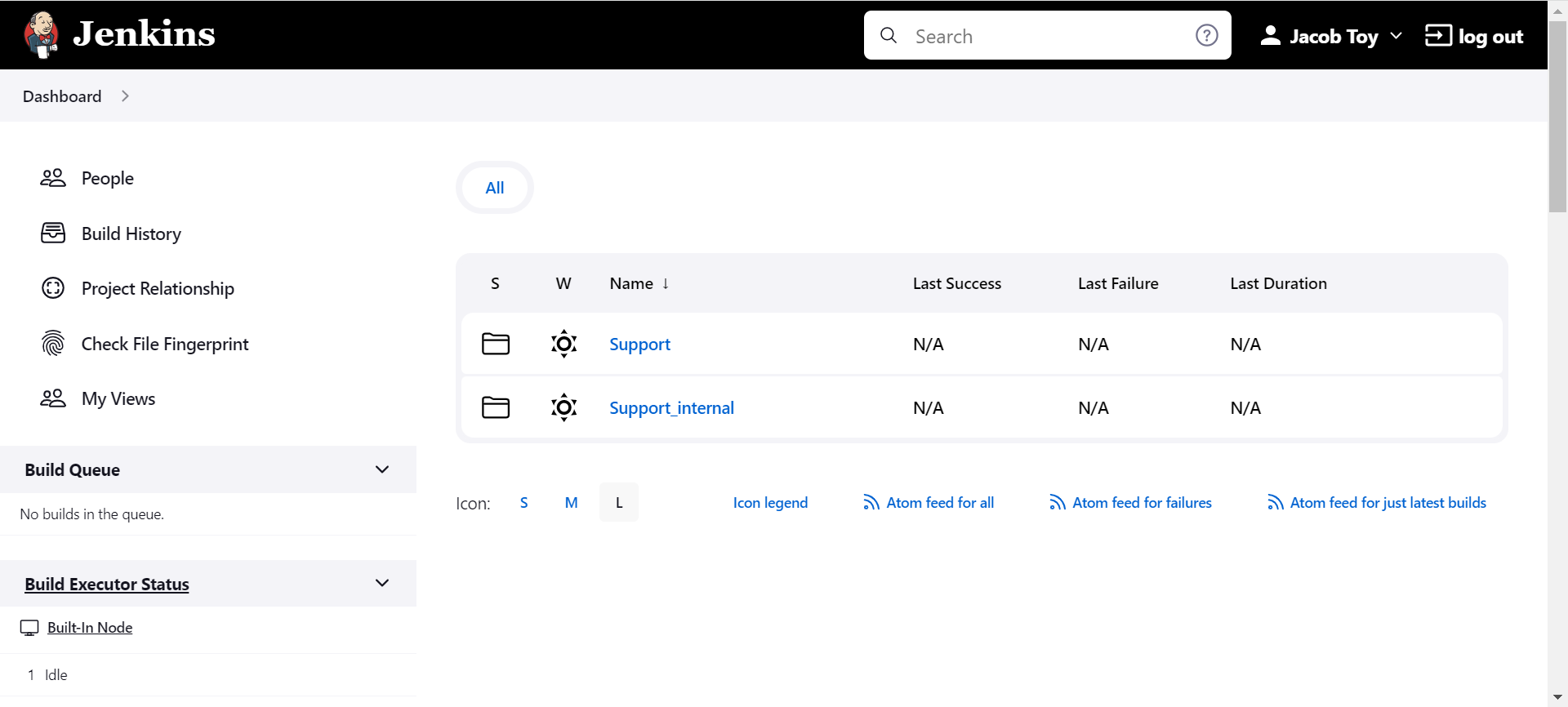
Select the Support folder.
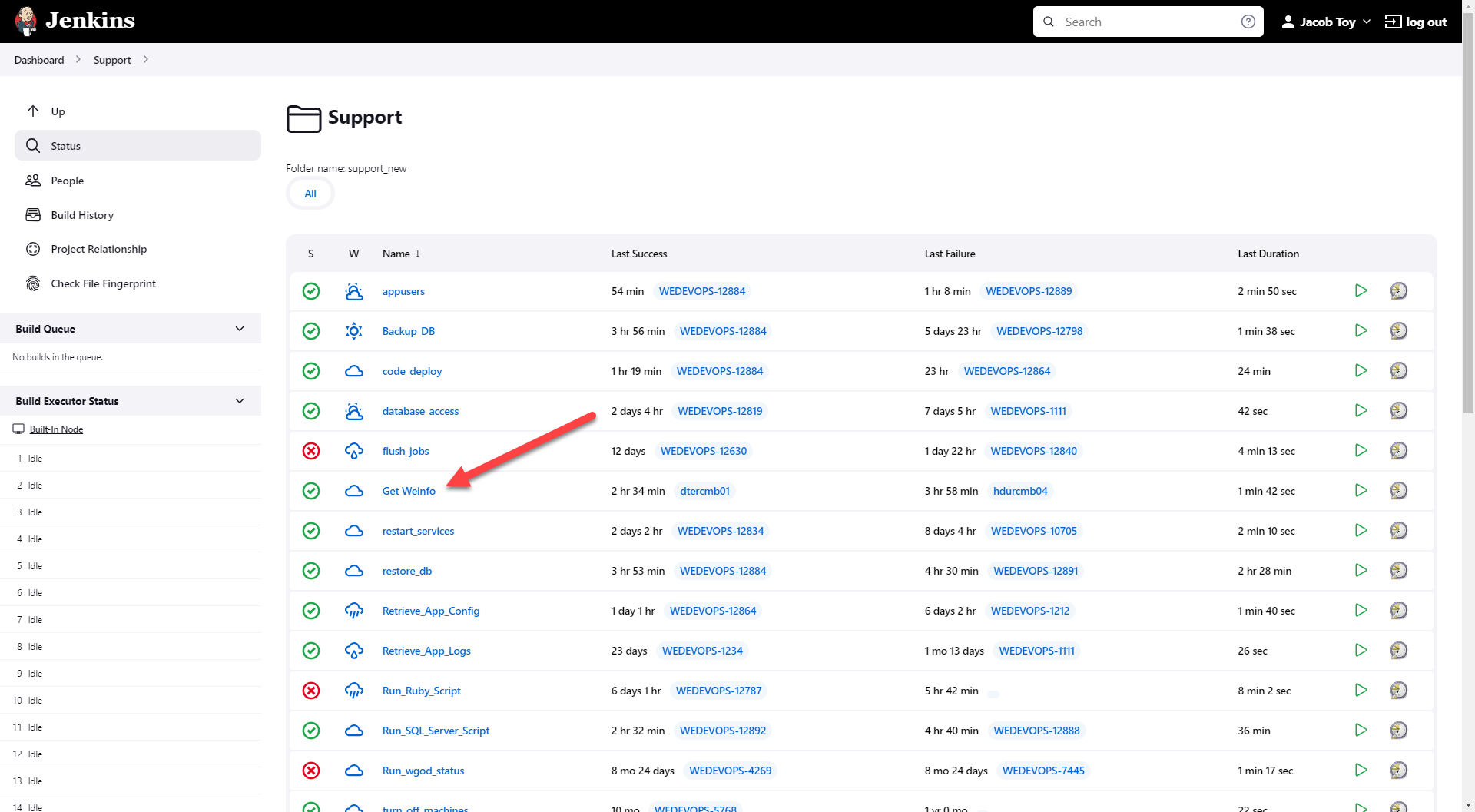
Select Get Weinfo.
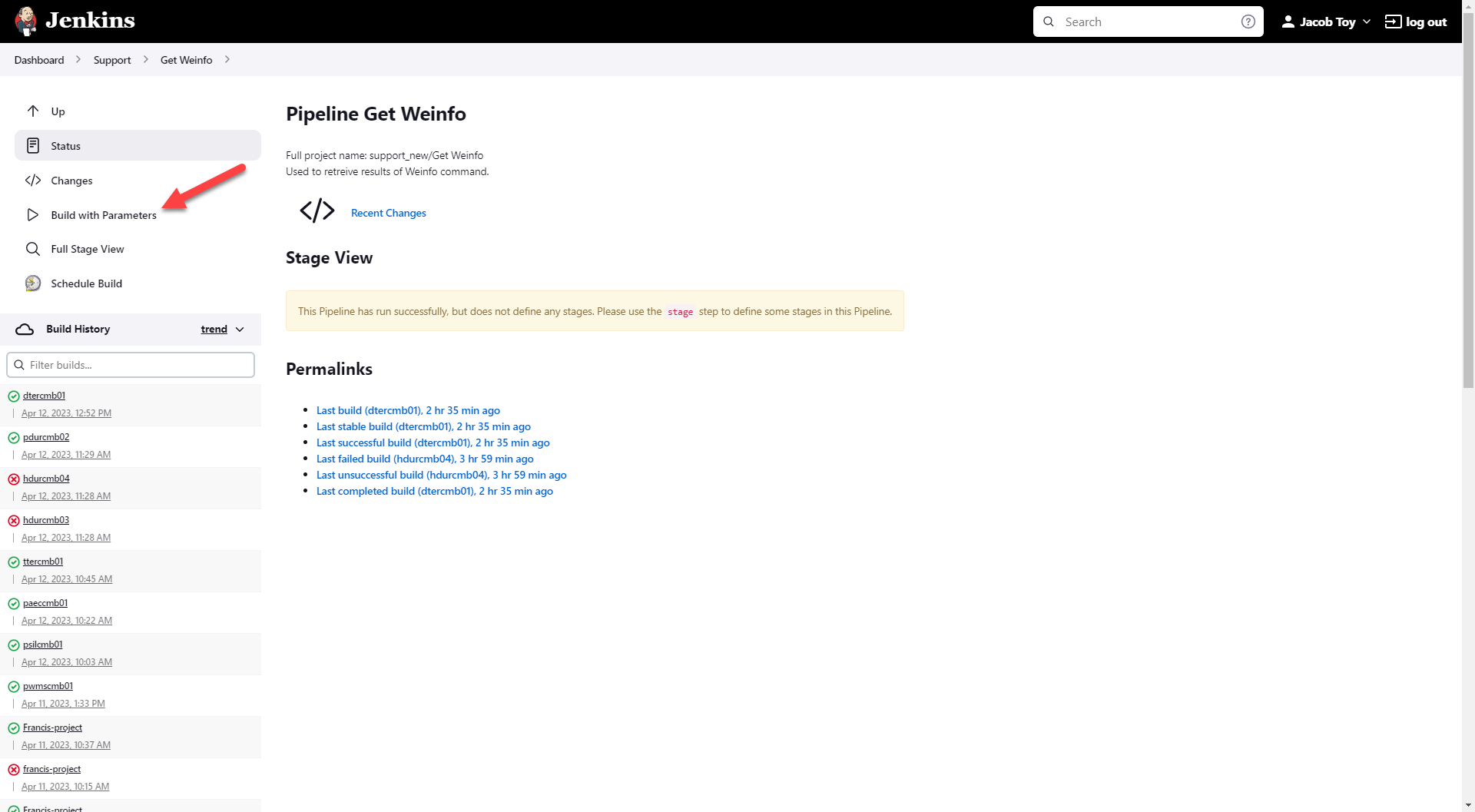
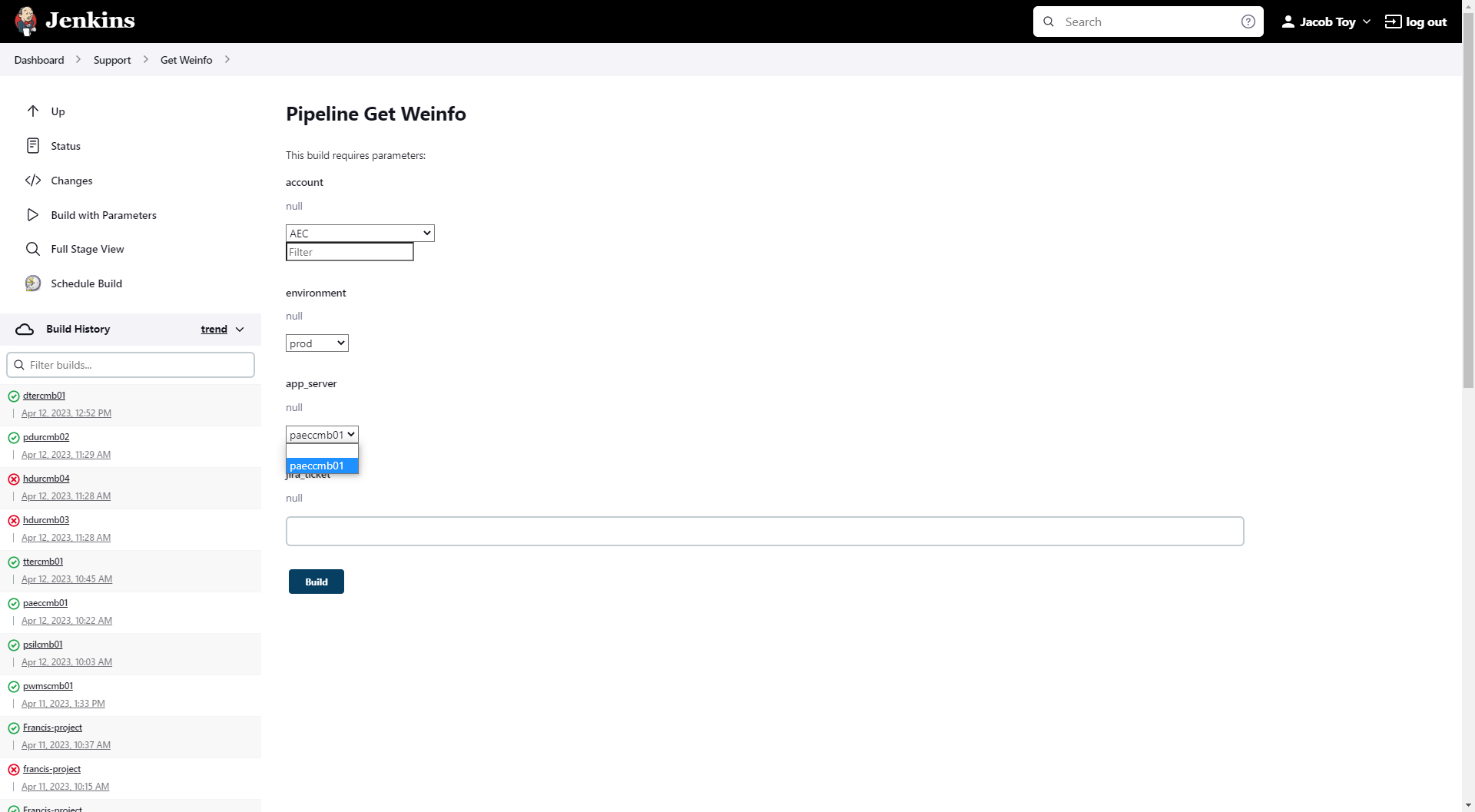
Select Build with Parameters.
Input the account, environment, and app server for the environment you are querying. The jira_ticket number is optional.
Select Build.
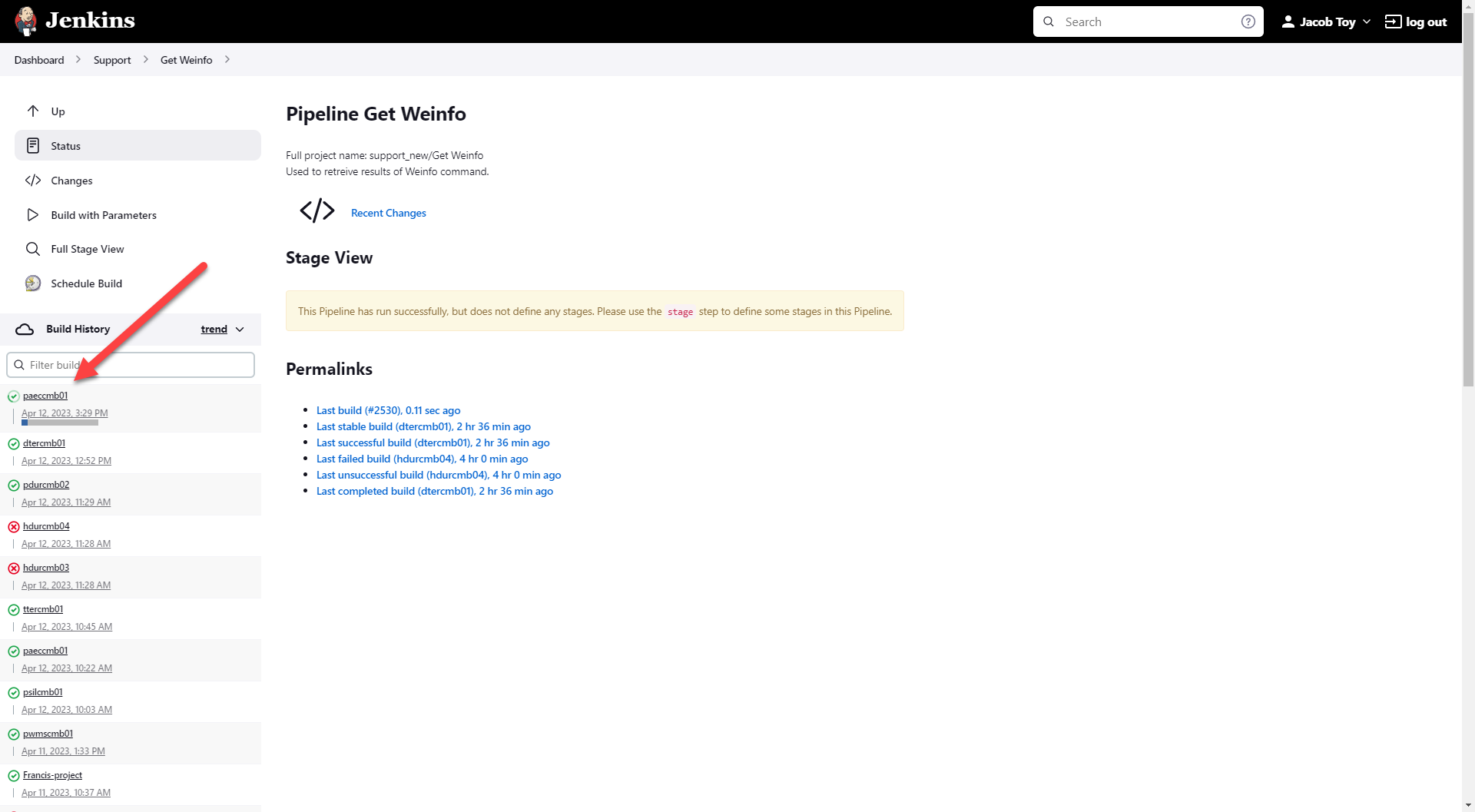
Click on the job that was executed.
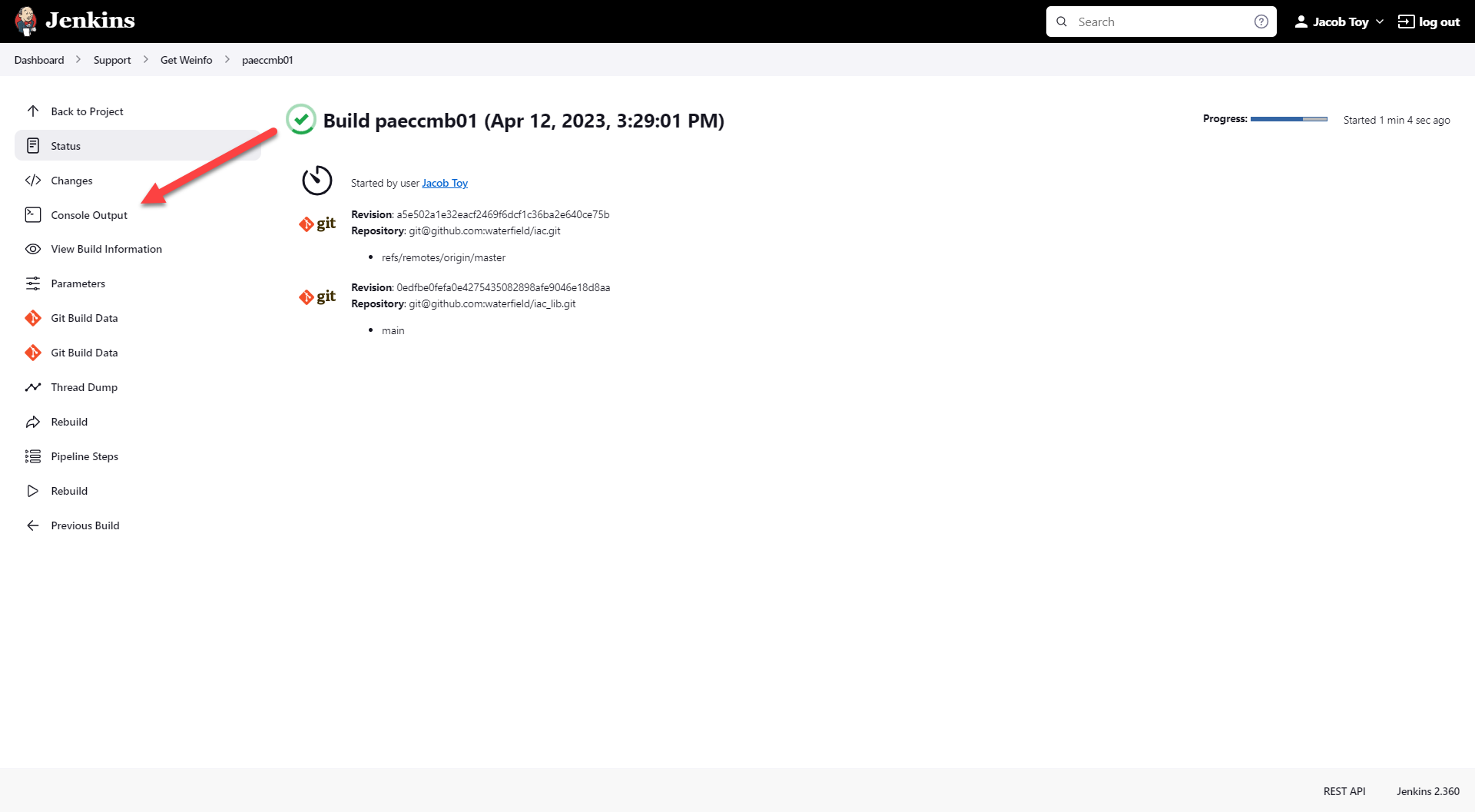
Select Console Output.
Wait for the job to complete and the results will be at the bottom of the screen.
📘 If there are multiple ways to do this setup list each one out
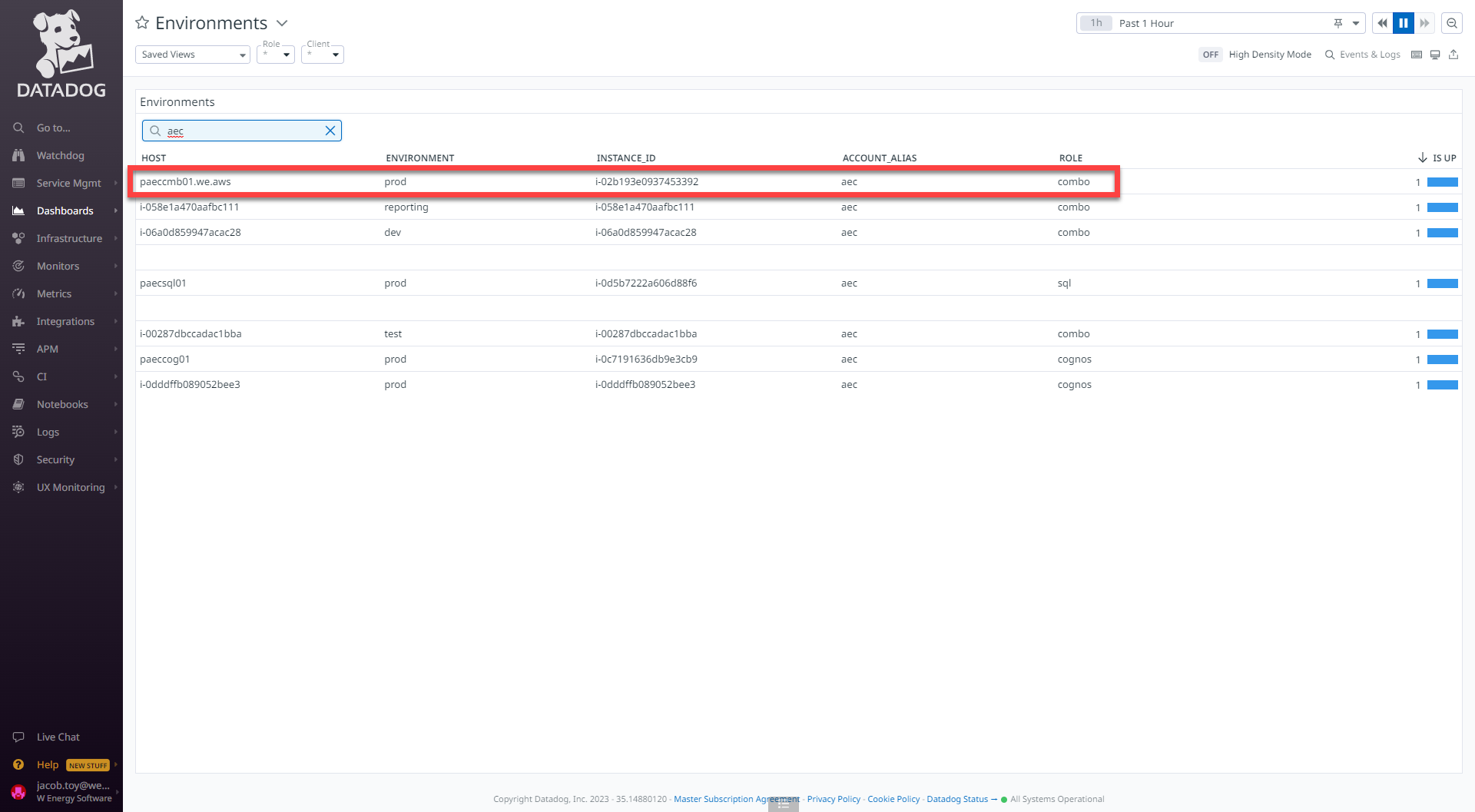
Some of the information that Get Weinfo provides can also be retrieved in another application called Datadog.
Authenticate into Datadog.
Navigate to the Dashboards sidebar.
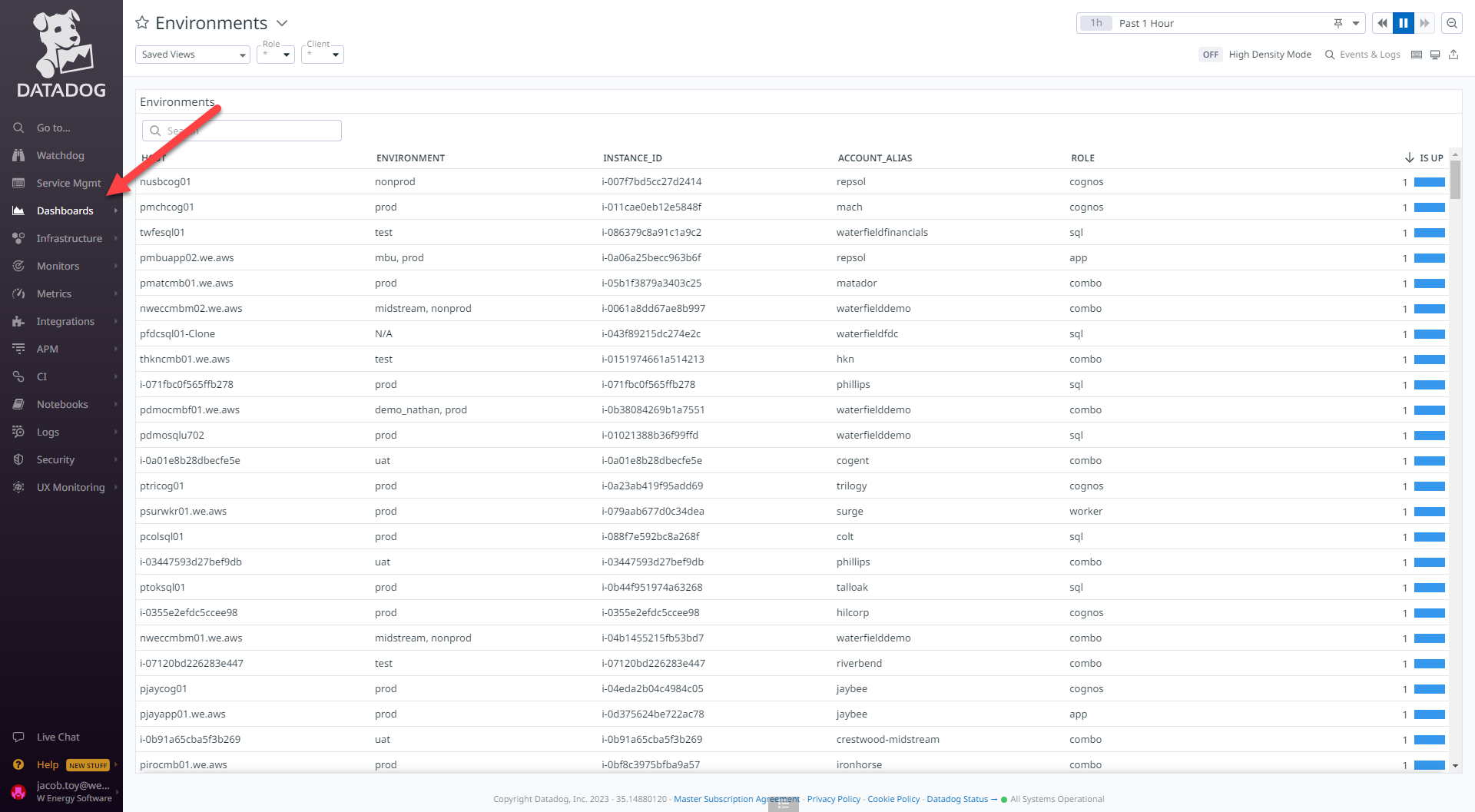
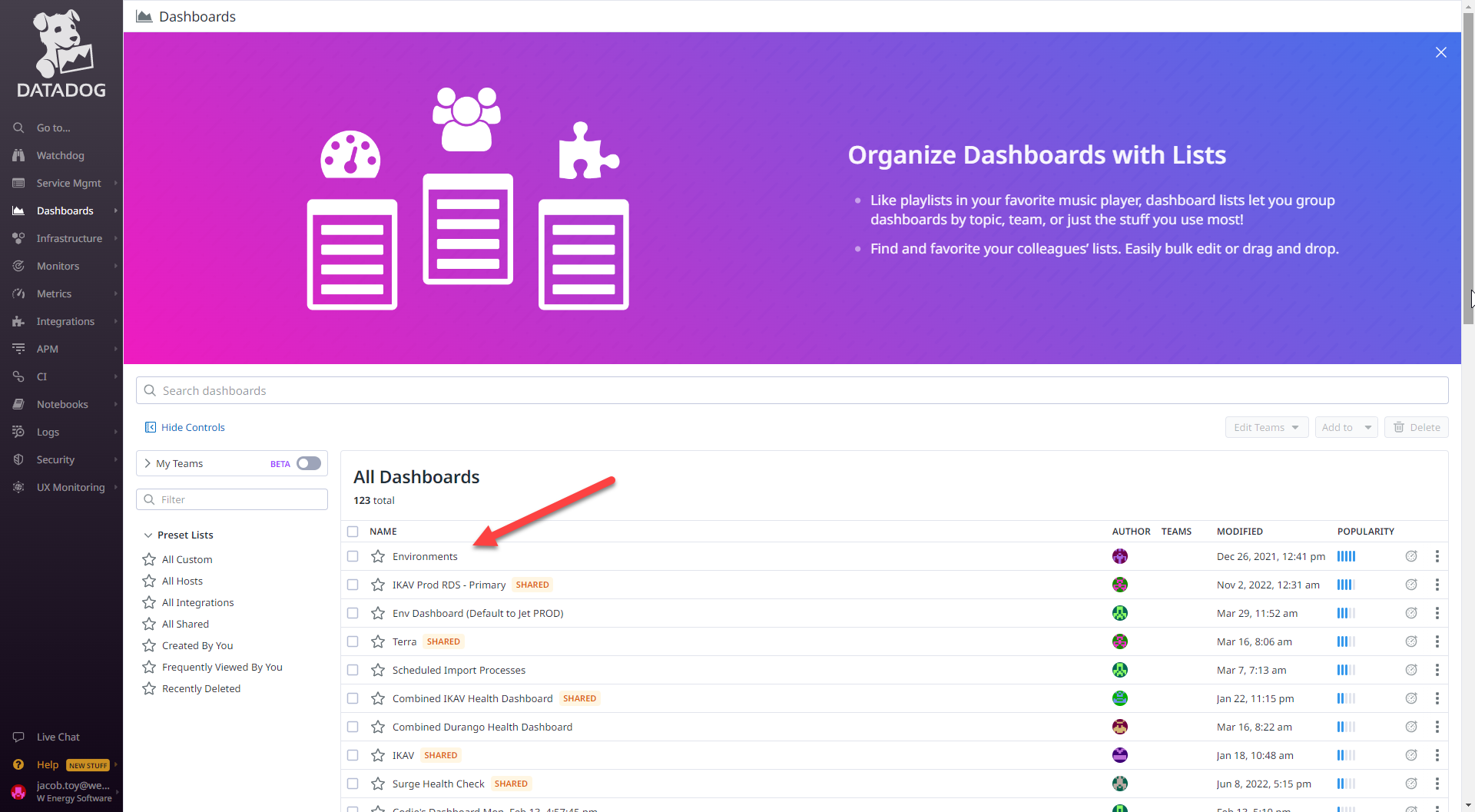
Select Environments.
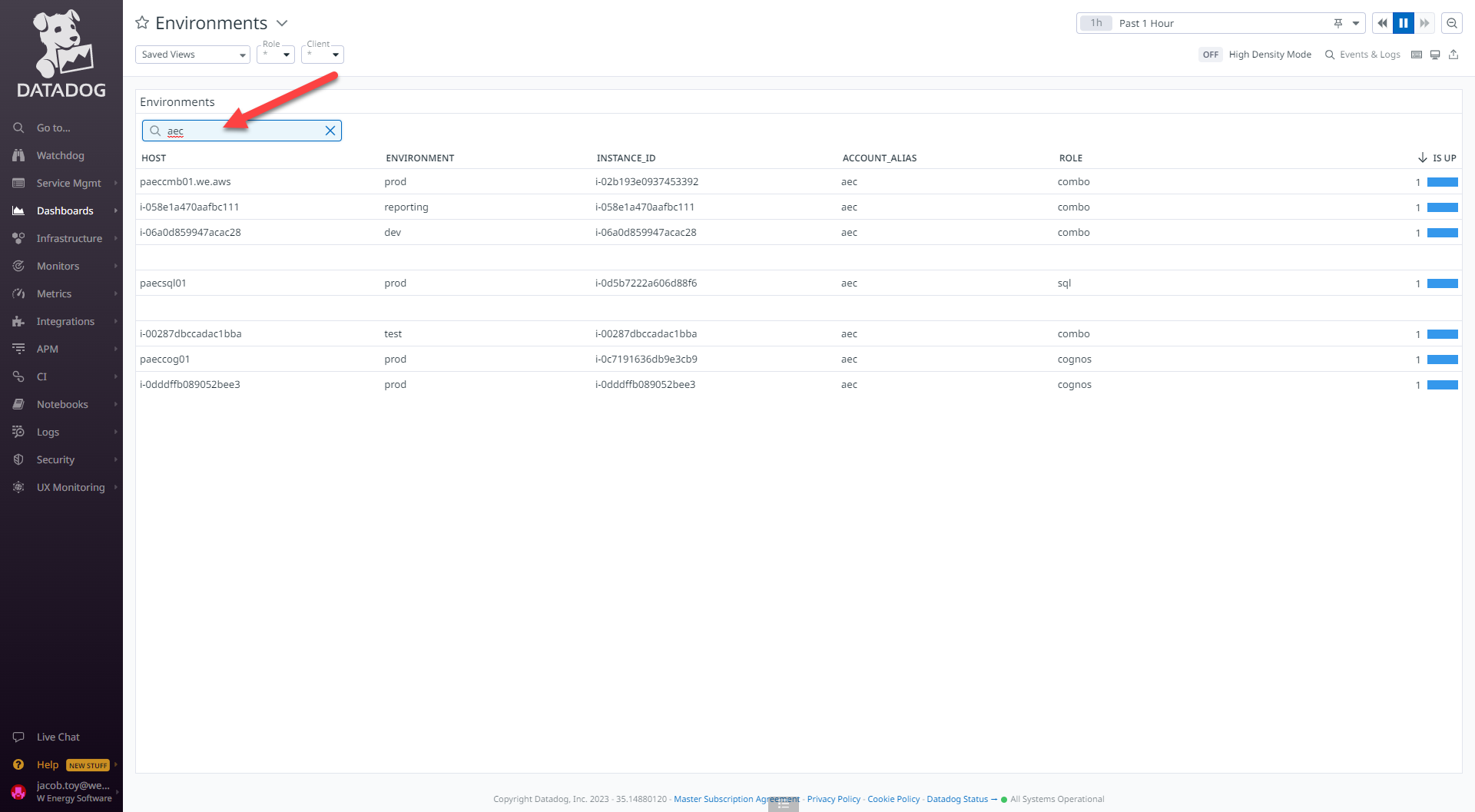
Type in the client name under the search bar.
There is only one line item that says sql for the role, thus paecsql01 is the sql server for all of the non-prod and prod environments for this client.
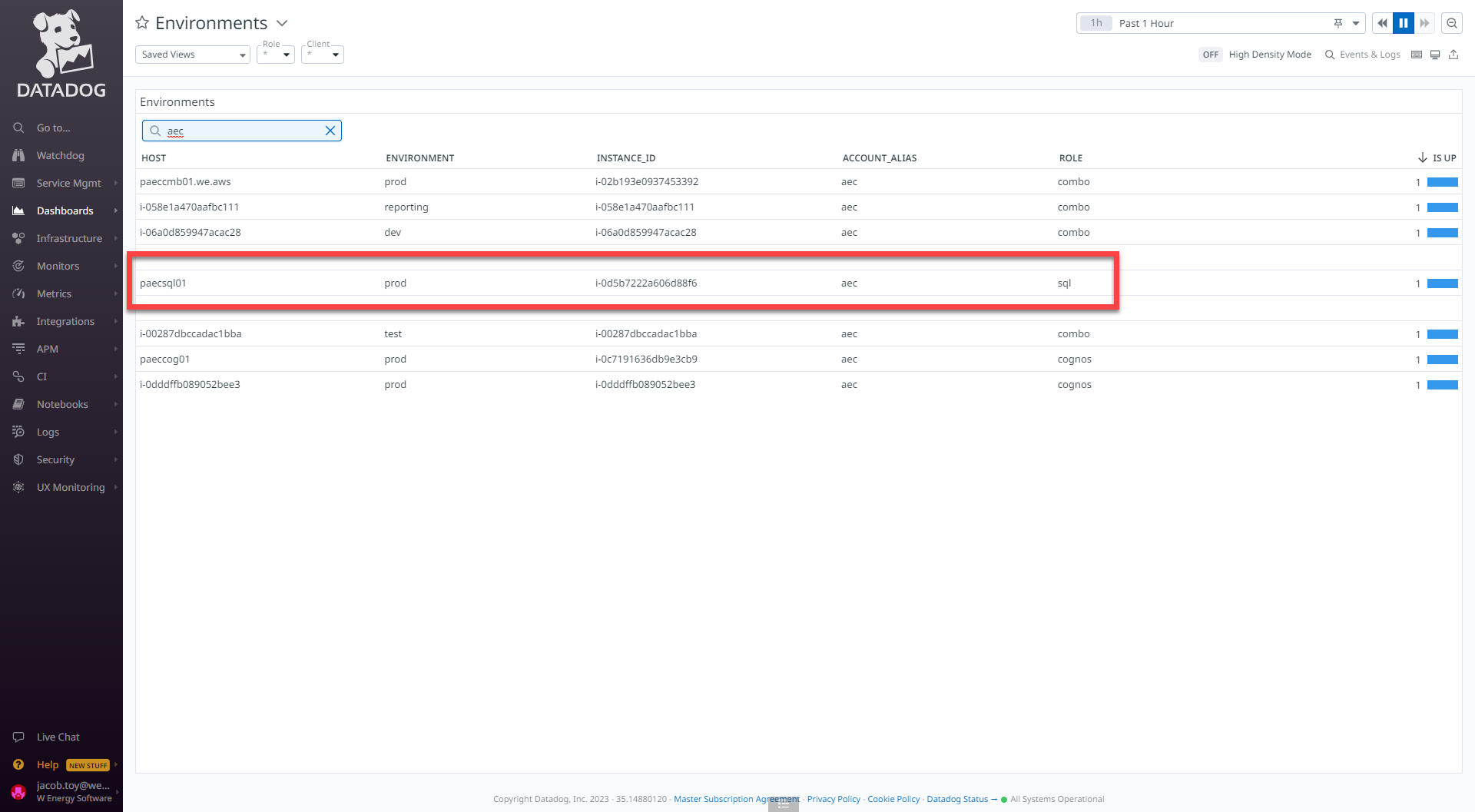
The line item that has prod for the environment and combo for the role is the app server thus paeccmb01 is the app server.
How does this concept impact/feed other areas in the application?
Get Weinfo provides the required parameters that are used as inputs for other Automation jobs such as restart_services and Run_Ruby_Script.
Outside of Automation jobs, Get Weinfo provides the application URL, software version, code version and last code deploy to the environment.
Other items worth noting that would impact the process.
Changes coming soon
Known issues with the process
Frequently Asked Client Questions
Links provided are from W Energy Software Support Confluence Space @a user