
Check Input Layout
What is a Check Input Layout
The Check Input Layouts screen is where users can set up various layouts/templates that match up with the data that is provided on their various net check remittances. CI Layouts can be created per Remitter or shared amongst Remitters (IE One to Many).
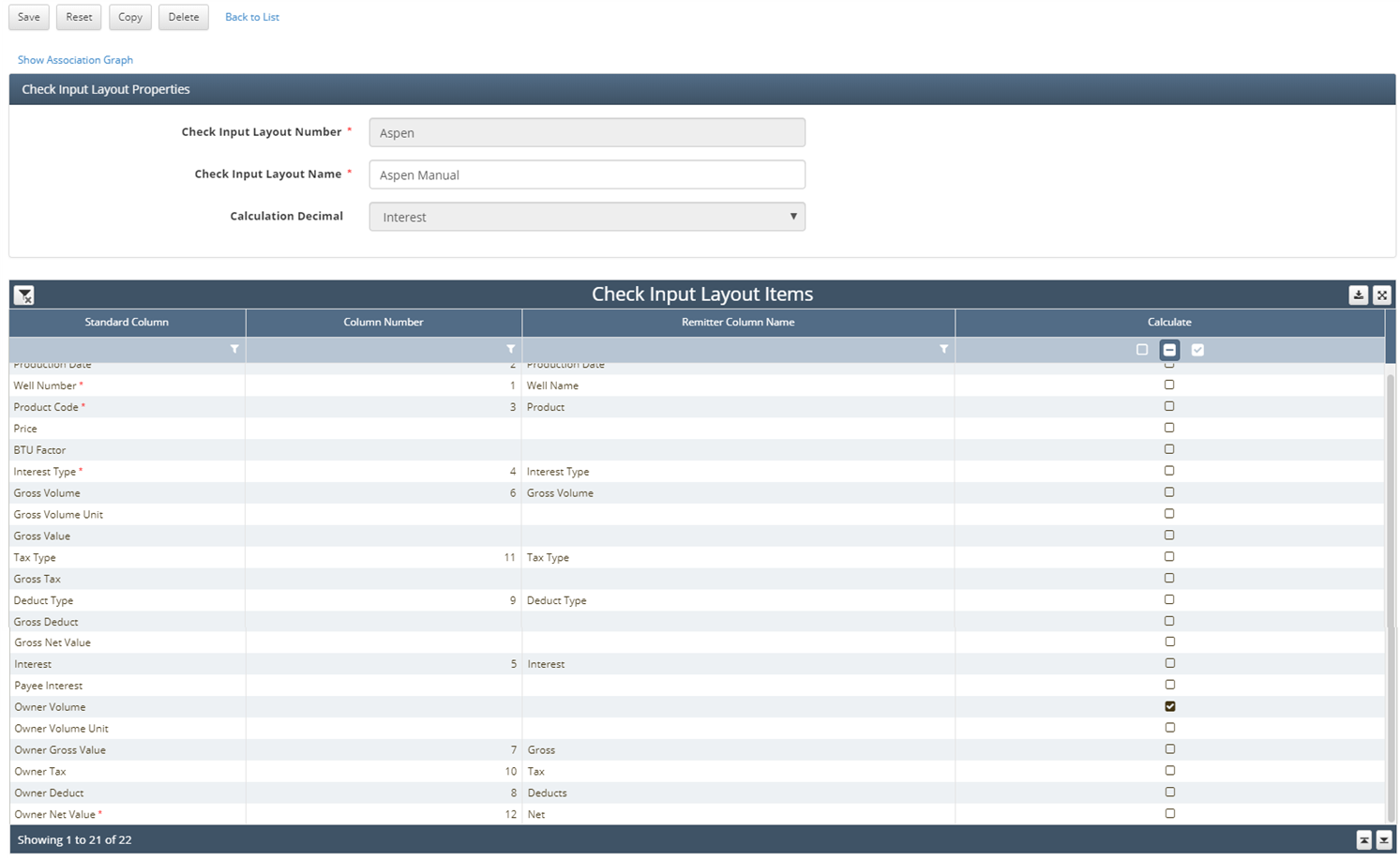
Standard Column (Seeded) | Column Number (Number) | Remitter Column Name (Freeform) | Calculate (Flag) |
| Specifices the column order. Fields popluated with a # means the Standard Column will be present in the CI Details grid for all Check Inputs that use this Layout | Users can dynamically name the columns, as they appear in the CI Details grid, to match their Check Stubs | Used with WE's CI Calculation functionality (described above) |
How to setup Check Input Layout in the system
Data Entry Methods and CI Layout creation:
Manual Entry = "Key what you see" concept on Check Stubs that are manually entered. Users can set up a CI Layout that mimics the exact column order of their check stub, so they can easily key the data in order into W Energy. It's recommended to set up a single CI Layout per keyed Remitter, but a single layout can be shared amongst Remitters.
Excel/CSV = Users can create templates that mimic check stub data that is provided in CSV/Excel formats. Additionally, clients who download data in Excel from Energylink/Oildex Excel can set up a single CI Layout that matches the exact column layout of how this data is exported. This CI Layout can be shared among X # of Remitters.
CDEX = Since this is a standardized industry format, W Energy has a system seeded CI Layout that is to be used for all checks imported from CDEX files. This seeded layout can then be linked to as many Remitters as needed.
How does this concept impact/feed other areas in the application?
The check input layout screen enables W Energy to process checks and align terminology or even calculate values to process checks.