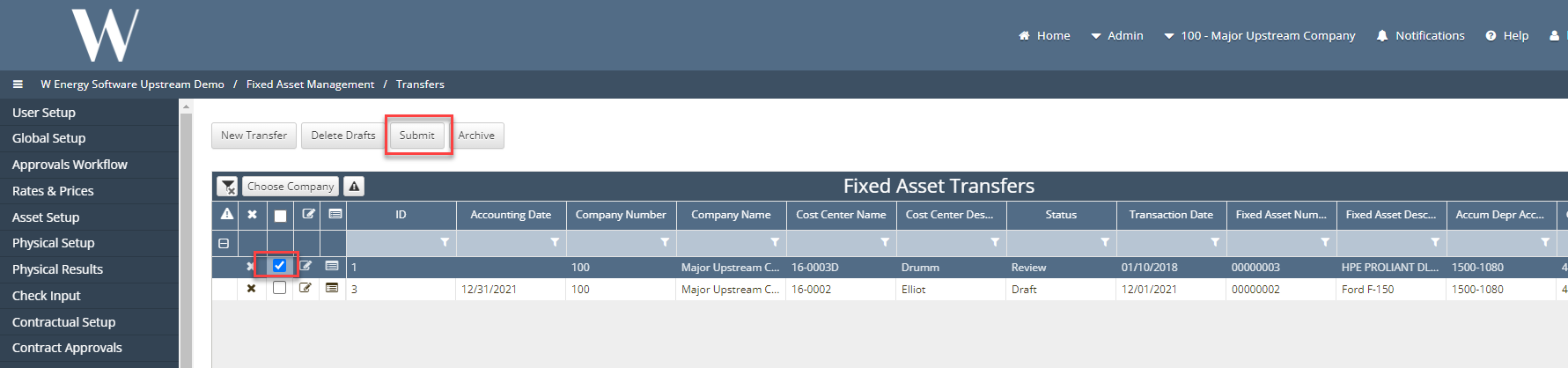
Transfers
What is a Transfer?
Transfer of a value from asset to another asset. The user can transfer the cost of an asset to a different asset, to a different company, to a different cost center or to a different account.
How to setup a Transfer in the system:
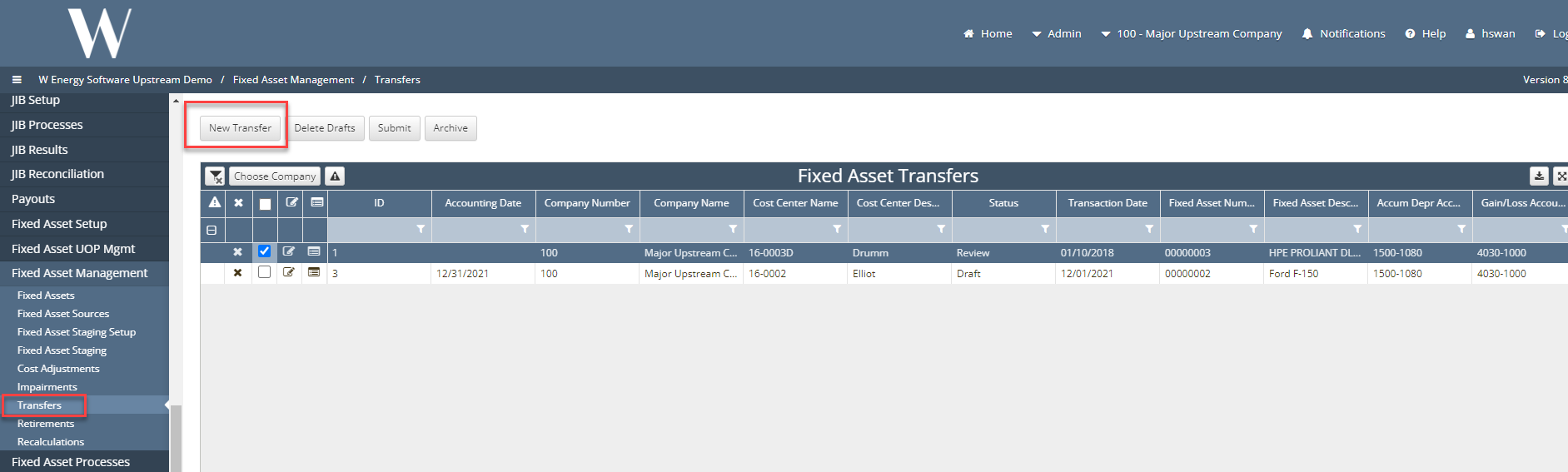
Under Fixed Asset Mgmt > Transfers
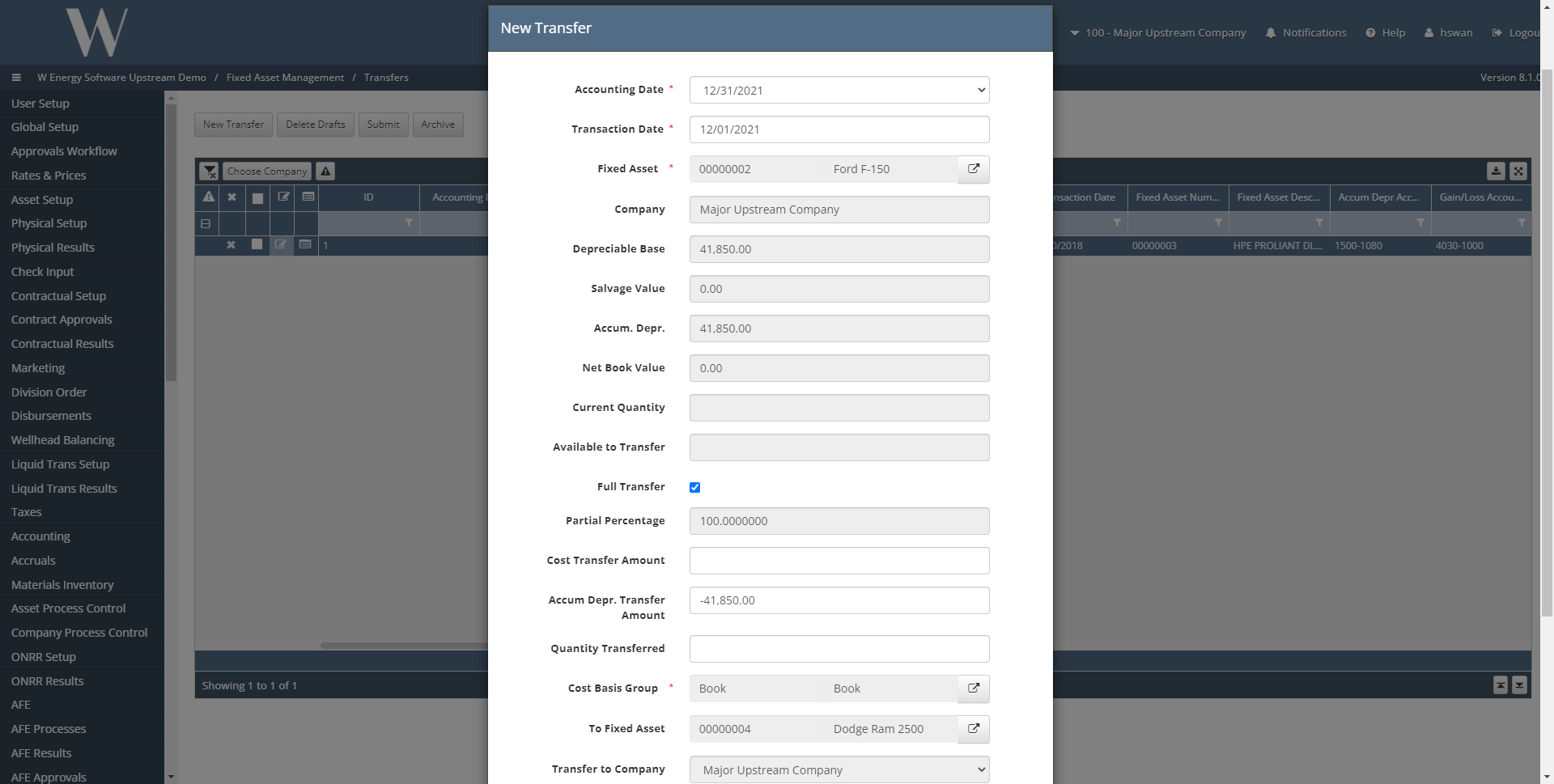
Start by clicking on “New Transfer” which will generate the prompt below so the user can fill out the required information like accounting date, transaction date and the asset that will have the cost transferred from and to.
The user can then choose to either check the Full Transfer flag to transfer the entire cost or the user can input a percentage of the Available to Transfer field.
The system will calculate the percentage and apply it to the Cost Transfer Amount field.
The user will then select the Cost Basis field which will tell the system to effect the Tax schedule, the book schedule or both schedules.
The user can then select where to transfer this cost.
Once the user has chosen the area to transfer the cost to they will click the create button to add the new record to the grid where the user can then submit the transfer for approval.