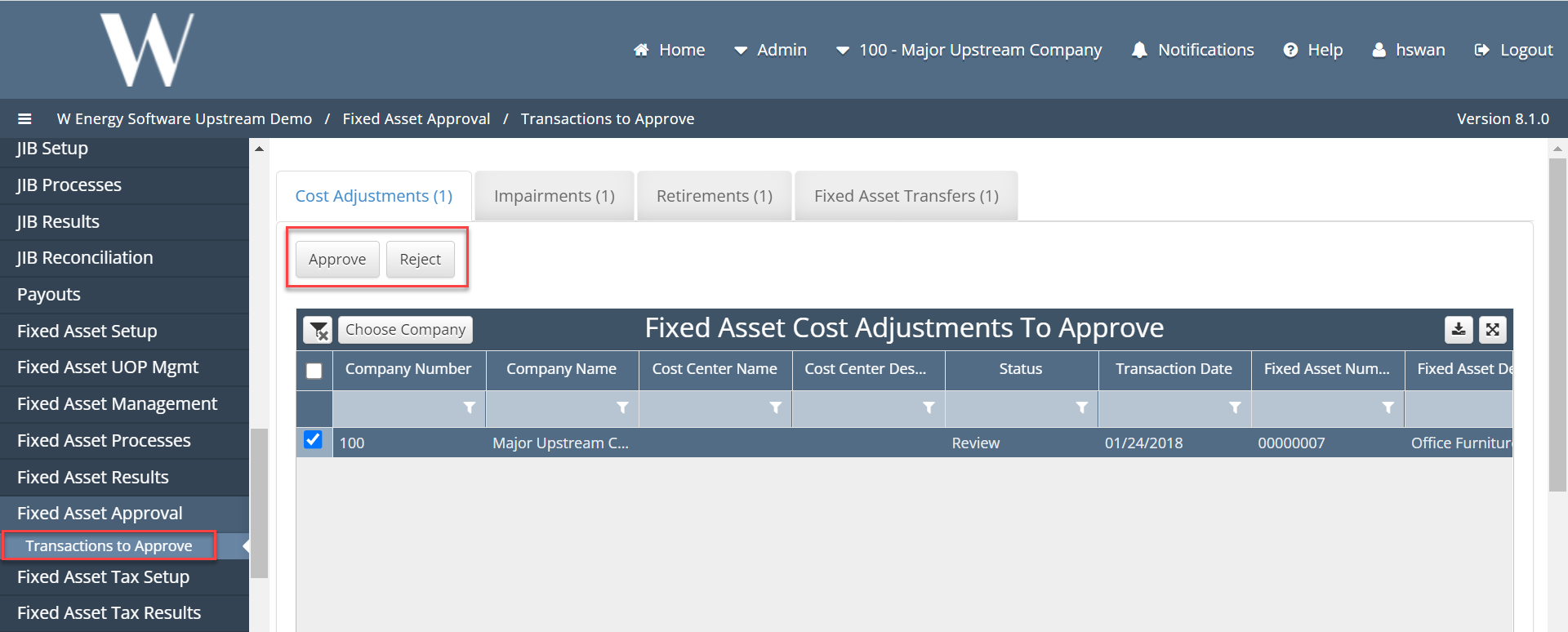
Transactions to Approve
What is Transactions to Approve and why would a client use it?
Under Fixed Asset Approval screen, our transactions to approve allows clients to select up to how ever many assets they are want to approve the cost adjustment to, Impairments, Retirements, and Transfers.
How to setup Transaction to Approve in the system?
If client has setup an Approval Workflow for Fixed Assets, then the client can expect when trying to submit the following: an adjustments, impairment, retirement, or transfer, that it would go straight into a review status waiting to be approved. To approve a cost adjustment, impairment, retirement, or transfer, the user can navigate to Fixed Asset Approval, Transactions to Approve. The user can click on one or multiple assets to be approve.