
Retirements
What is a Retirement?
Asset retirement is the removal of an asset or part of an asset from the asset portfolio.
Example: When retiring a place asset from service, a company removes the asset’s cost and accumulated depreciation from all its plant asset accounts. The asset would also be removed from the fixed asset list since it no longer physically exists.
Why would a client use a Retirement?
Clients may want to retire an asset as that specific asset may become obsolete due to the useful life of the asset ending.
How to setup a Retirement in the system:
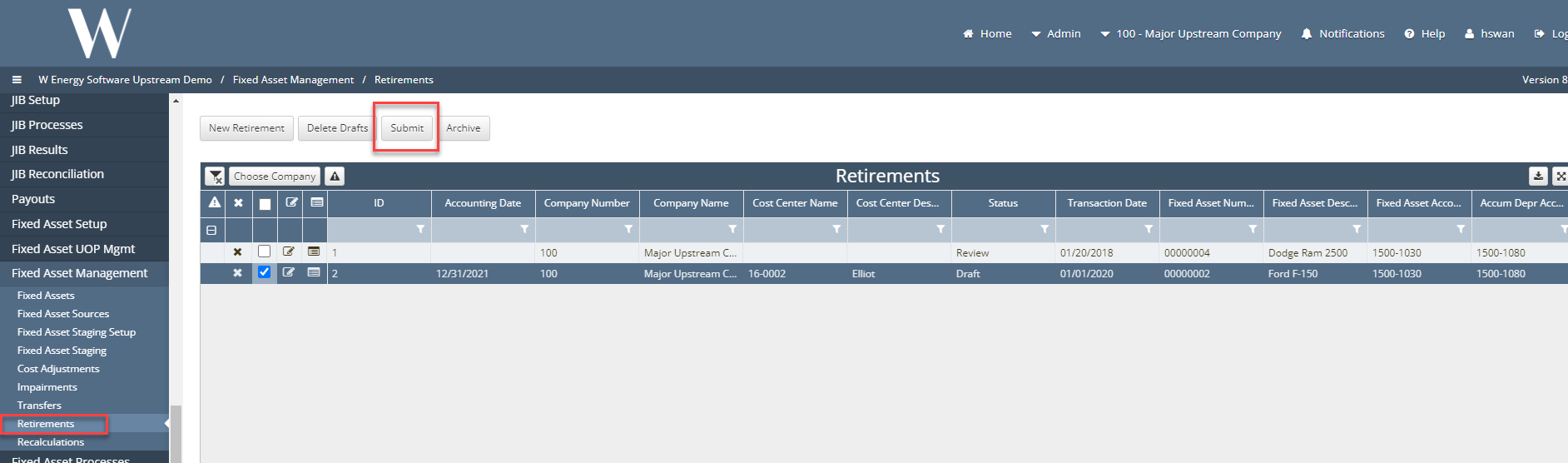
Fixed Asset Management > Retirement
Click the “New” Retirement button and input an accounting date and transaction date.
. The user will then click the Fixed Asset picker to choose the asset that will be retired.
The user then has two options they can select the Full Retirement flag to completely retire the worth of this asset or, the user can input a percentage in the Partial Percentage field. The Cost Retirement amount will automatically populate no matter what method is used.
The user should choose to calculate Gain/Loss from preforming this retirement by clicking the Calculate Gain/Loss flag. This will then auto populate the Gain/Loss field.
In the event the user does not want to Calculate gain/loss the user can select an account to incur this cost by clicking the Account # No Gain/Loss picker.
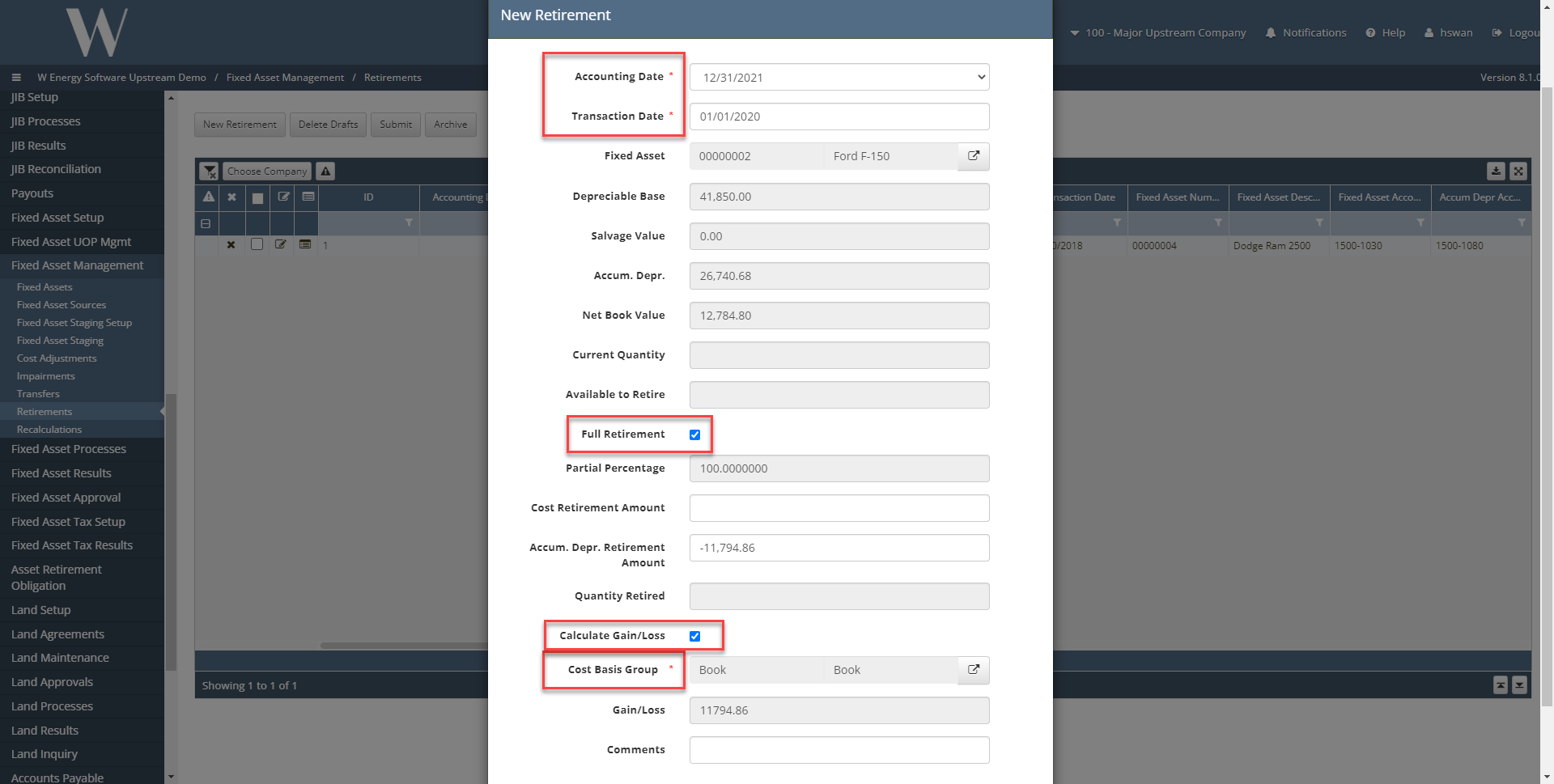
Lastly the user will click the Cost Center picker to choose the corresponding cost center and click the Create button. This will add the new retirement to the grid where the user can submit the record for approval.
Show how the adjustment on the individual asset to show the retirement process