
Pool Production
What are Pool Production Volumes?
The production volumes are the numerator in the depletion rate calculation
Why would a client use Pool Productions?
How to setup Pool Production volumes in the system: Part 1
The user can input these production volumes by navigating to the Fixed Asset UOP Management menu and clicking the Pool Production screen.
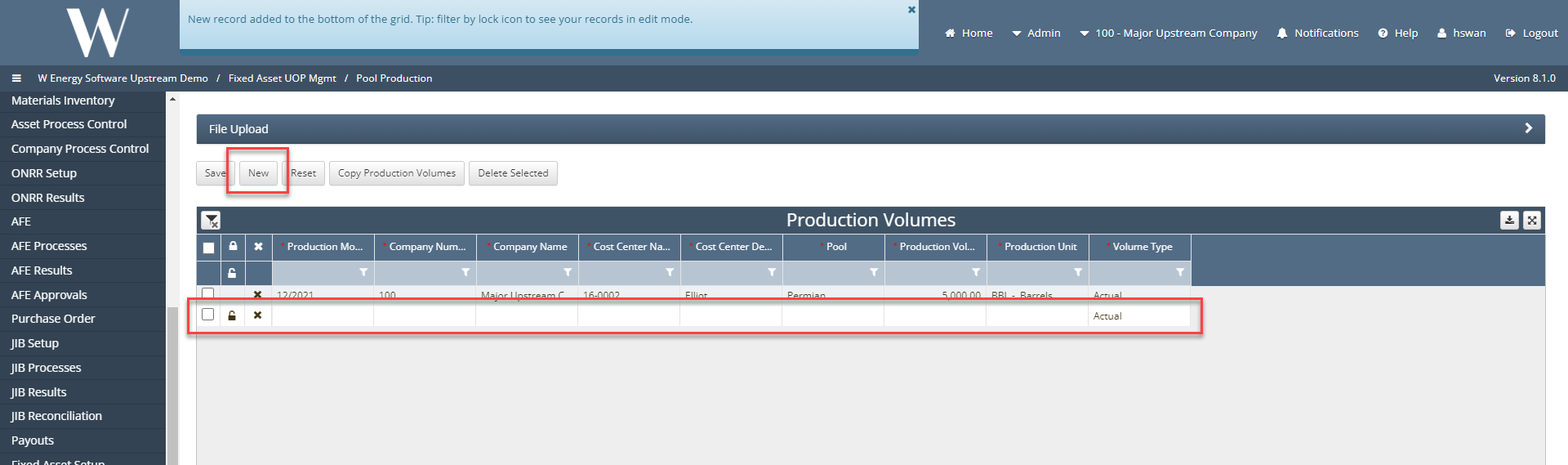
The user can manually enter the volumes by clicking the New button which will add a line to the grid and the user will populate the required fields by clicking into each field
How to setup Pool Production volumes in the system: Part 2
The second way is to mass load data by using the upload template.
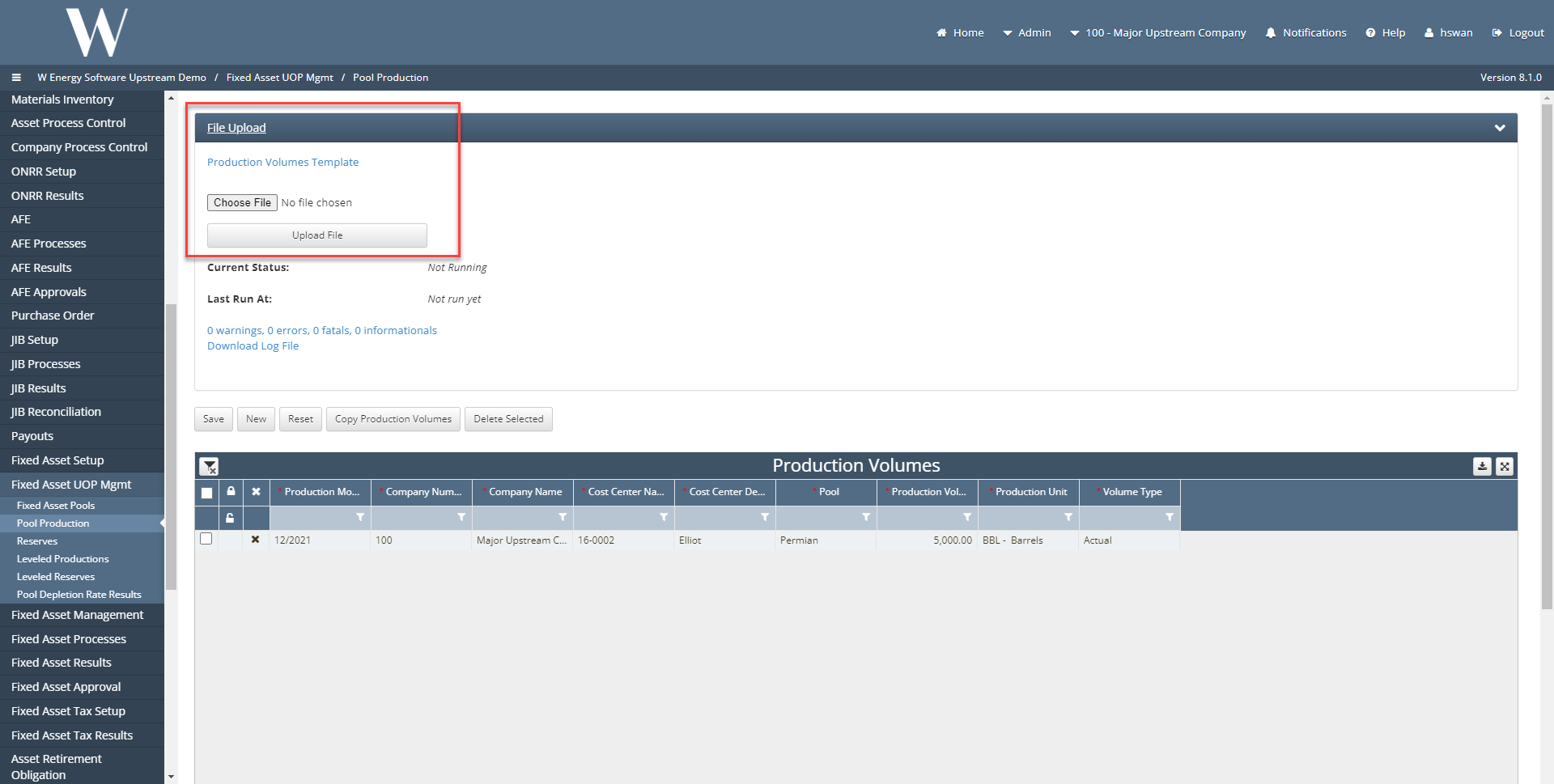
The user will click the file upload ribbon download the Production Volumes template and populate the required fields.
Once the template is complete the user can then select the file to upload.
How does this concept impact/feed other areas in the application?
For example, Check input is required for Revenue to to allocate funds to correct owners.