
Liquid Trans Setup / Transport Nominate
What is Transport Nominate
Transport Nominate is used to input Nominations. How nominations are inputted for a particular asset will be based on how nominations were configured under Liquid Trans Setup / Nomination Configuration.
Why would a client use Transport Nominate
A client would use this functionality if they were planning on tracking nominations using W Energy Software.
How to setup Transport Nominate in the system
In W Energy, Nominations can be uploaded or manual entered. There are four different nomination types that can be configured per each asset (Setup in Liquid Trans Setup / Nomination Configuration).
Receipt and Delivery Nominations – used when there are one or more receipt nominations that are going to one or more delivery nominations. Typical the volume on the both the receipt and delivery side will balance. The application can also be used to nominate solely on receipts or deliveries as well.
Path Nominations – Path Nominations are used to restrict a nomination to a receipt and delivery point. This will create a movement between the receipt and delivery points.
Receipts – When only receipt nominations are needed.
Deliveries – When only delivery nominations are needed.
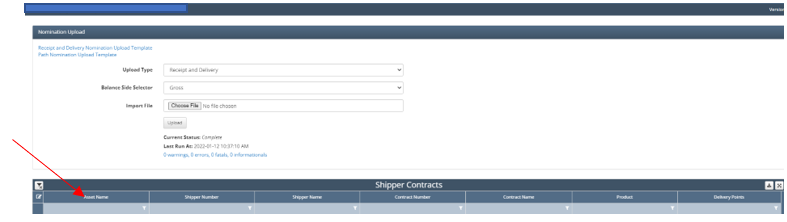
To enter a nomination, navigate to Liquid Trans Setup / Transport Nominate. From here the user can download and populate the nomination template, or the user can open up a nomination contract from the list of assets and shipper combination.
To upload the nomination, select the link to download the nomination template and populate the required fields. The required fields and their purpose can be seen below:
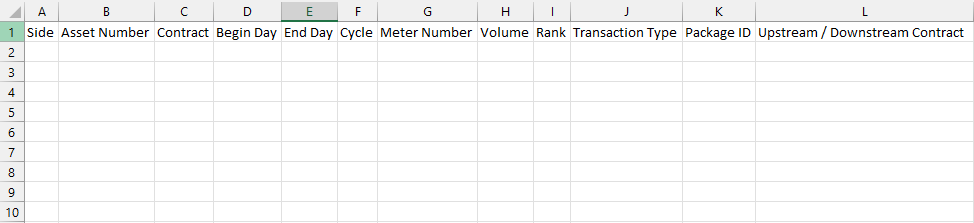
Side: Refers to whether the nomination is on the receipt or delivery side
Asset Number: Can be found under Asset / Asset Setup
Contract: Enter the contract number that the nomination is associated with
Begin Day & End Day: Typically the same date
Cycle: This is tied to gathering cycle found under Liquid Trans Setup / Gathering Cycles
Meter Number: Enter the meter number that the nomination is associated with
Volume: Enter the nominated volume
Rank:
Transaction Type:
Package ID:
Upstream / Downstream Contract:
Once the nomination template has been populated it is ready to be uploaded:
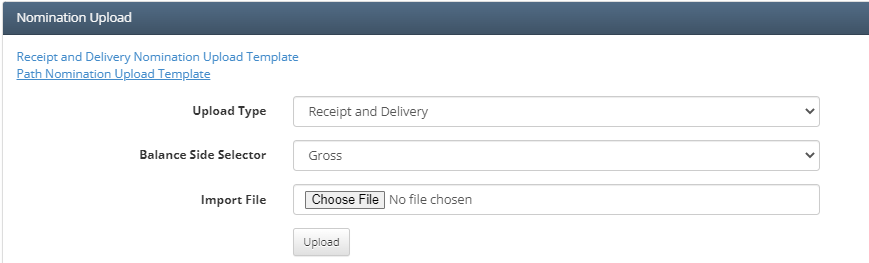
Under upload type select the type of nomination it is
Receipt & Delivery
Path
Balance Side Selector
Gross
Net
Select the file and click Upload
How to enter Nominations Manually
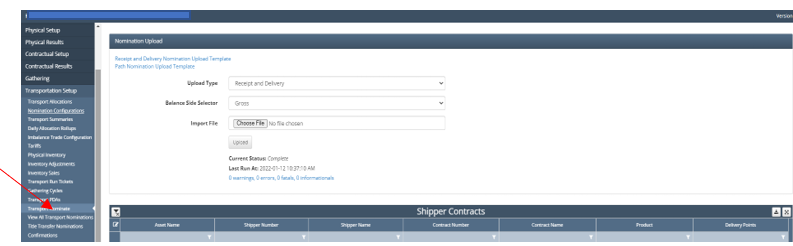
Navigate to Liquid Trans Setup / Transport Nominate
Once in the Transport Nominate screen, filter Asset Name to be the asset needed
After that filter by the contract number that nominations need to be entered for
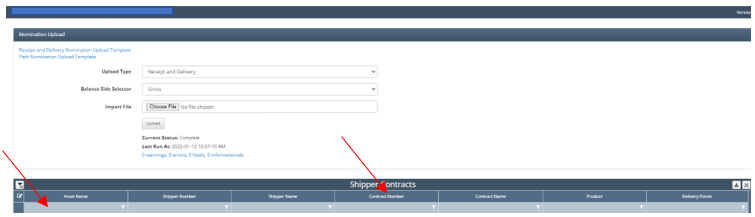
Once that is done click on the little edit button found on the left side of the row with the contract number. This will allow you to make edits to the nominations.
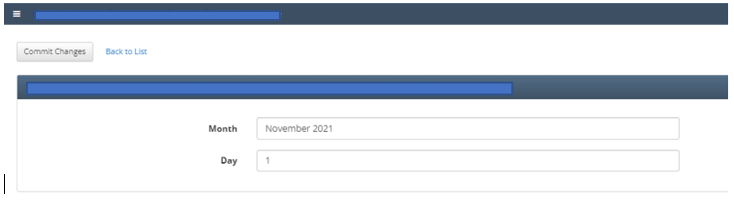
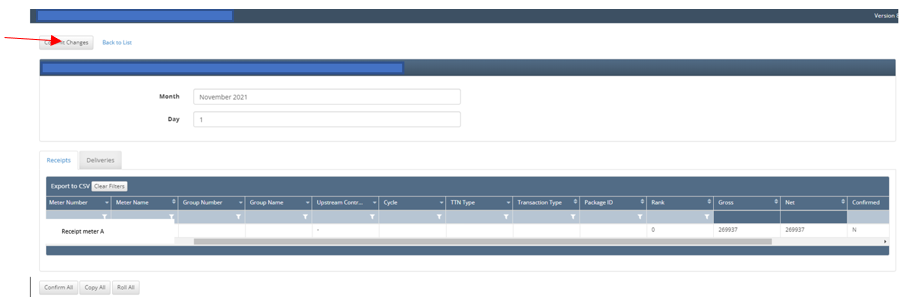
After you have opened the edit screen it should look like the image below. Next select the Date you are needing to input/adjust nominations.
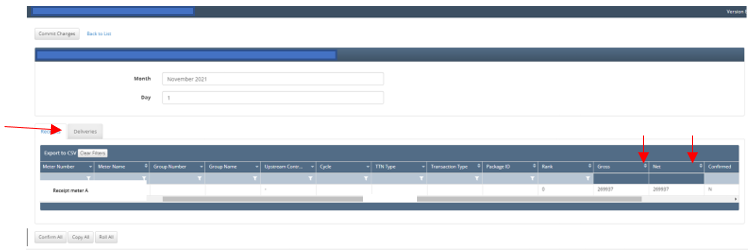
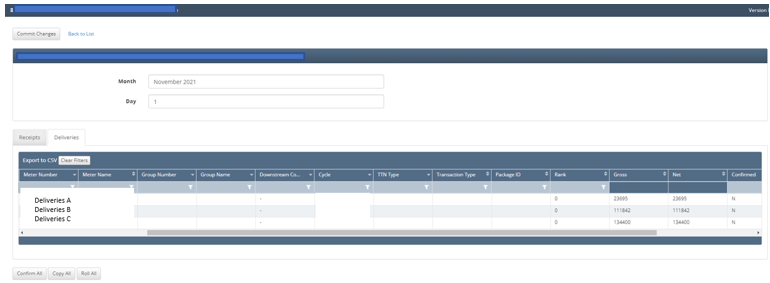
You will notice that there is a “Receipts” and “Deliveries” tab within this page. This is where you will input the nominations for each side. Once you have the nominations you wish to input simply input them under the column named “Gross” or “Net”, does not matter.
Once nominations for that day are entered and are correct, simply click ‘Commit Changes’ in the top left corner and move onto the next day
Additionally, these nominations can be changed and adjusted throughout the day. If you catch a mistake, simply go back in and correct it and click ‘commit changes’.

Important to note that depending on whether nominations were configured to be at the day or month level under Liquid Trans Setup / Nomination Configurations will impacts whether nominations are available for each day or only a single value is entered in for the month.
How does this concept impact/feed other areas in the application?
Nominations can directly impacts how volumes are allocated. Depending on if a Transport PDA is used and what type it is can impact how measured volumes are allocated based on what the nominations are. This will then feed into Shipper Allocations, Book Inventory Transactions, and any tariffs/fees that are setup if the Transport PDA affect a particular contracts allocated volume.