
Liquid Trans Setup / Pipeline Segmentation
What is a Pipeline Segmentation
Pipeline segmentation is the functionality around being able to break out a single pipeline into multiple segments.
Why would a client use Pipeline Segmentation
A client would use pipeline segmentation if inventory & gain/loss is going to be evaluated separately by specific segments and not by the whole system.
How to setup Pipeline Segmentation in the system
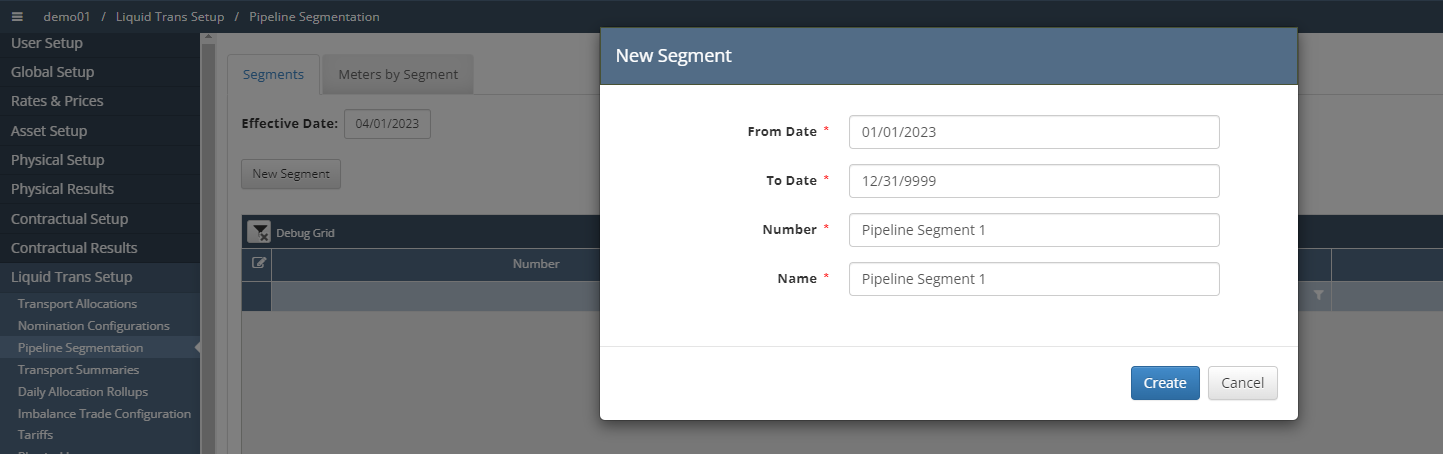
Navigate to Liquid Trans Setup / Pipeline Segmentation and select ‘New Segment’, the following pop up will appear. Populate with the necessary information and click ‘Create’
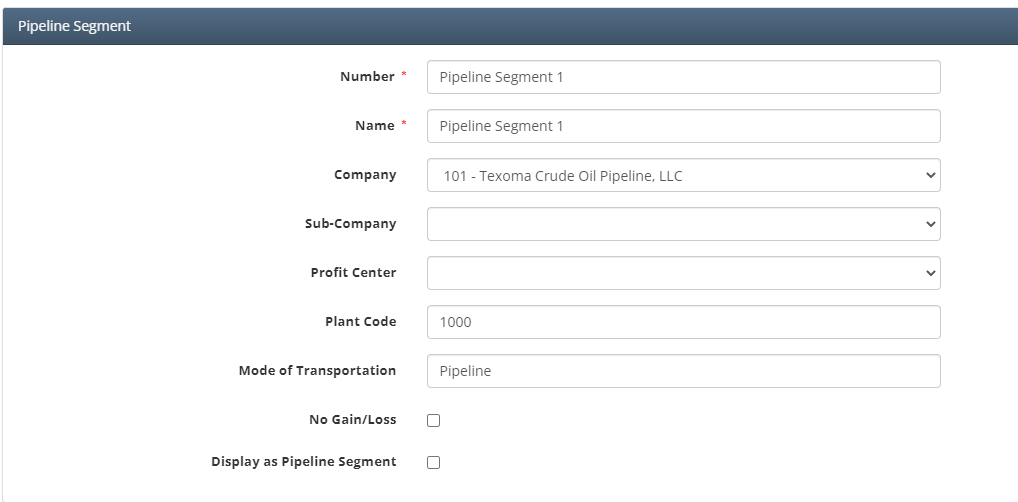
Once created the user can then include additional information such as Sub Company, Profit Center, Plant Code, & Mode of Transportation. It also gives the user the option to define if this segment will have Gain/Loss
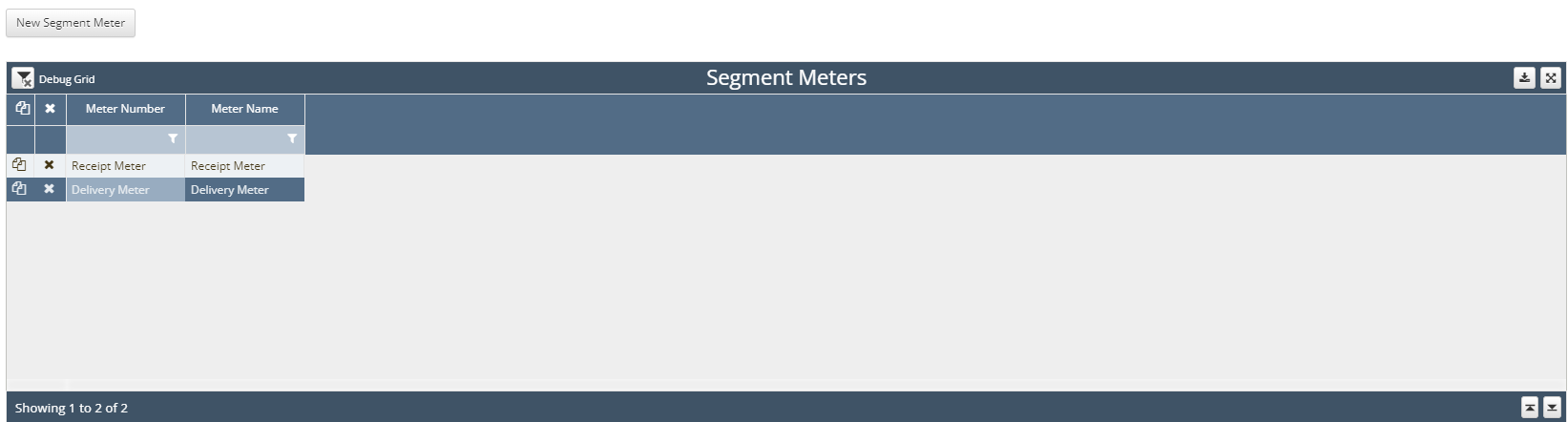
Next, select the ‘New Segment Meter’ button and add the necessary meters to this new segment. Once added click ‘Save’
How does this concept impact/feed other areas in the application?
Pipeline segments will impact gain/loss settlement as well as inventory depending on how the segments were setup.