
Land Owner Transfers
What is a Land Owner Transfer?
A Land Owner Transfer (LOT) is the process of changing the possession of an interest/participation in a Land Agreement.
Why would a client use a LOT?
A LOT can be used once possession of the interest/participation is no longer held onto by one party and is owned by a secondary party. For example, if the parents pass on the interests to their children, then a LOT can be used to show that change in ownership. This retains the historical ownership, the transfer date, the new owner, how much was transferred, and what was transferred.
How to Perform a LOT
Navigate to Land Maintenance / Owner Transfers.
Select Create New Transfer.
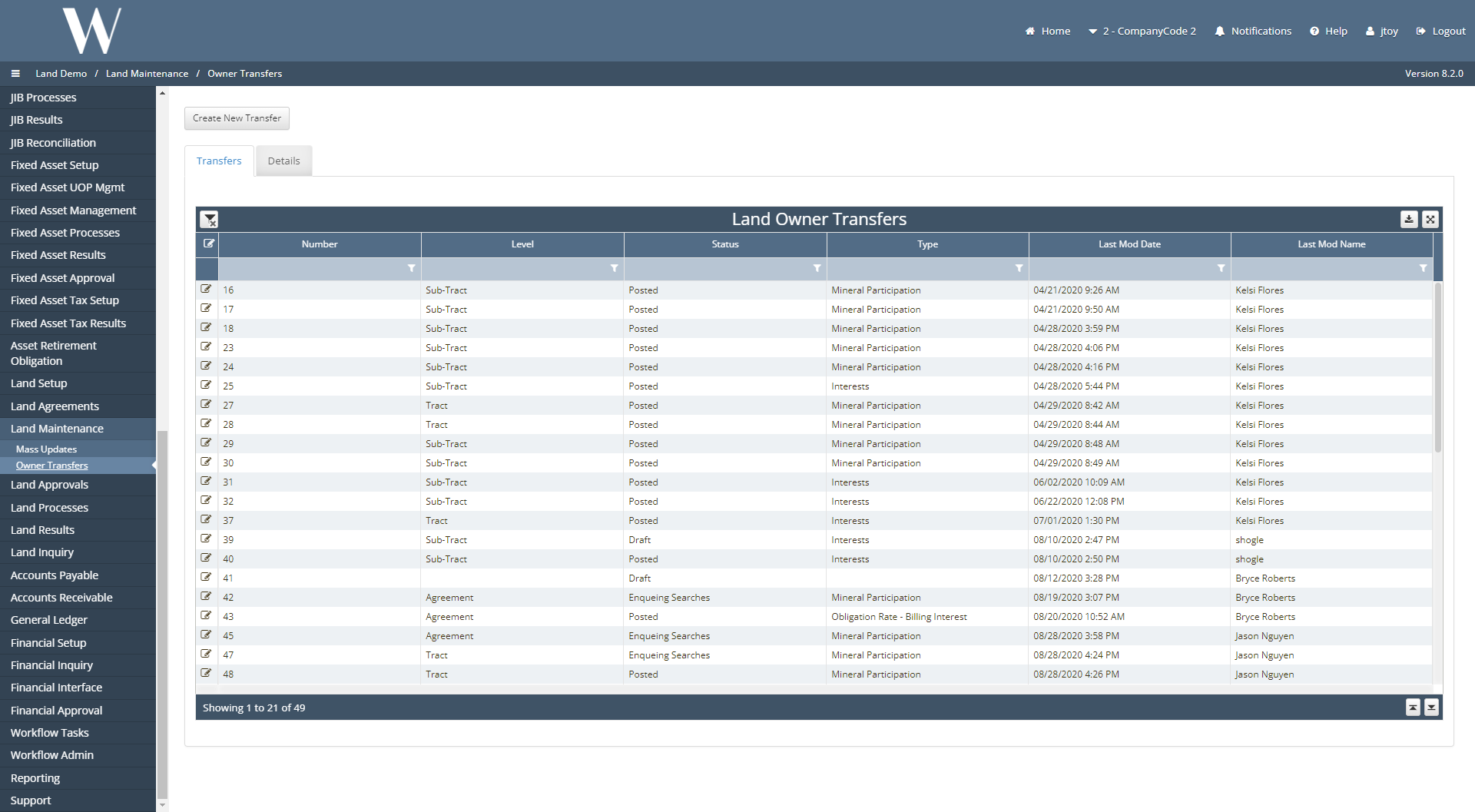
The As of date is defaulted to the 1st day of the current month but can be updated.
This date will show the LOT being performed on that day where the previous owner no longer owns the interest and the new owner owns the interest.
Enter in the Transfer Level, Current Status, Transfer Type, and the Transfer Remark is optional.
In this example, the payee will be updated on the Payment Obligation.
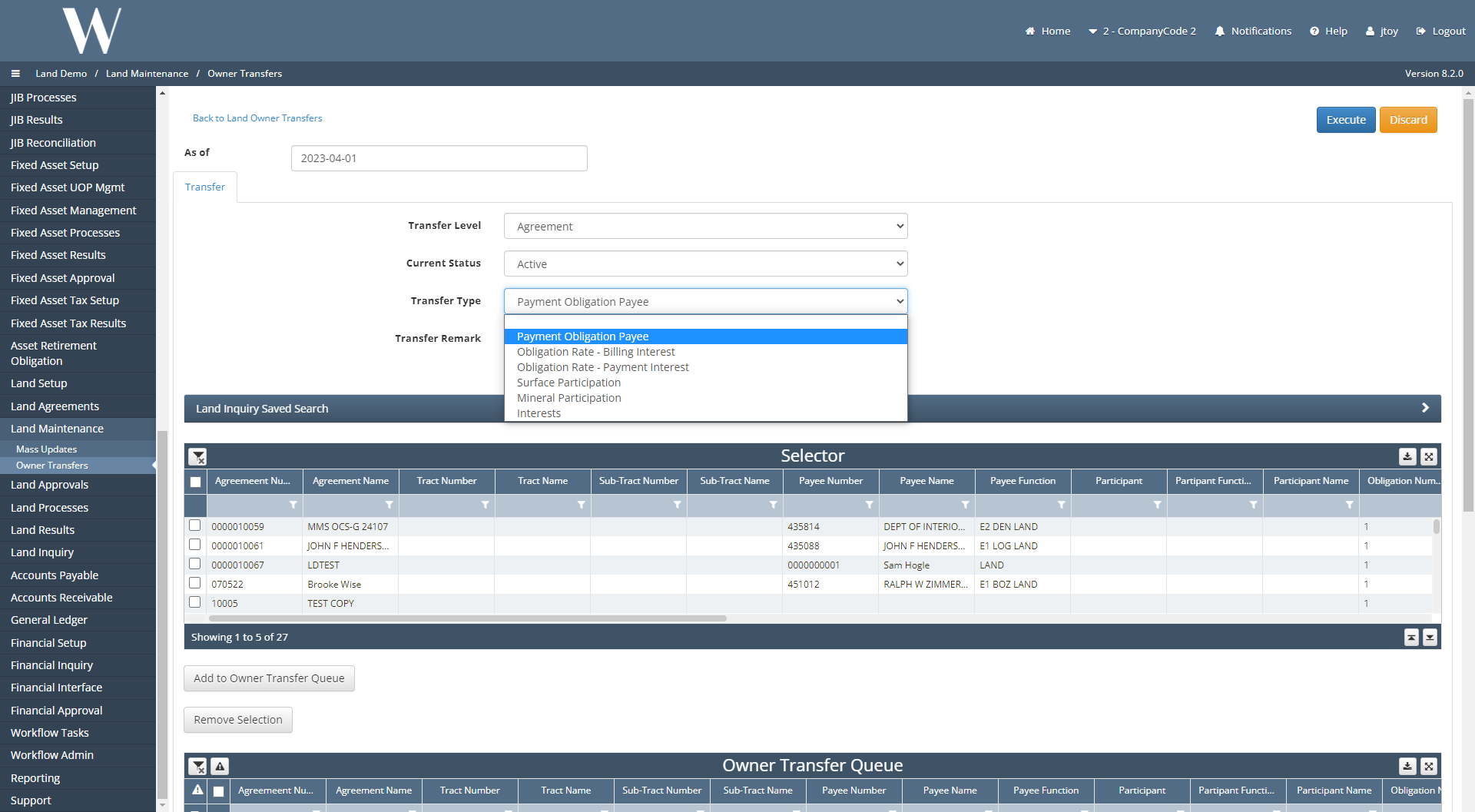
Once the pre-requisite fields including the Transfer Type have been selected, the Selector grid will populate with records that fit the parameters that were entered.
In this example, one payment obligation was selected from the Selector grid.
Click Add to Owner Transfer Queue.
The Payment Obligation should now be added under the Owner Transfer Queue.
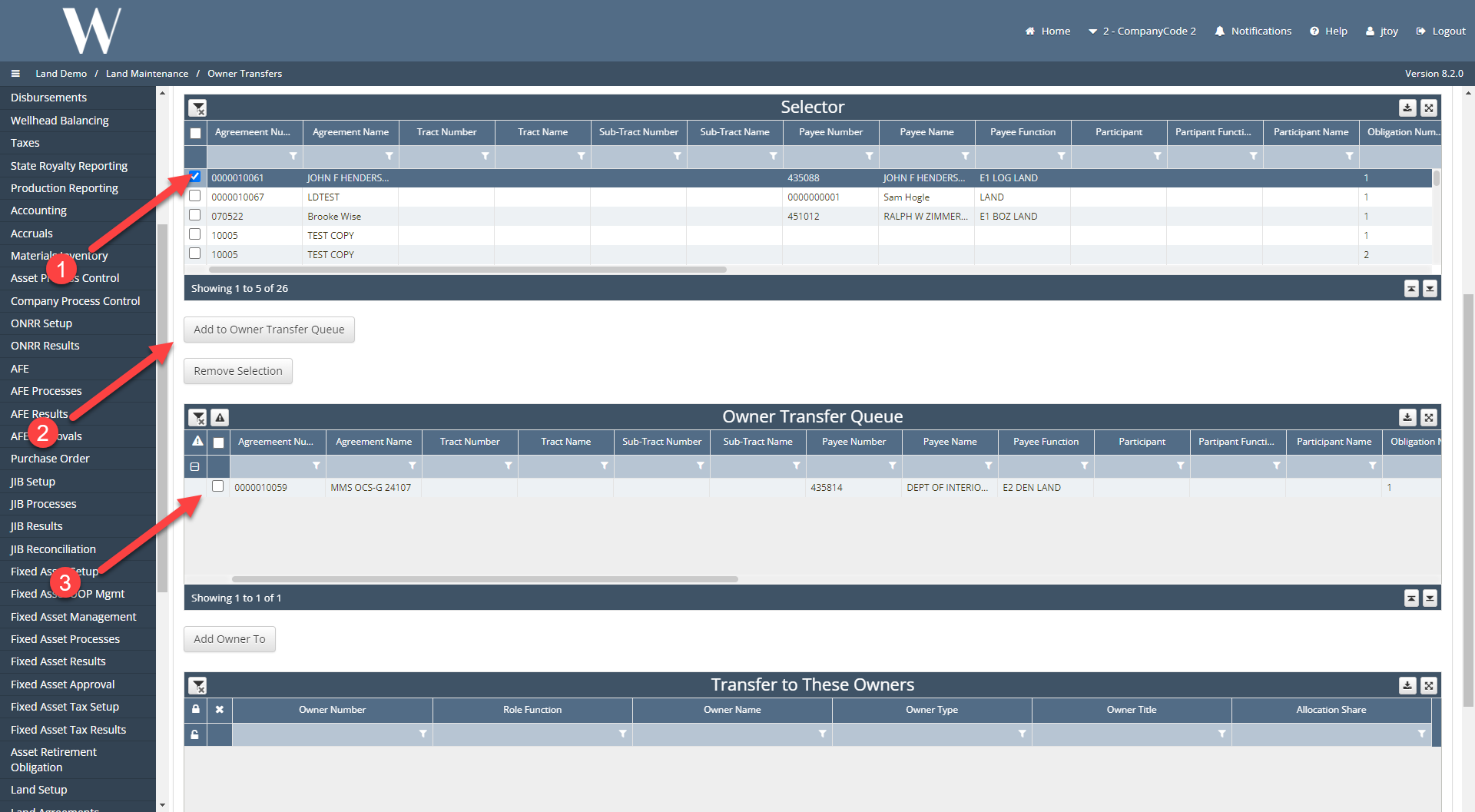
To select the new owner on the payment obligation, select Add Owner To.
Select the owner(s) from the picklist.
Select Add Selected Owners.
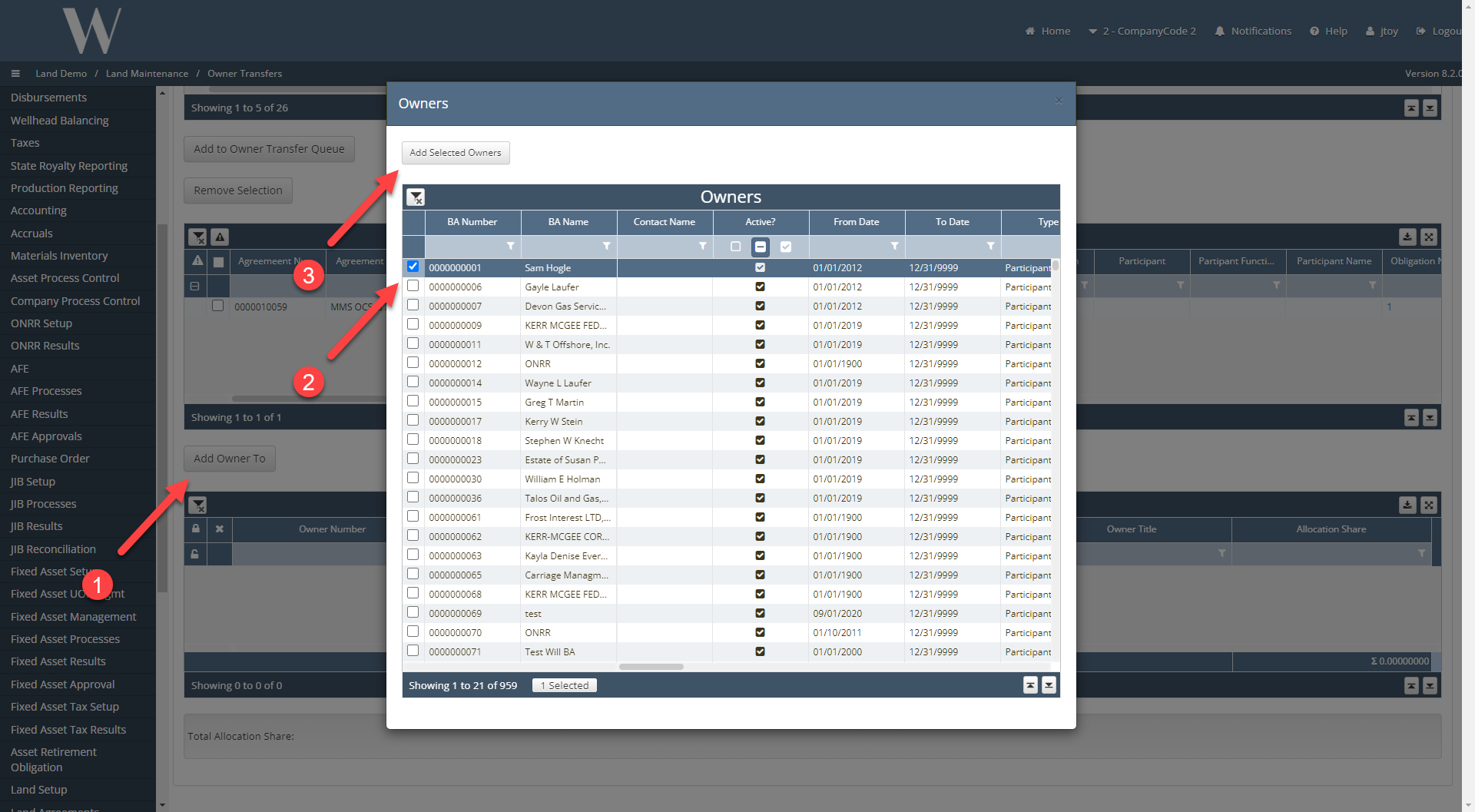
The new payee should now be listed under the Transfer to These Owners grid.
Ensure that the sum of the Allocation Share equals 1 else an error will appear upon executing.
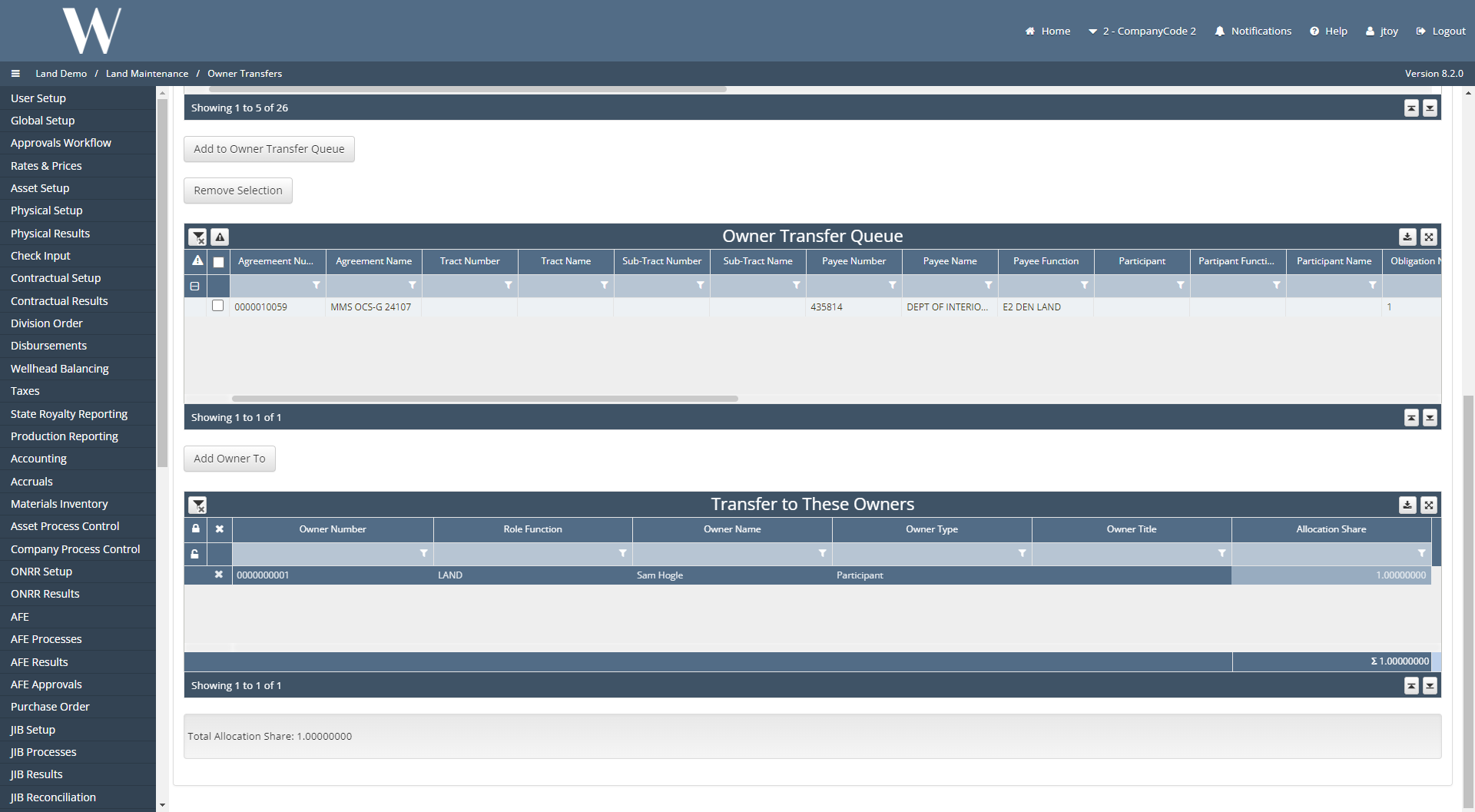
Before executing, let us navigate to the Agreement itself to capture the before and after results.
Navigate to Land Agreements / Agreements.
Click into the Agreement for the payment obligation that was previously selected.
Toggle to the Obligations tab.
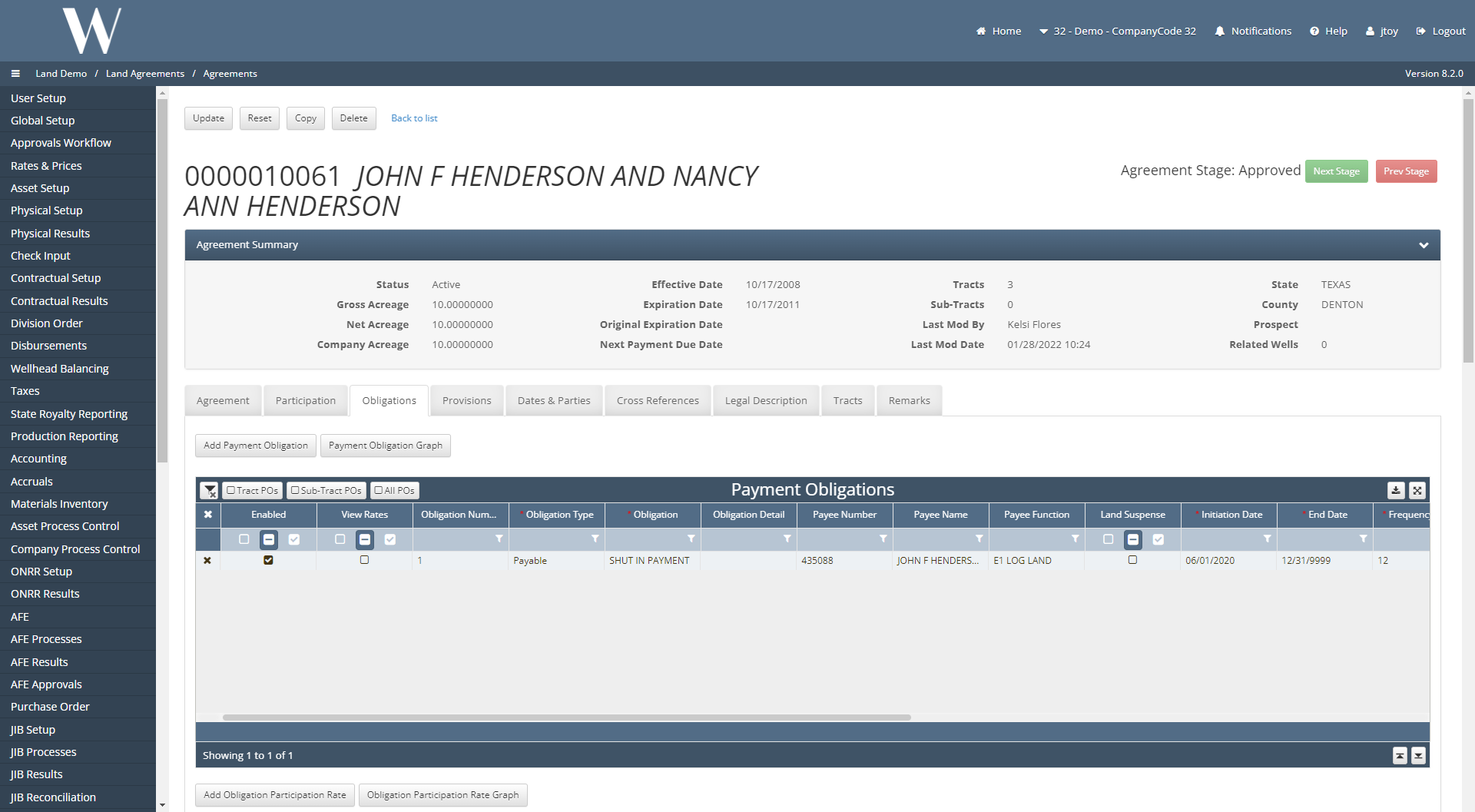
We can now see the current payee on the payment obligation.
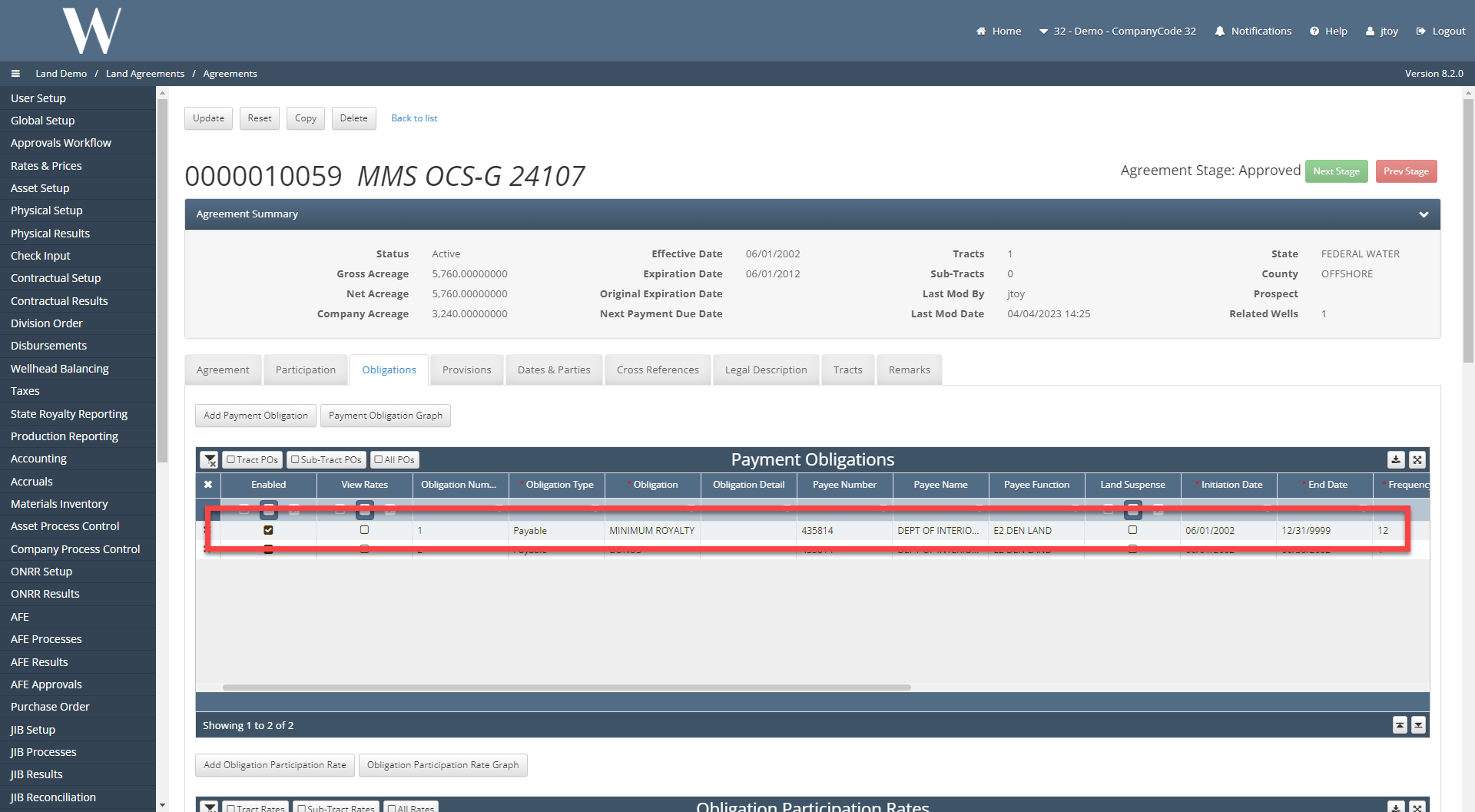
Switch back to the LOT draft.
Hit Execute in the top right corner of the screen.
A pop up should appear saying “Records successfully transferred“
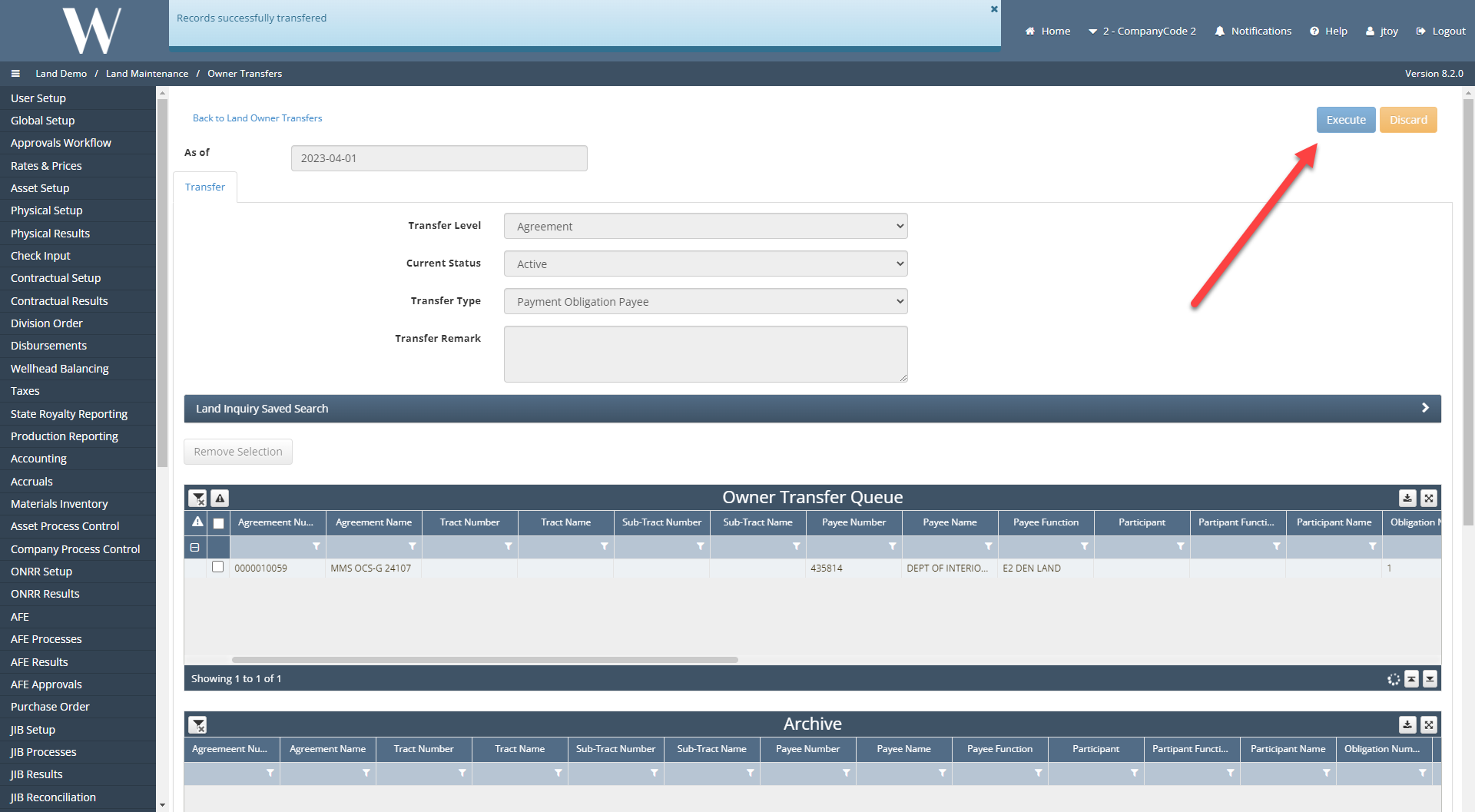
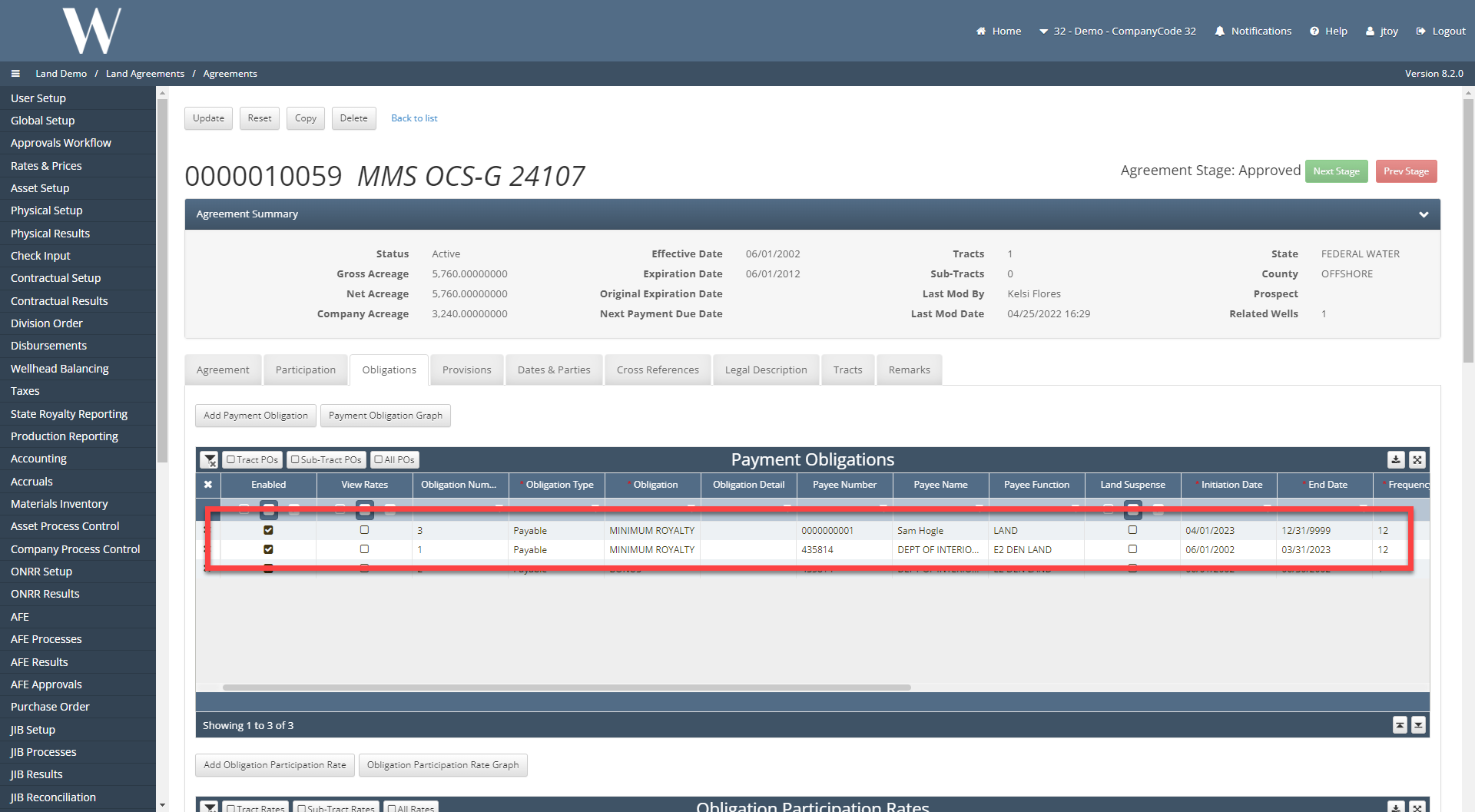
Navigate back to the payment obligation itself.
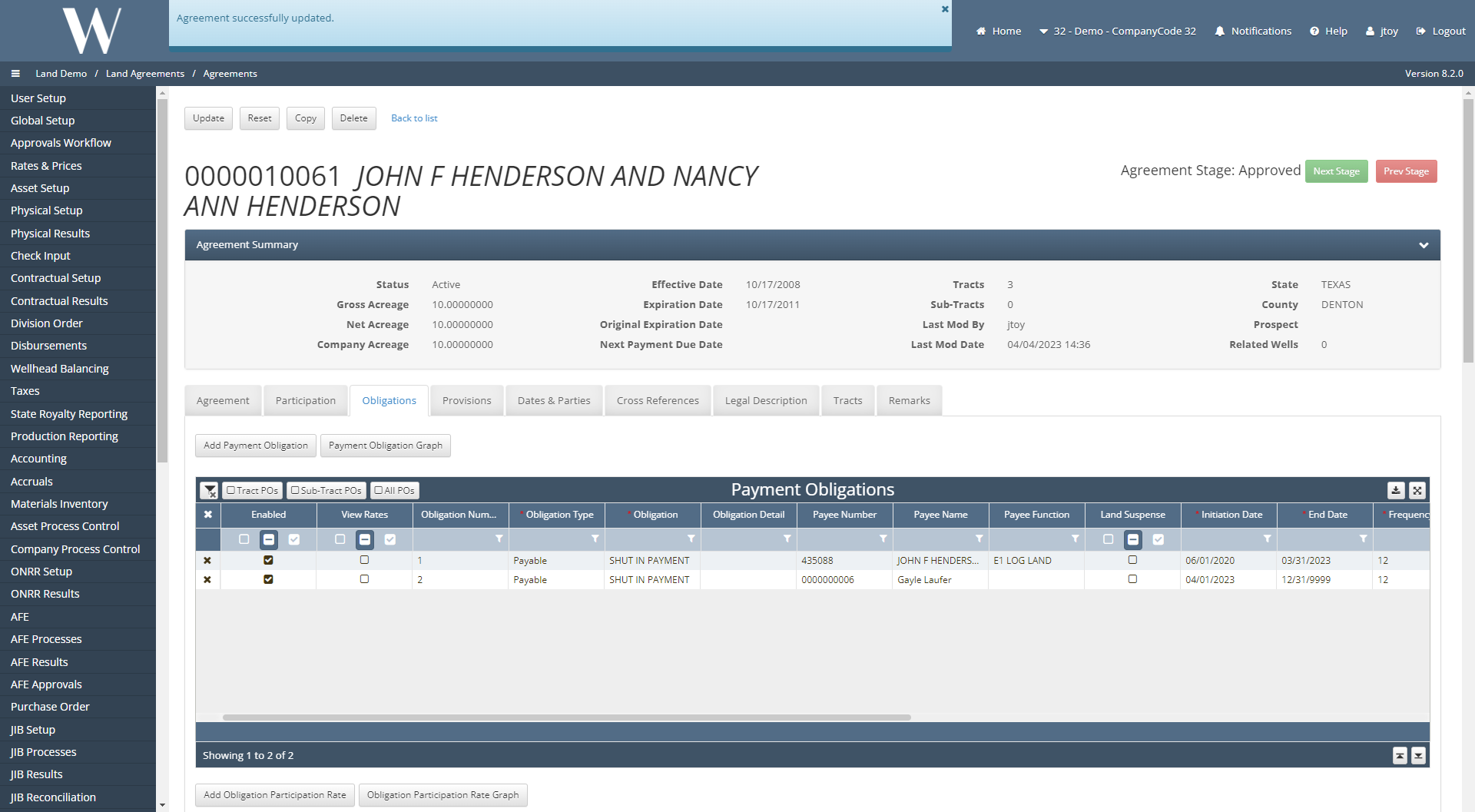
Notice that the original payment obligation has been end dated with 3/31/2023 and the new payment obligation lists the new payee with the start date of 4/1/2023.
📘 If there are multiple ways to do this setup list each one out
Another method to perform a LOT is to perform the transaction on the Agreement, Tract, or Subtract itself.
In this example, the payment obligation on the agreement is displayed.
Select Add Payment Obligation.
Copy all of the fields from the original payment obligation onto the new payment obligation except change the payee.
End date the original payment obligation.
On the new payment obligation, have the initiation date pick up where the original payment obligation was end dated.
Click Update.
How does this concept impact/feed other areas in the application?
This concept impacts the Land Payment Processes that are run. If the payee is updated and a land payment is run, the new payee will be paid.
Other items worth noting that would impact the process.
Changes coming soon
Known issues with the process
WESS-4598