
Land Inquiry
What is Land Inquiry
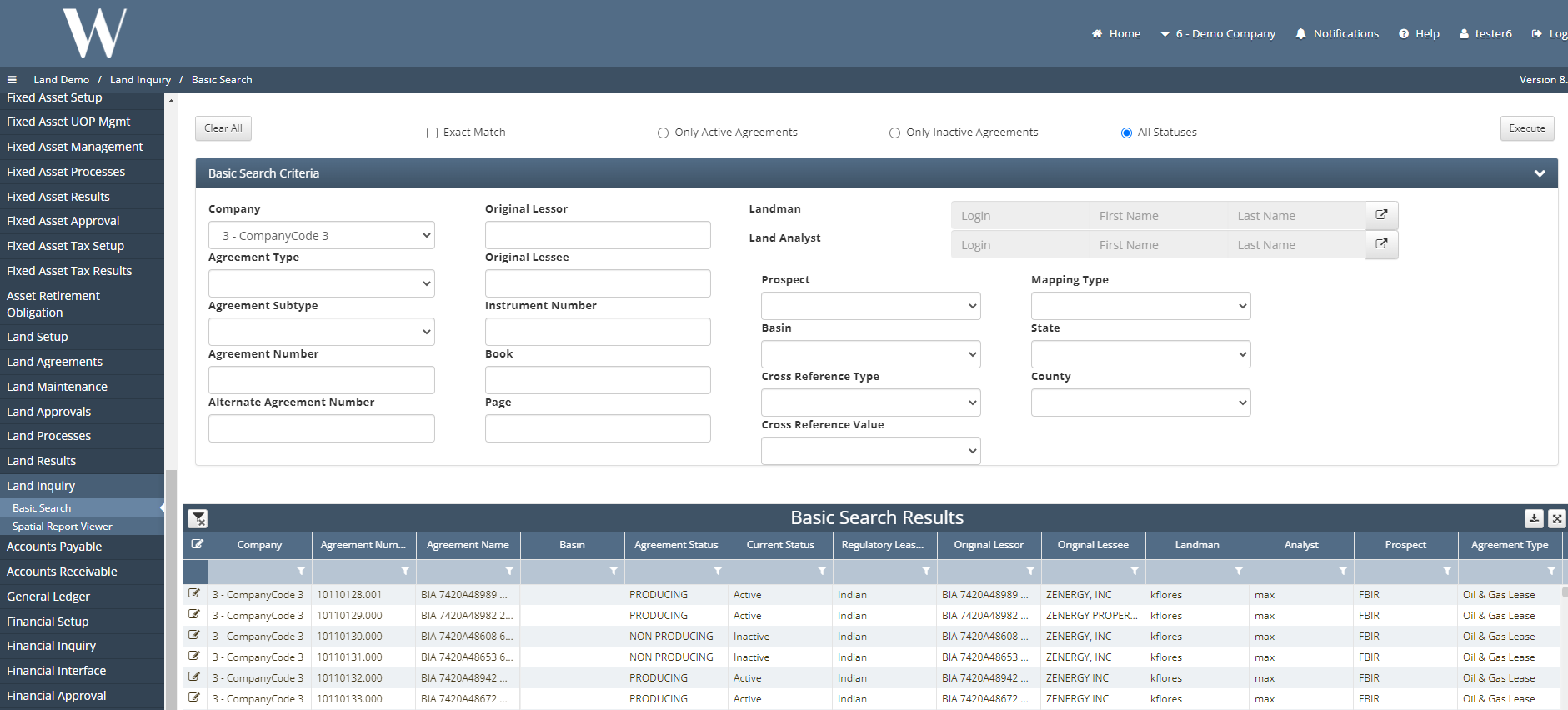
The Land Inquiry screen is used for filtering, querying and locating data within the land module in WE by a land analyst or landman searching by specific key words within the company.
How to Execute an Inquiry
Land Inquiry → Basic Search
Pick how you would like to search
Exact Match, Active Agreements, Only Inactive Agreements, All Statuses
Then you can follow the drop downs and free form down in the Basic Search Criteria for the criteria you are wanting to achieve results for.
Press Execute to run query and the results will show up on the grid below labeled Basic Search Results.
This can be exported to a CSV or Excel file.
Who Benefits from Payments
Land Owners
Surface Owners
Operators
Brokers
The Public
What Configurations apply when using Land – RESEARCH
LAND: true
How to Access Land in the system
Please see Land User Manual:
How does this concept impact/feed other areas in the application?
Revenue
JIB
GIS
Frequently Asked Client Questions
Links provided are from W Energy Software Support Confluence Space