
Fixed Assets Screen
What are Fixed Assets?
Fixed assets are purchased for long-term use and are not likely to be converted quickly into cash, such as land, buildings, and equipment. They are long-term tangible piece of property or equipment that a firm owns and uses in its operations to generate income.
Examples of Fixed Assets:
Land
Machinery
Vehicles
Furniture
Computer Equipment
Buildings
Other Equipment (Pipes, Goodwill, Right of Way, etc.)
Prepaid Expense or Prepaid Insurance
Why would a client use Fixed Assets Module?
Clients use Fixed Asset module to monitor, manage and report on the state of all assets. It is also a way for clients to organize assets at a detailed level (aka using categories, class and subclass) and track their depreciation and depletion at an assets individual level.
How to setup Fixed Assets in the system:
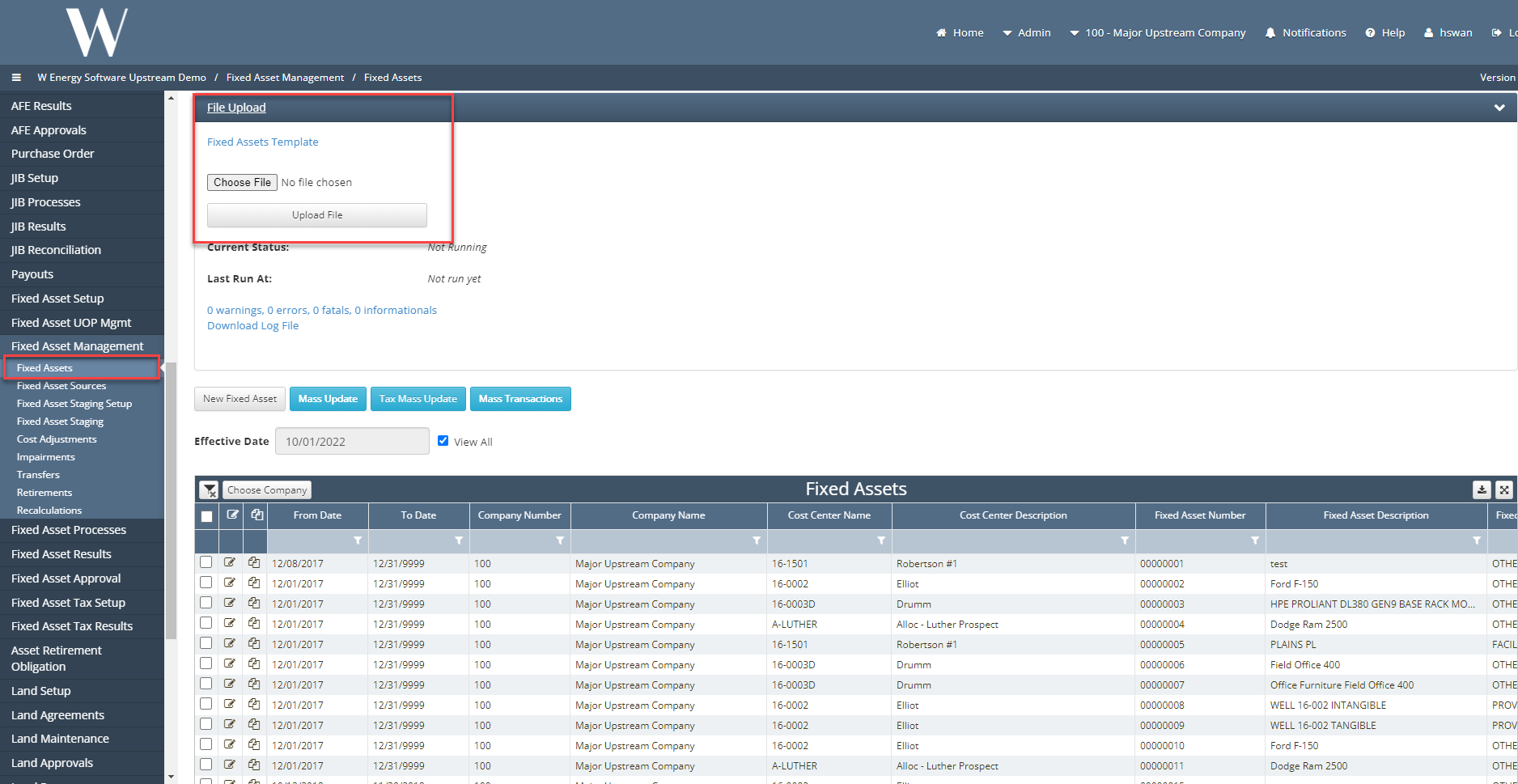
Under Fixed Asset Management > Fixed Assets, this screen is used conversion loads and creation of assets when financial module is not in use.
There are two options to upload your data:
Download the Fixed Assets Template under File Upload drop down bar at the top of the page.
Before Go-Live, client must update previously depreciated amount, as of date and remaining asset life.
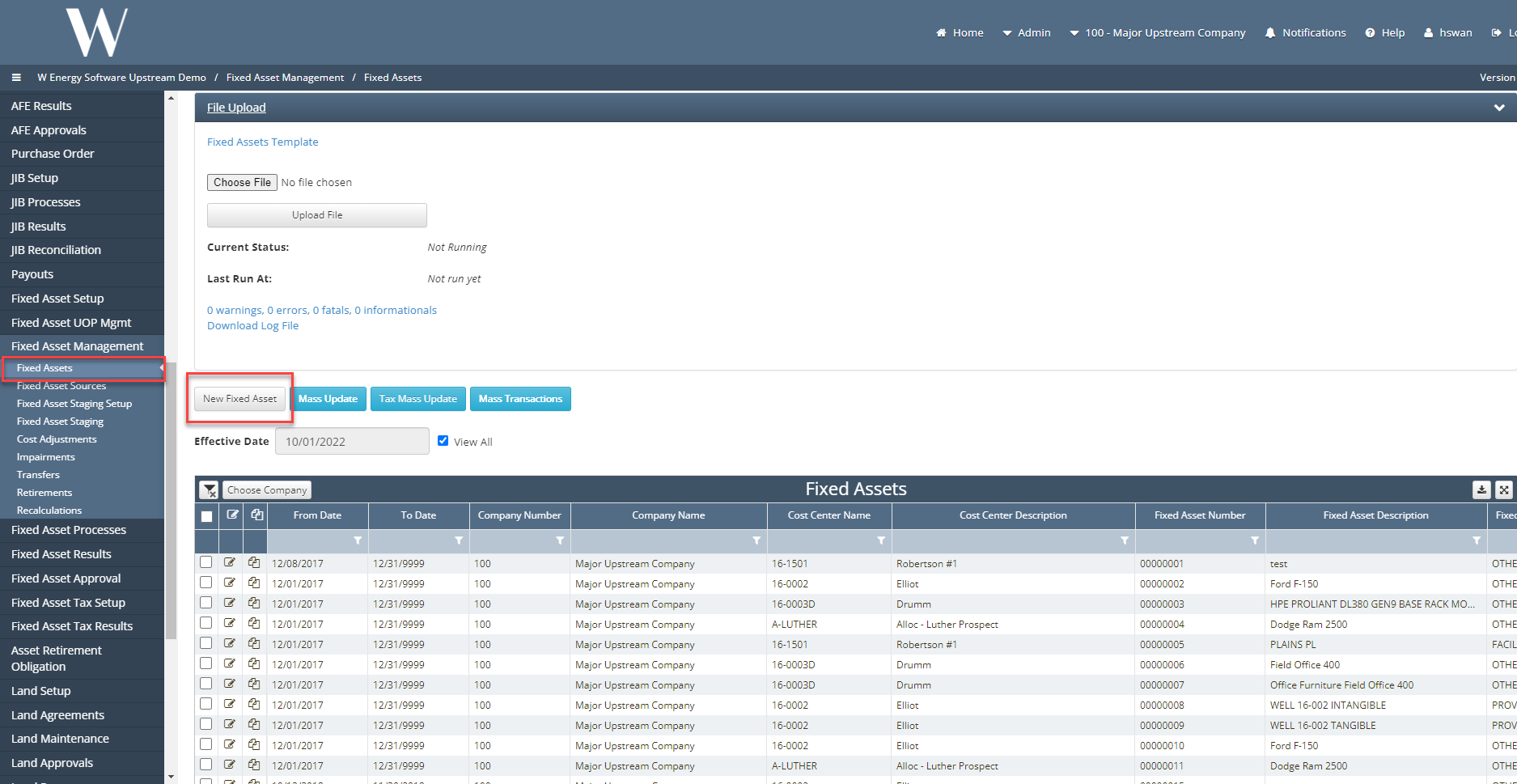
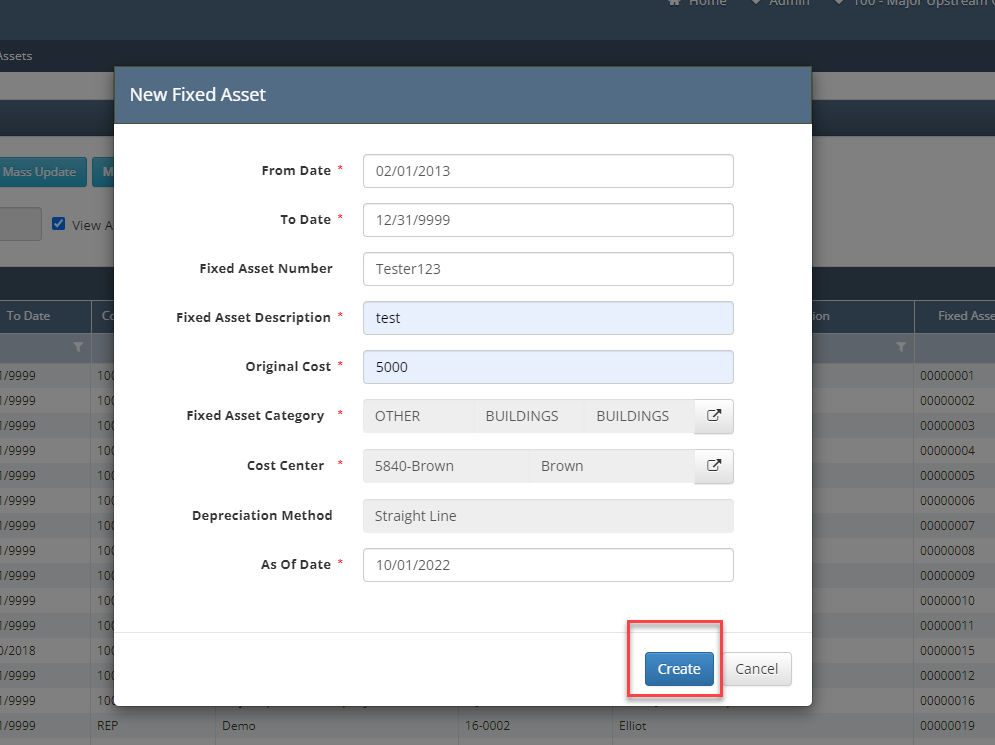
Manually enter each individual Fixed Asset by clicking the “New Fixed Asset” button that will generate a new fixed asset for user to populate required information. Then click “create.”
* = Required Fields: From Date, To Date, Fixed Asset Description, Original Cost, Fixed Asset Category, Cost Center, and As of Date
Other items worth noting that would impact the process.
When using the upload template, As of Date will drive when the asset will start depreciating.
When creating a new Fixed Asset manually, the In-Service date will drive the depreciation.
Frequently Asked Client Questions
Question: “Can we turn auto numbering off where we can set our own numbering system?”
Answer: “No, but if you want me to look into an enhancement where the system would allow you to create your own fixed asset numbers for you all, I can.”
Question: “How can I see the state, county, and postal code on the individual fixed asset?”
Answer: “This is driven by cost centers under global setup.”
Solution: Setup more cost centers or create fixed asset groups based on county and assign a fixed asset group to the individual asset.