
Fixed Asset Staging Setup
What is Fixed Asset Staging Setup?
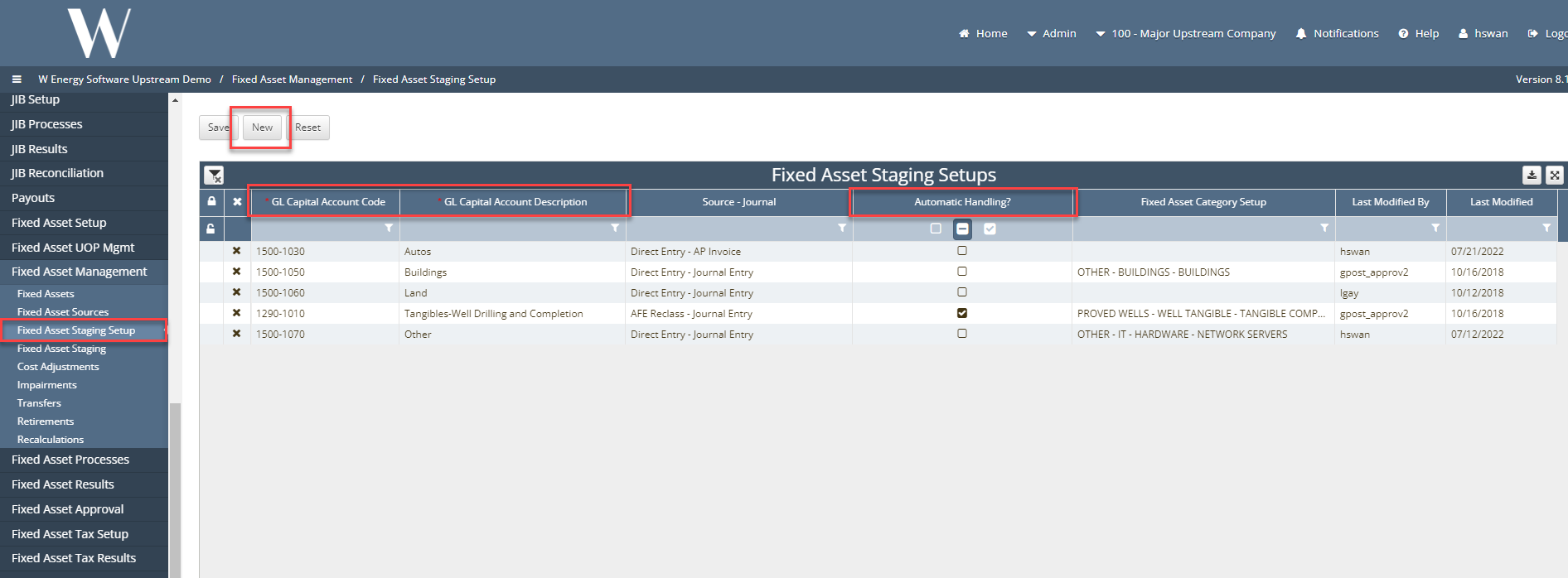
Under Fixed Asset Management > Fixed Asset Staging Setup. This screen will tell the user which capital accounts and source journal type to pull in transactions that are booked to the general ledger.
Why would a client use Fixed Asset Staging Setup?
This is a system requirement. If a client has operating equipment to not be checked, once we run populate interface setups, that operating equipment asset will be populated in our fixed asset staging screen where we can then determine if we want to make any cost adjustment, combine that asset with another asset, split that asset, clear, reject, or reinstate.
How to setup Fixed Asset Staging Setup in the system:
Fixed Asset Management > Fixed Asset Staging Setups
Click “New” button
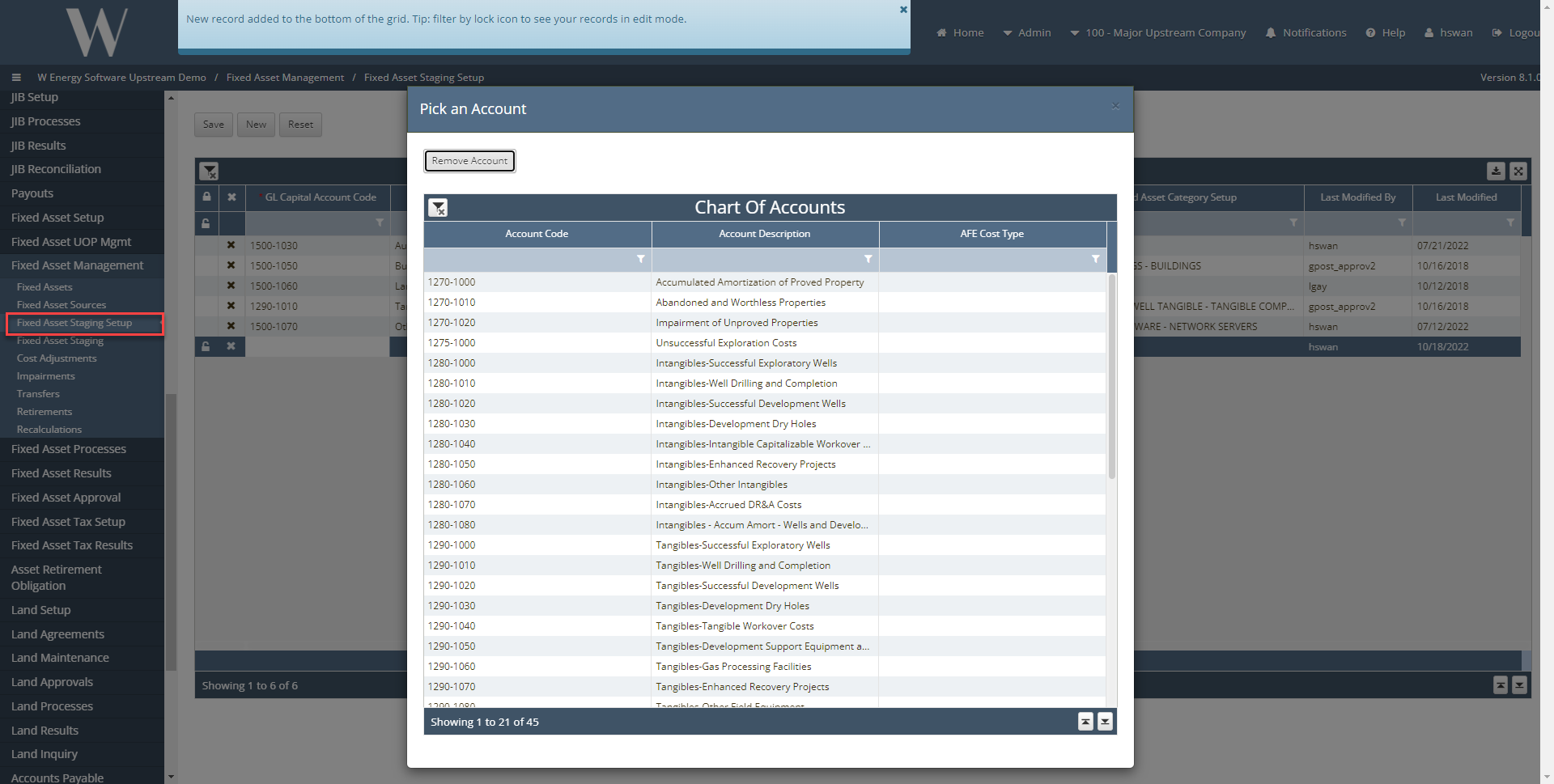
Select GL Capital Account from Chart of Accounts
*= Required Fields: GL Capital Account Code and GL Capital Account Description
Note: If GL account is not showing up as an option then revert back to Chart of Accounts screen and screen uses.
If Automatic Handling is checked, it will tell the system to automatically create a new transaction for that asset under that category that you have defined. If it is NOT checked, it will tell the system you want to pull this transaction into the Fixed Asset Staging screen to determine how you want to handle that asset.
How does this concept impact/feed other areas in the application?
This is how the Financials module will be incorporated into Fixed Assets.