Fixed Asset Sources
What is Fixed Asset Sources?
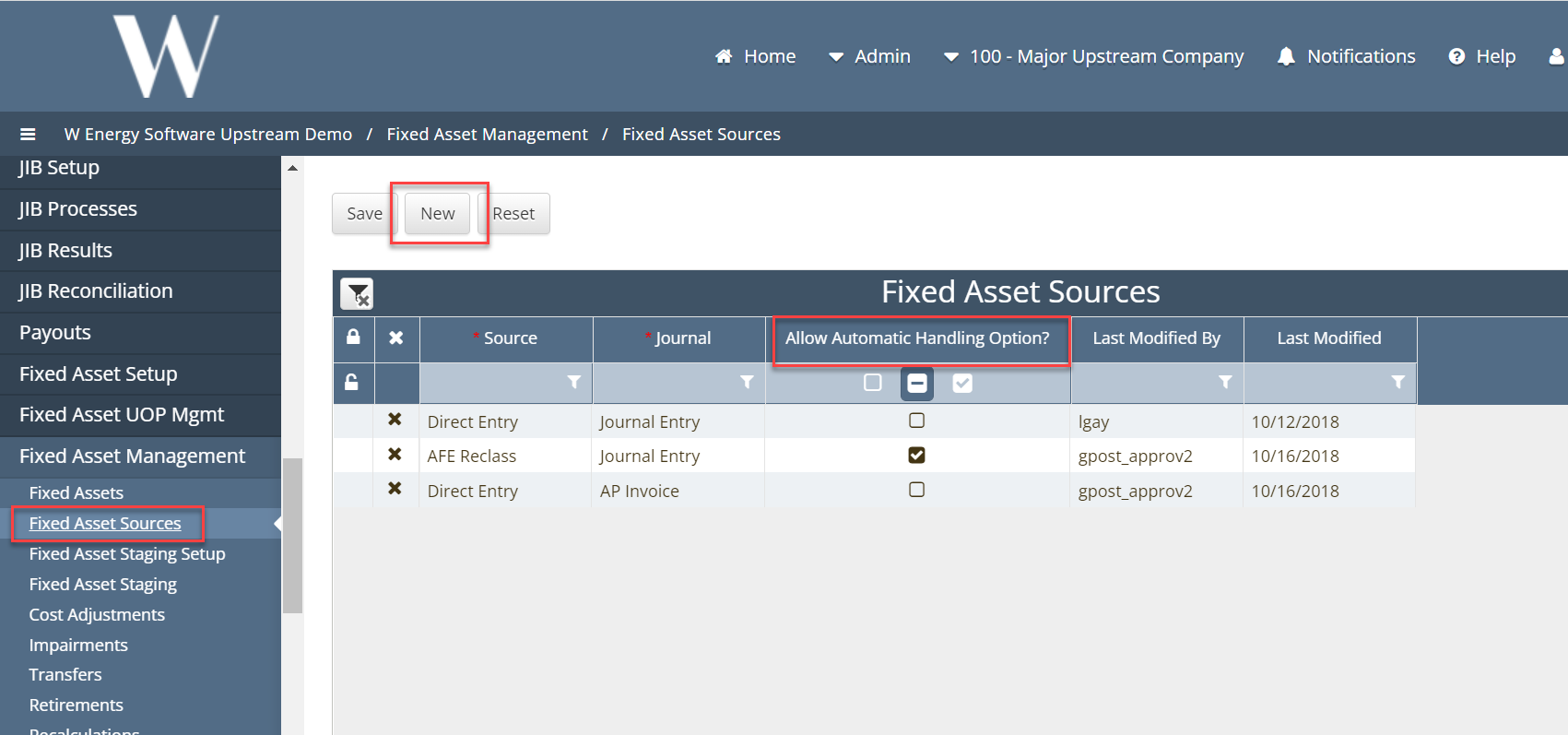
Fixed Asset Sources tells the system how to monitor the general ledger. The user will be able to select the Source and Journal type that the system will look for and pull into the Fixed Asset module. The Automatic Handling flag will control how the module handles these charges. By marking this flag true the module will create a new fixed asset out of this transaction. When the flag is marked false then the system will take this transaction and hold it in the Fixed Asset staging table where the user can decide how to handle the transactions.
Why would a client use Fixed Asset Sources?
Clients will use Fixed Asset Sources because this is a requirement of the system and is how the fixed asset module interfaces with the Financials module.
How to setup Fixed Asset Sources in the system:
By clicking the “New” button, it will generate a new record for the user to choose a source and journal type. When choosing a source and journal type, it will be in the form on a drop down list of items.
* = Required Fields: Source and Journal
* = Required setups prier: Interface Sources