
Fixed Asset Processes Screen
What is Fixed Asset Processes?
Fixed Asset Processes is where we will run certain processes that will either generate a depreciation schedule for a specific month, scan the general ledger for the asset accounts the user listed in the Fixed Asset Staging Setup table to populate the Fixed Asset Staging table, will take all of the Cost adjustments, Impairments, and Retirements booked in the processing month and populate the Fixed Assets Transactions table, will finalize the transactions that got pulled into the module from the process above and send them over to financials, will take the depletion rate and apply it to the UOP assets and will book depletion to the general ledger.
Why would a client use Fixed Asset Processes?
Clients will use Fixed Asset Processes if they take on this module. Depending on you client, Book Batch Processes, will not be used if your client is not relating to upstream.
How to setup Fixed Asset Processes in the system?
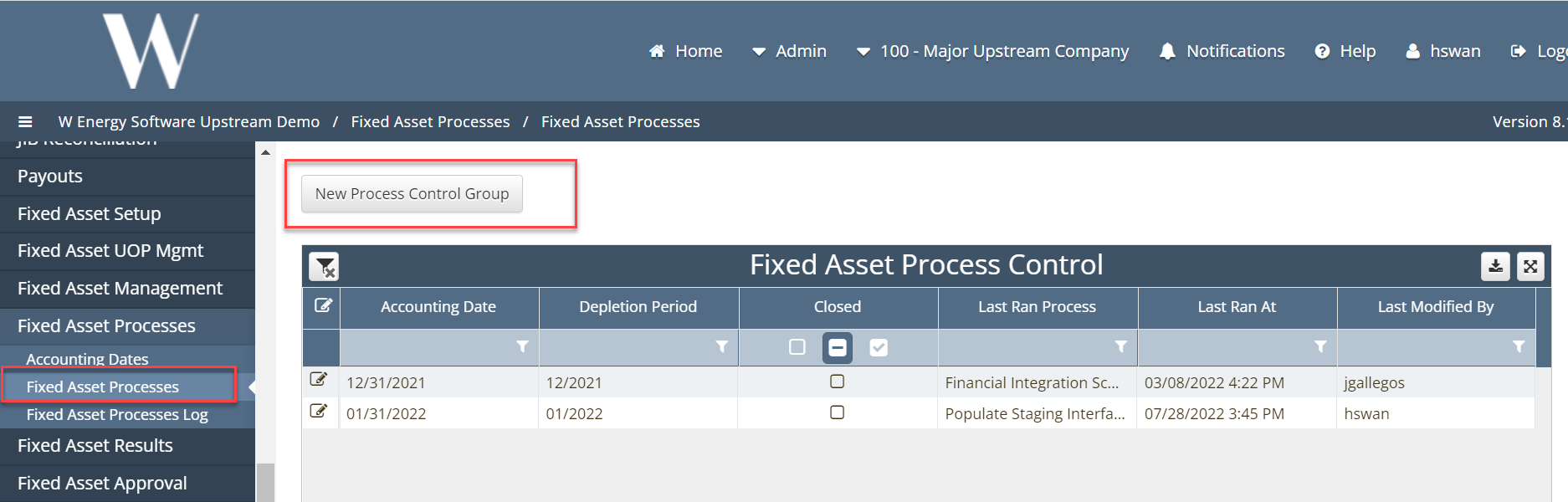
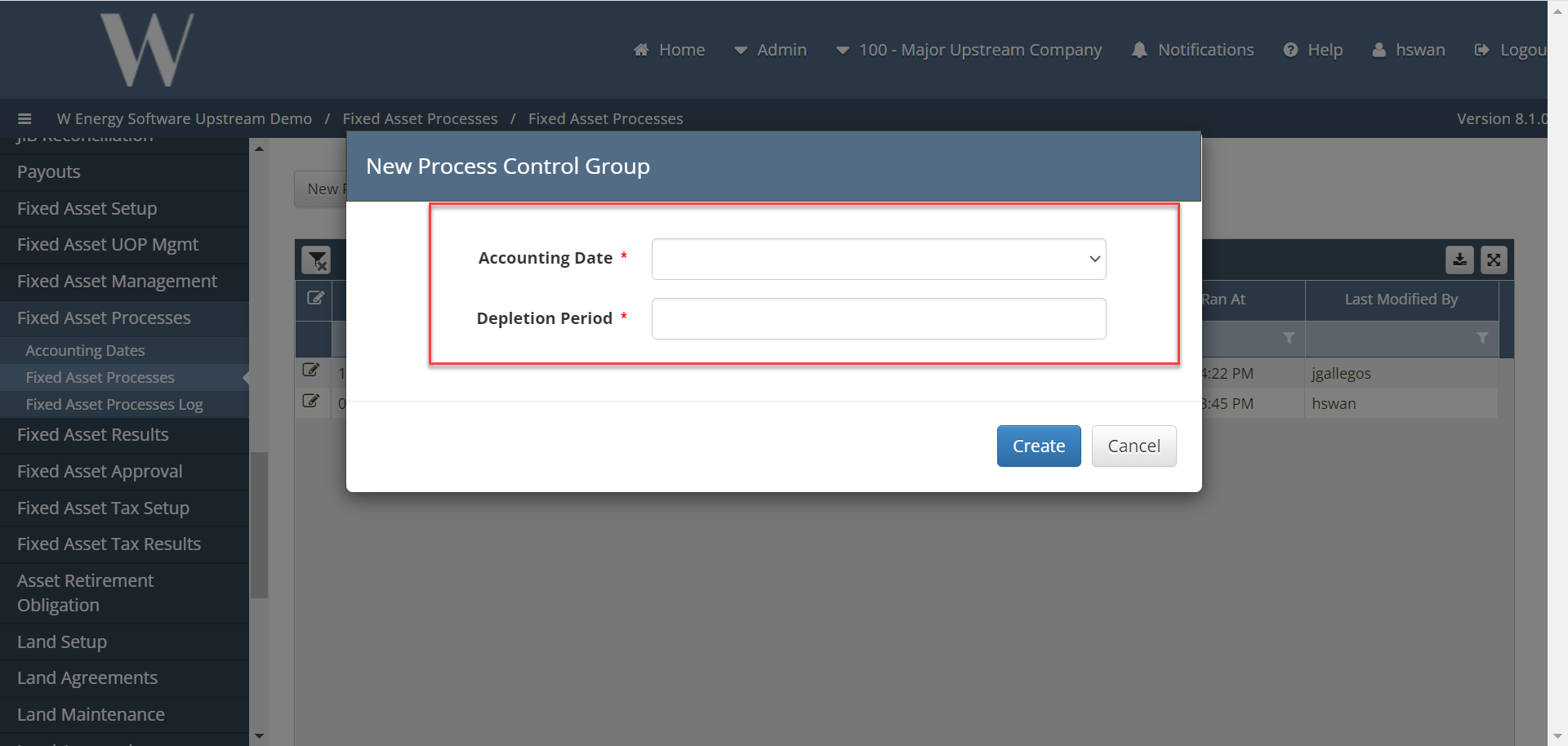
In the Fixed Asset Processes screen the user will start out by creating a new Process Control Group by clicking the New Process Control Group button the user will then be prompted to select an Accounting Date the dates that are open in the Accounting Dates screen will be the only options the user has to select from.
The user will also enter the date for the Depletion period by clicking in the Depletion Period field and entering a date or selecting on from the popup calendar. Once the dates are selected the user the click the Create button.
The system will then create the control group where the user can then begin to run the process to book DD&A. The first group of Process will be the Book Batch Processes these will book the Units of Production.
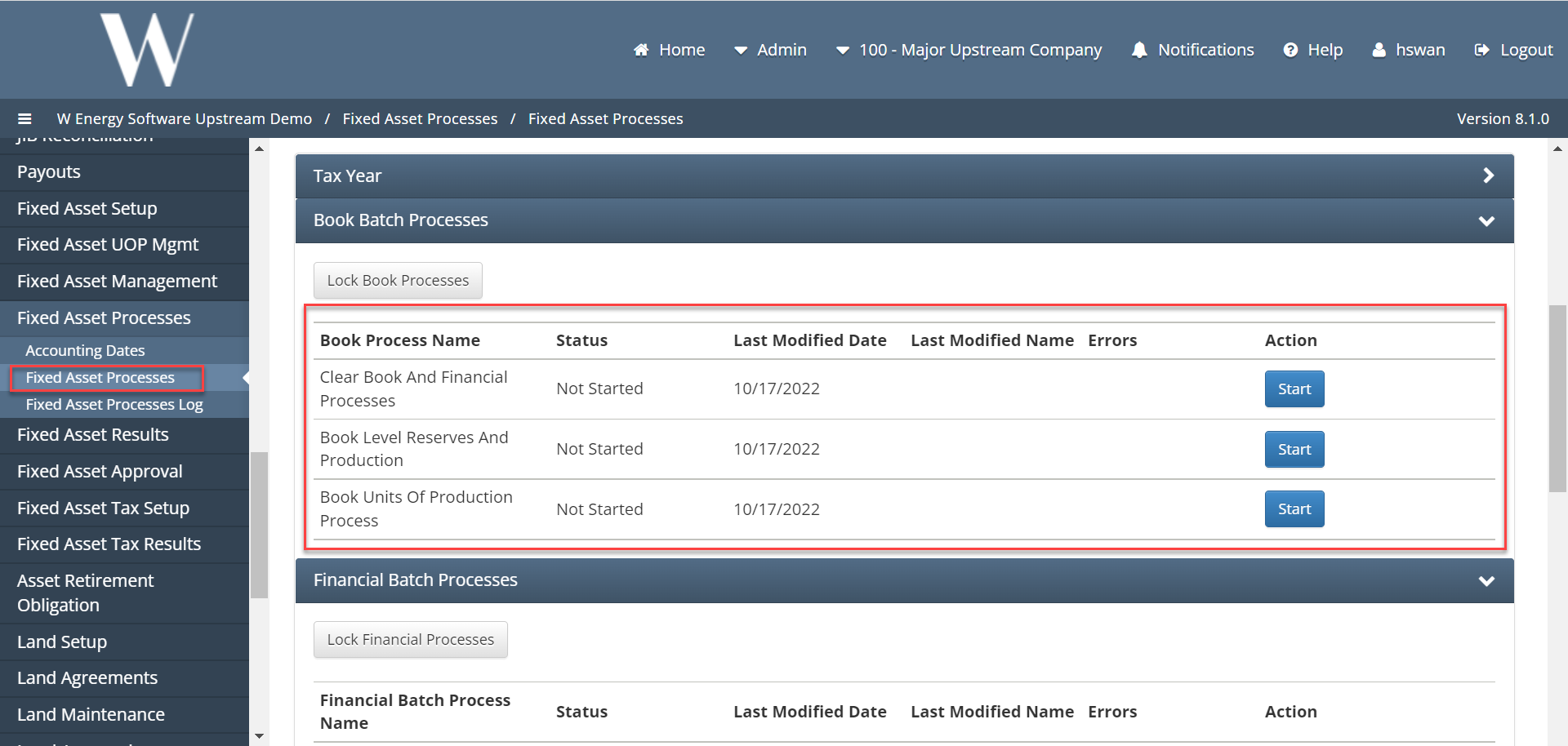
Clear Book and Financial Processes - This will take the most updated Production and Reserves and pull them into the Fixed Asset module.
Book Level Reserves and Production - This process will use the Production and Reserves to create a Depletion rate. The first two processes can be rerun to adjust the production and reserves in order to get the desired depletion rate. The user can use the Pool Depletion Rate Results screen under Fixed Asset UOP Management to see the depletion rate that has been generated by this process. Once the user has confirmed the depletion rate is calculating properly, they can run the final process.
Book Units of Production – This process will lock in the depletion rate that will be applied to the UOP assets. Once this process is run the user can no longer rerun the above processes.
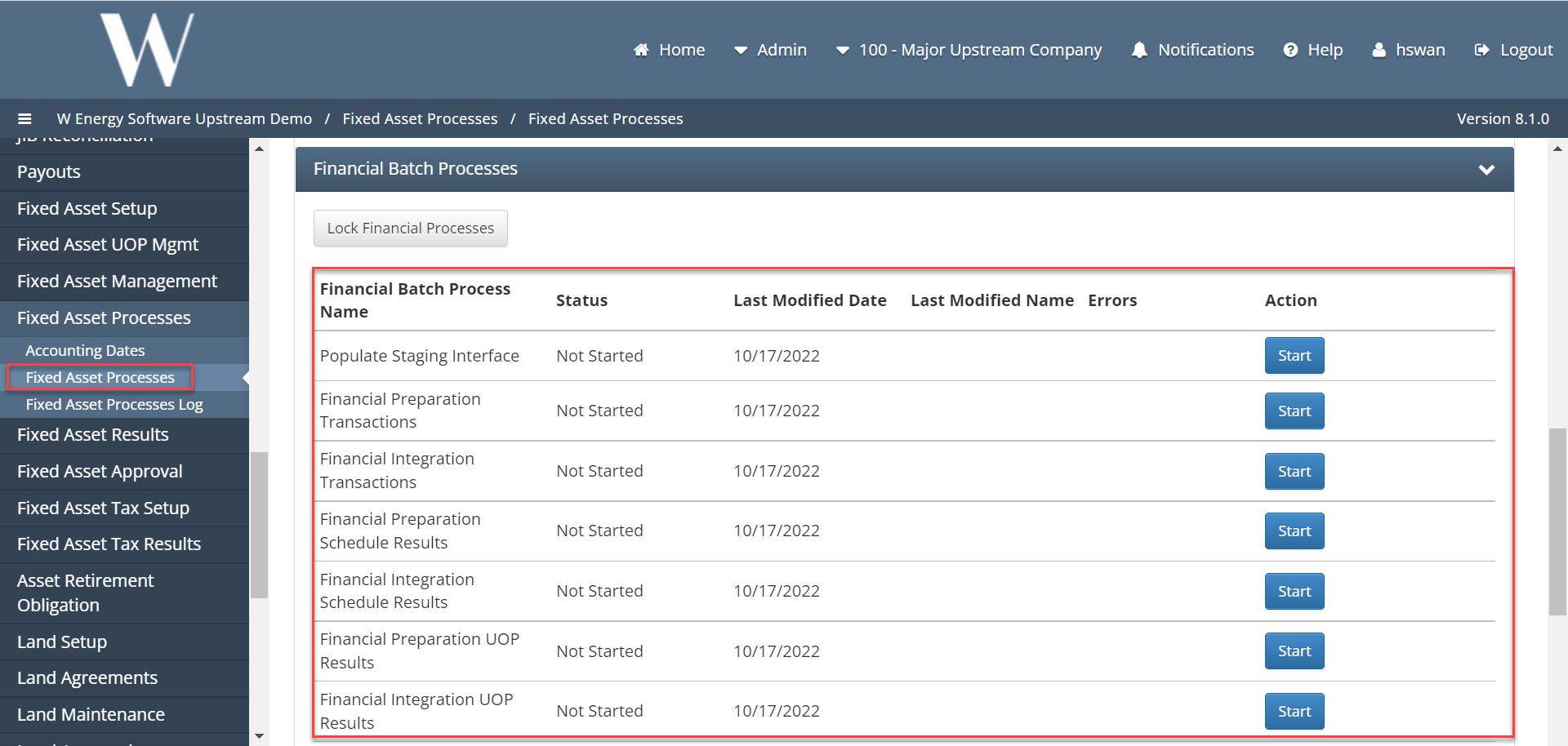
The Financial Batch Processes will be the next set of processes the user will run. These processes will populate the Fixed Asset staging table, they will also be used to populate results screens, and lastly be used to book depletion and depreciation to the general ledger.
Populate staging interface – This process will tell the module to scan the general ledger for the asset accounts the user listed in the Fixed Asset Staging Setup table to populate the Fixed Asset Staging table where the user can decide how to handle these transactions.
Financial Preparation Transactions -This process will take all of the Cost adjustments, Impairments, and Retirements booked in the processing month and populate the Fixed Assets Transactions table. This table can be found under the Fixed Asset Results menu. This screen is a subledger and gives the user the ability to see what will be booked to the general ledger. This process has the ability to be reran so the user can tie out all transactions before pushing them over to financials.
Financial Integration Transactions - This process will finalize the transactions that got pulled into the module from the process above and send them over to financials. Once this process is run the above processes cannot be rerun.
Financial Preparation Schedule Results -This process will generate the depreciation schedules for all the straight-line assets and populate the subledger. The user can use the Depreciation schedule Results screen under the Fixed Asset Results menu. This will give the user a preview of what will be booked. This process can be rerun and gives the user the benefit of verifying the results before booking to the general ledger.
Financial Integration Schedule Results - This process will book depreciation to the general ledger and once this is run the Financial Preparation Schedule Results process cannot be rerun.
Financial Preparation UOP Results - This process will take the depletion rate from the Book Batch processes and apply it to the UOP assets. This will also populate the subledger which can be found by navigating to the Fixed Asset Results menu and clicking the Units of Production Results screen. This process can be rerun so the user can verify the correct depletion amounts will be booked.
Financial Integration UOP Results - This process will book depletion to the general ledger. Once this process is run the above process cannot be rerun