Fixed Asset Pools
What are Fixed Asset Pools
An asset pool is a grouping of identical, similar, or related tangible capital assets. Pools can be used to group fixed assets and depreciate them as if they were a single asset.
Why would a client use Fixed Asset Pools?
Clients can create Pools to group like assets. In W Energy Software depletion is tracked at the Pool level. In this screen you can set up the pools manually or via the uploader.
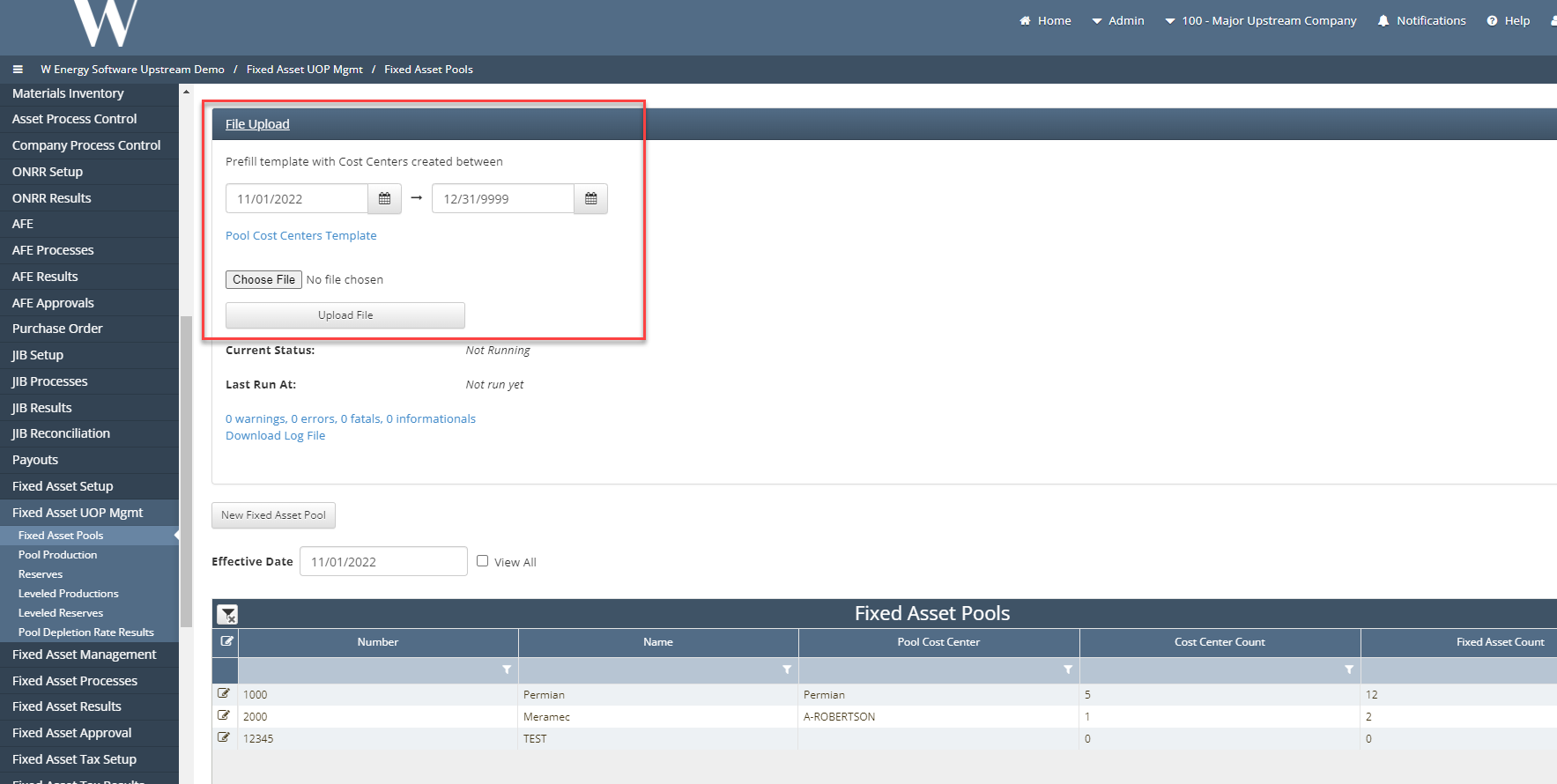
To mass load multiple pools, the user will click the file upload ribbon at the top of the screen and download the Pool Cost Center Template. The user will then fill out the template and upload the document.
How to setup Fixed Asset Pools in the system: Part 1
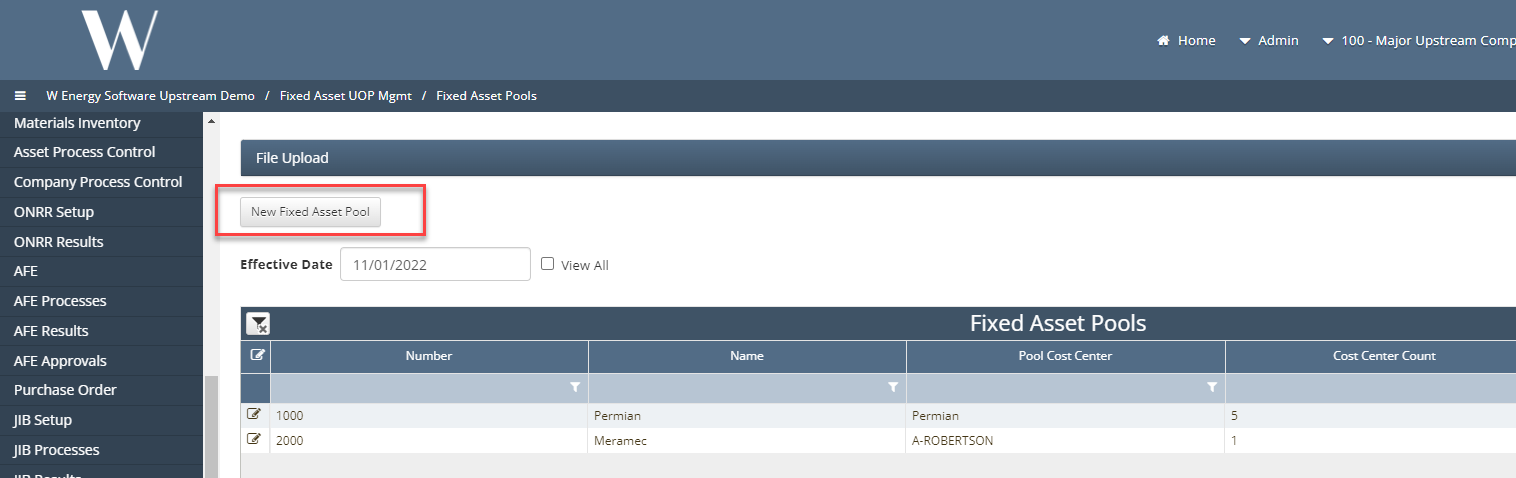
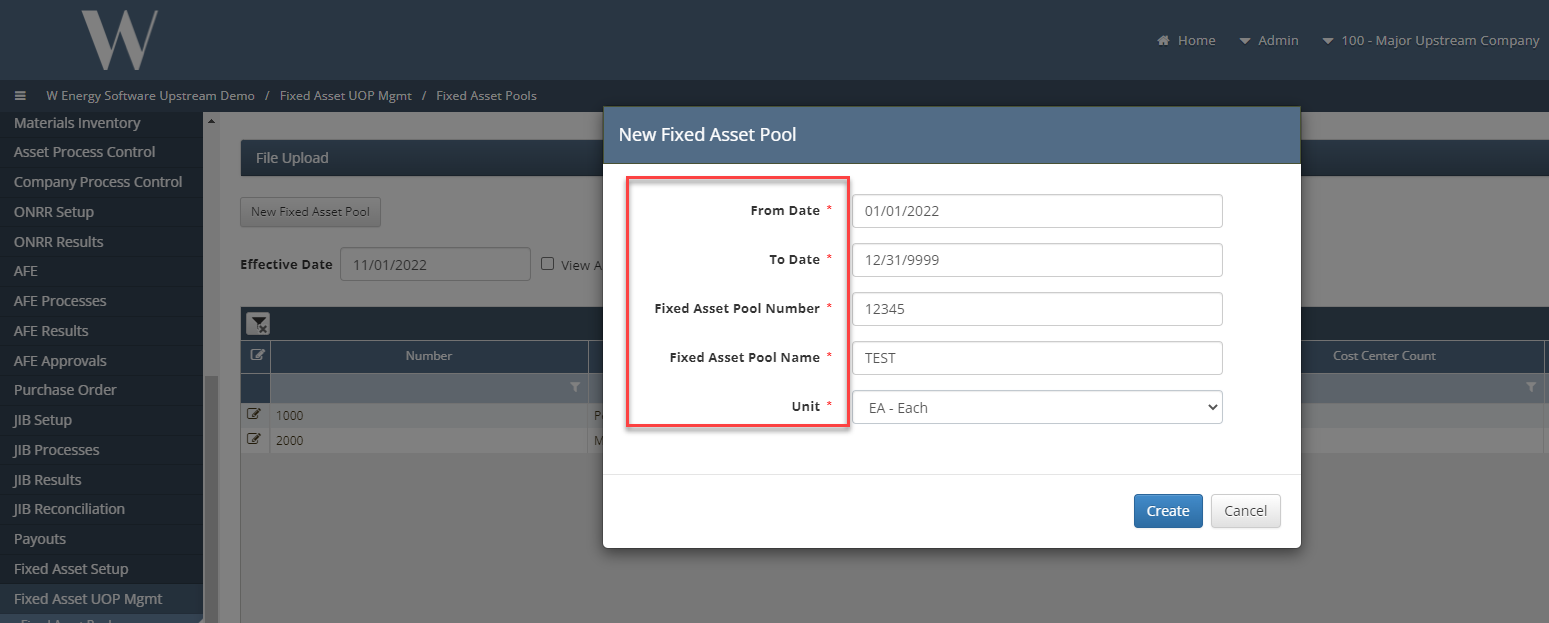
To create a new pool manually you will select the New Fixed Asset Pool button at the top of the grid. The prompt below will appear and the user will populate the required fields with the effective dates of the new pool and the name, number and Unit of measure that the assets will in the pool will be measured by.
Once the fields are populated the user will click the create button and the user will now be in the pool screen.
The user can now add a Pool Cost center by clicking the picker menu to the left of the field. Once the pool cost center is populated the user can add the cost centers that will roll up to that pool level.
This will be done by clicking the Add Cost center button.
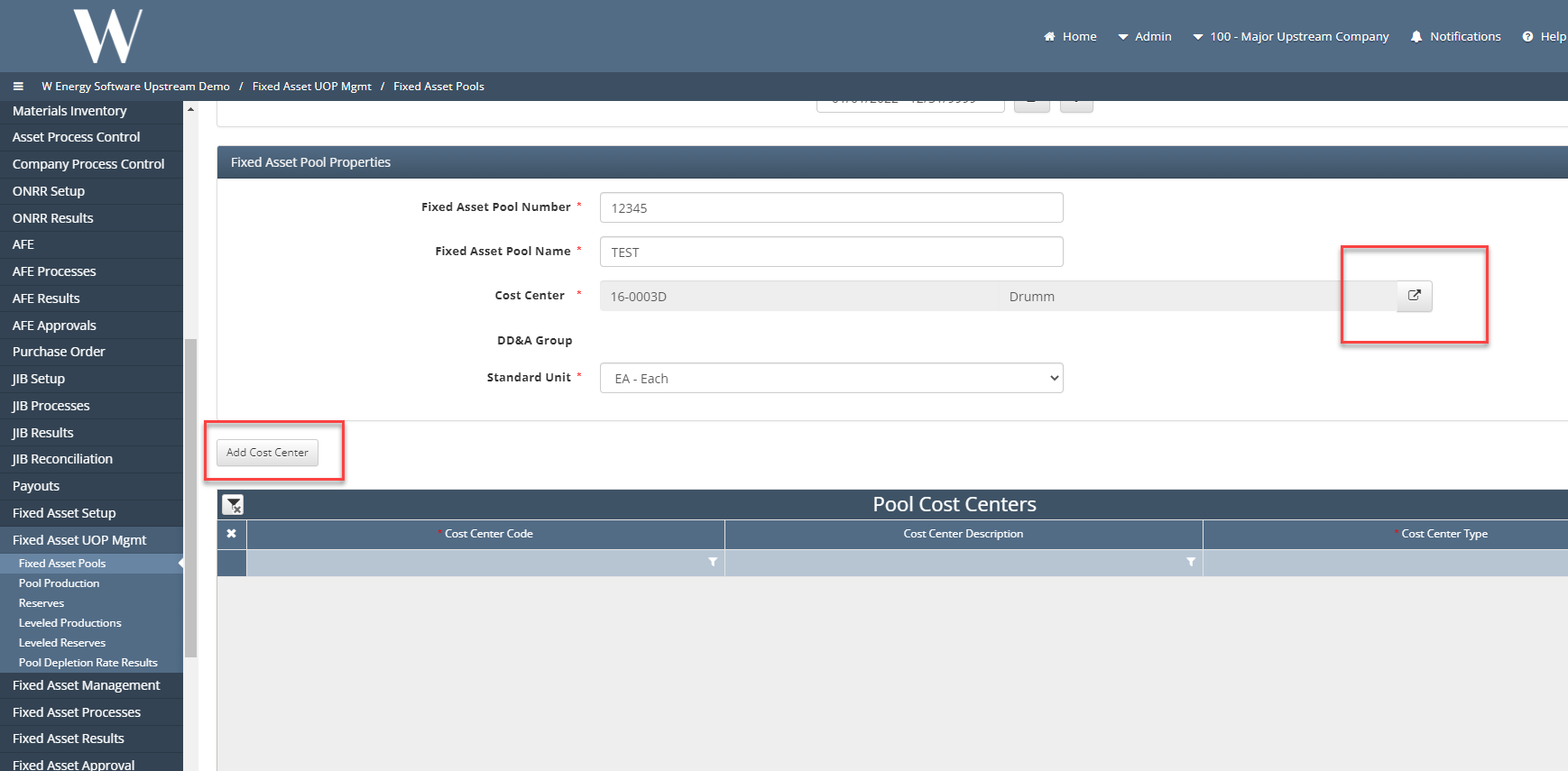
A new line will be created in the grid and the user can click the Cost Center field and the Cost center picker will appear to choose the available cost centers.
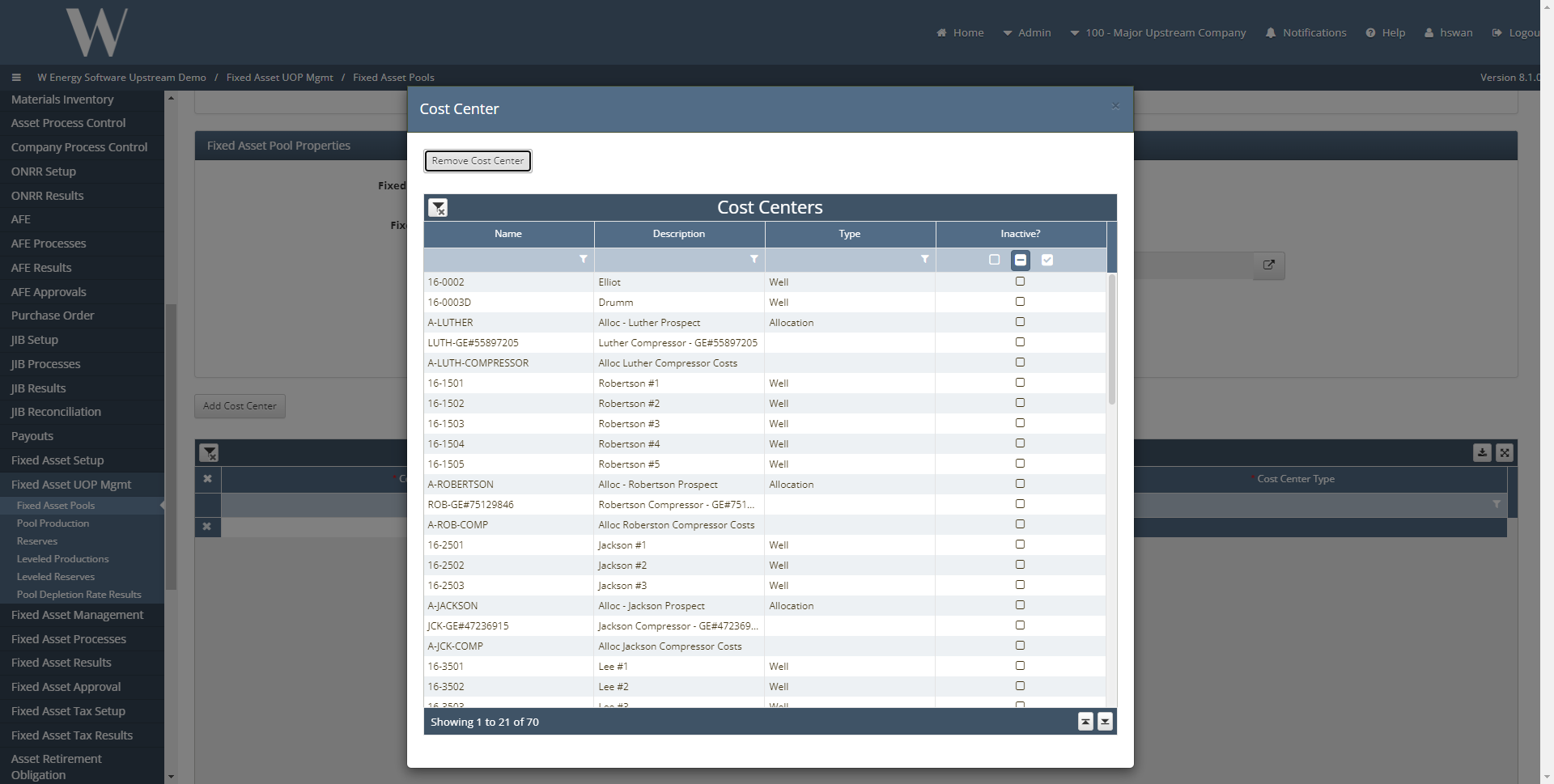
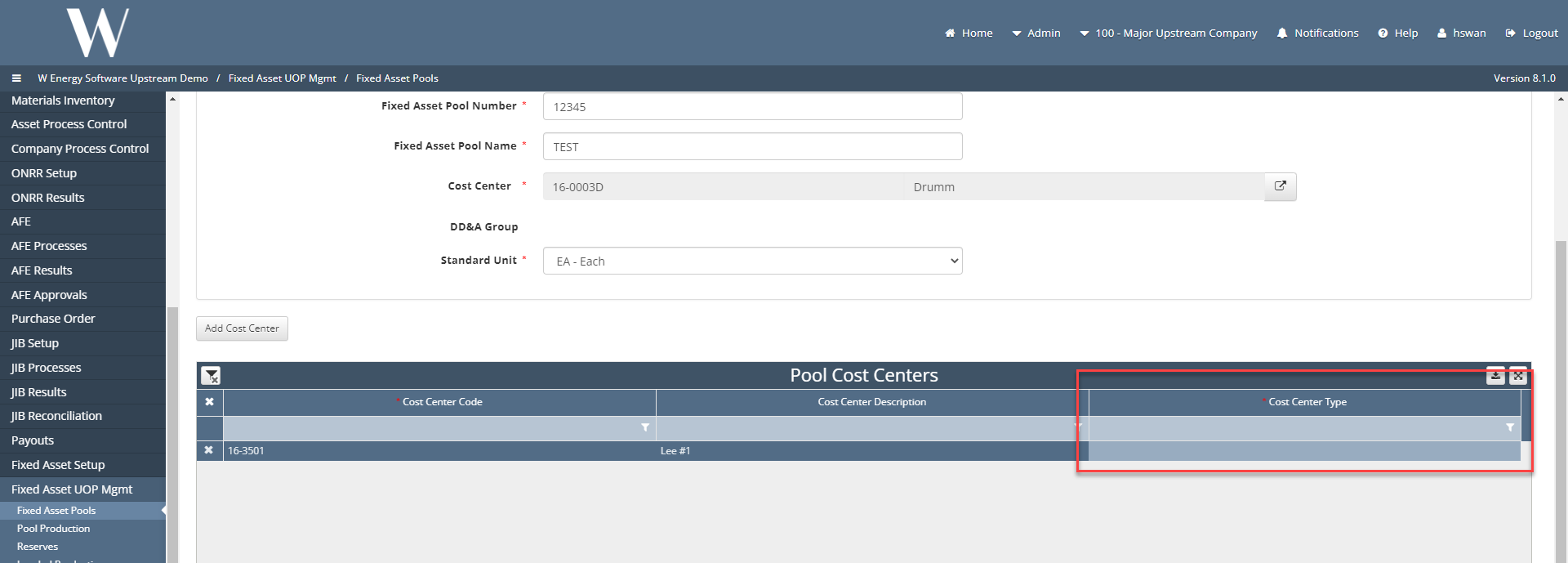
Lastly the user will populate the Cost Center Types field by clicking the field. A picker will appear with the records entered from the UOP Cost Center types code table.
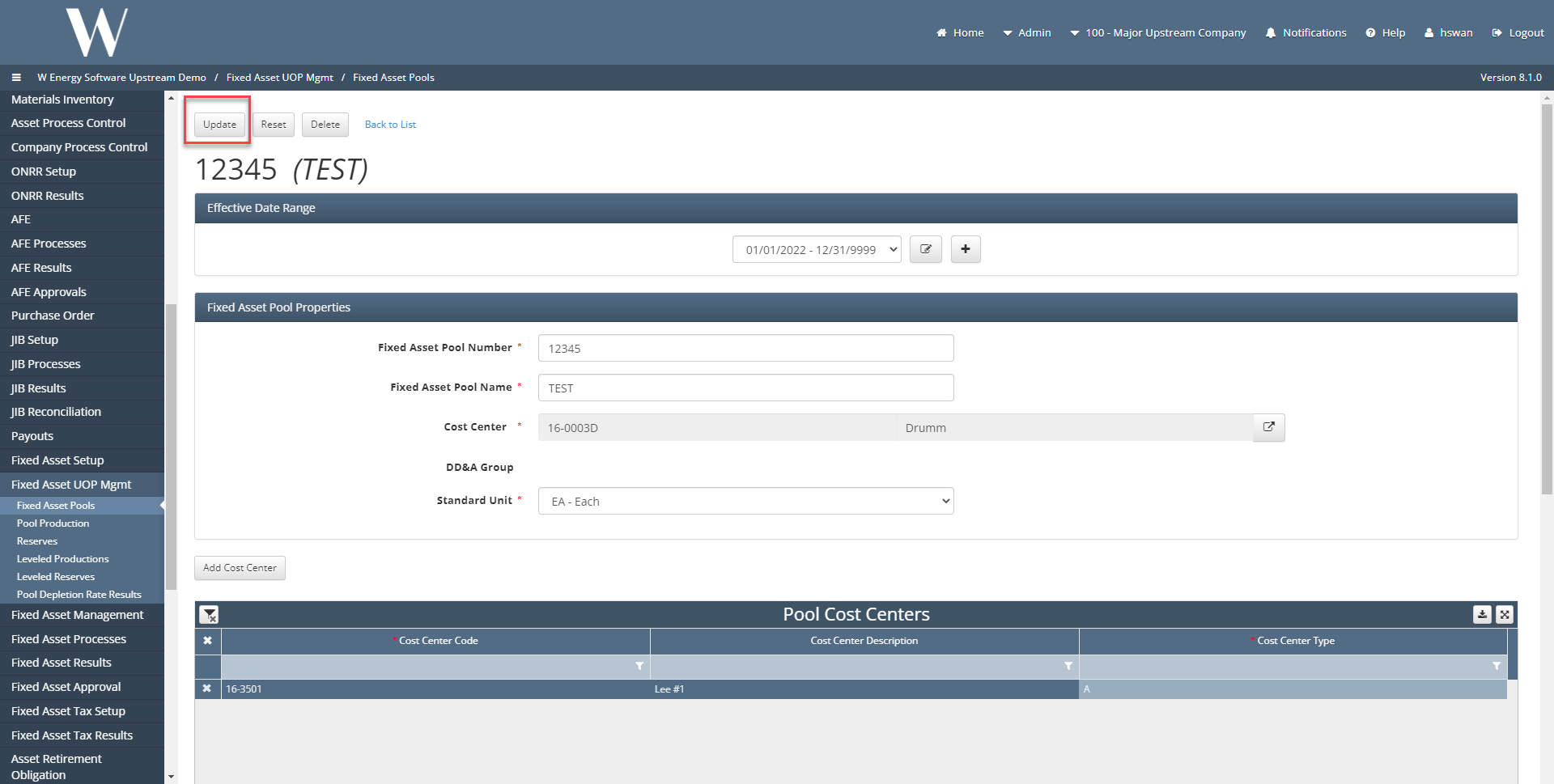
Once the user is finished added cost centers they will click the Update button to save the adjustments made to the pool.
How to setup Fixed Asset Pools in the system: Part 2
To mass load multiple pools, the user will click the file upload ribbon at the top of the screen and download the Pool Cost Center Template. The user will then fill out the template and upload the document.