
Depreciation Schedule Results
What is a Depreciation Schedule
A depreciation schedule charts the loss in value of an asset over the period you've designated as its useful life, using the accounting method you've chosen.
Why would a client use a Depreciation Schedule
The point of having a depreciation schedule is to give you the ability to track what you've already deducted and stay on top of the process. Its a way to help businesses keep track of long-term assets and gives a look at how they'll depreciate over time.
How to setup a Depreciation Schedule in the system
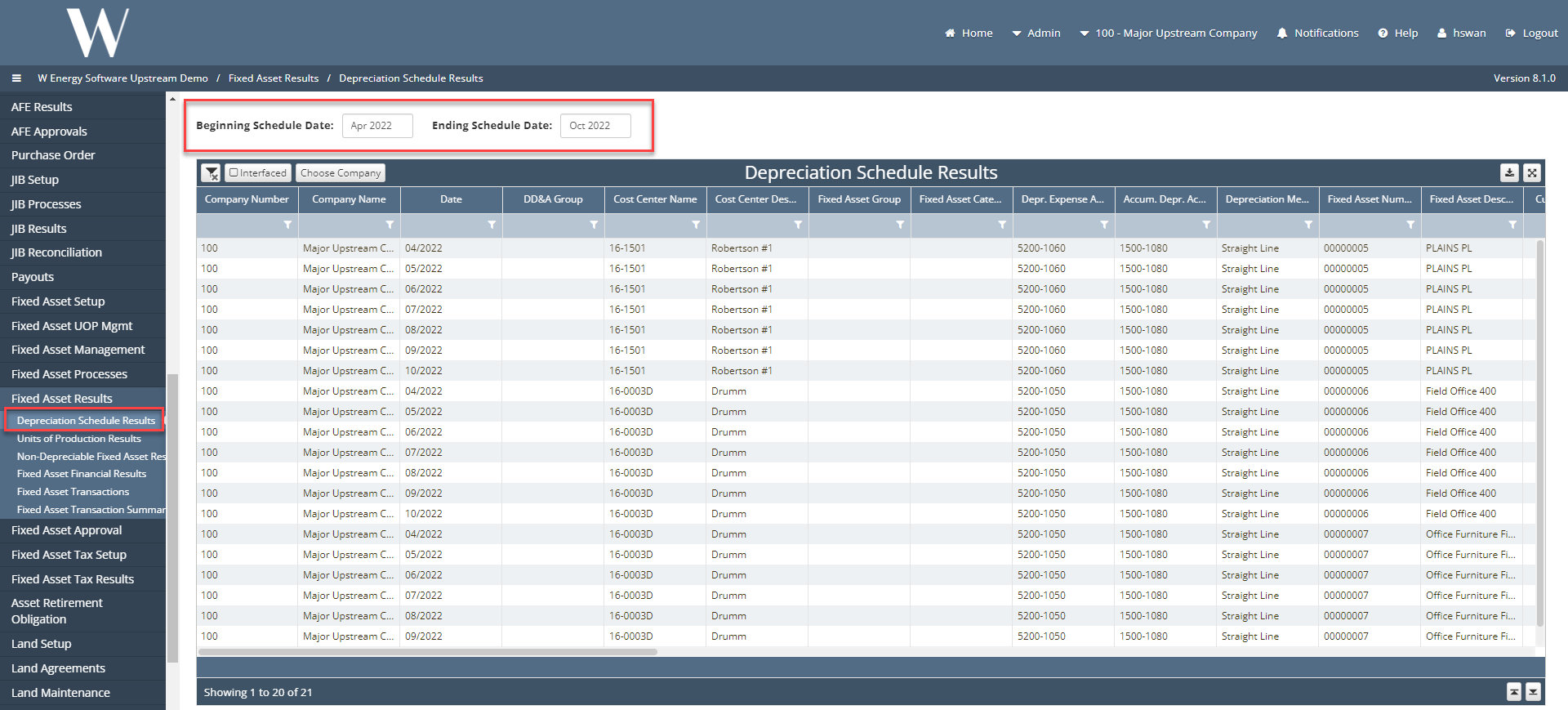
Under Fixed Asset Results, you will find the Depreciation Schedule Results screen were users can monitor their long-term assets and how they will depreciate over time.
Start by selecting the beginning and ending accounting month the user wants to start seeing the depreciation results for.
Other items worth noting that would impact the process
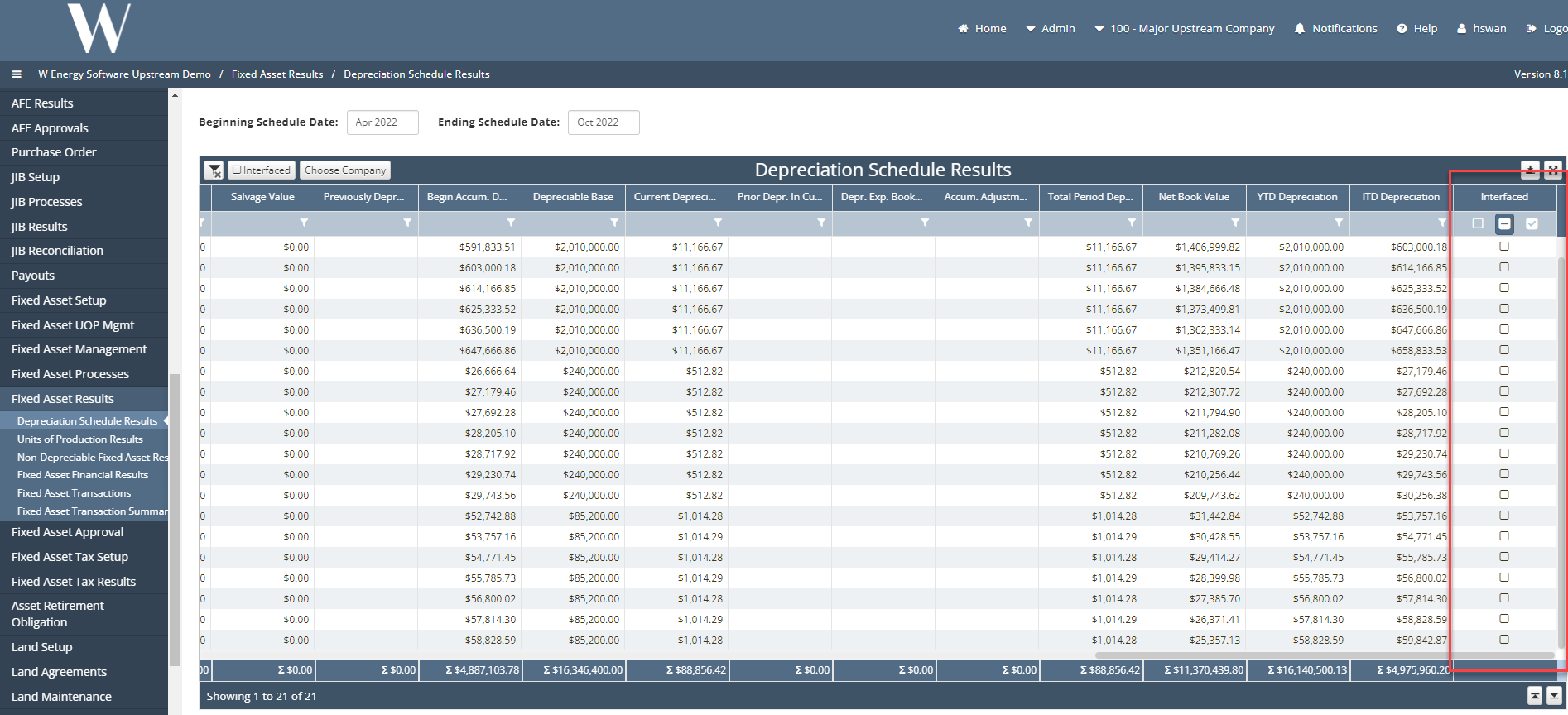
An item worth noting under Depreciation Schedule Results would be the last column called Interface. This is a way to show users that once we run the final integration process for fixed assets, the following records for the month they are running depreciation for will have a check mark under interface. This tells the user that these records were booked to their GL.
Frequently Asked Client Questions
Question: “Where can I find the amortization schedule?”
Answer: “The amortization schedule is built into the depreciation schedule results. To record amortization, we can use the straight line depreciation schedule.”