
Contractual Setup / Contracts
What is a Contract
A contract defines terms between the asset and a business associate. It does not have to represent an entire legal contract, typically we have one contract per business associate for a given asset.
Why would a client use Contracts
A client would use contracts for several functions:
Assign meters to a Business Associate
Create fees for a Business Associate
Create volume commitments for a Business Associate
Define invoice terms for a Business Associate
How to setup Contracts in the system
Navigate to Contractual Setup / Contracts and click ‘New Contract’ and the following pop-up will appear
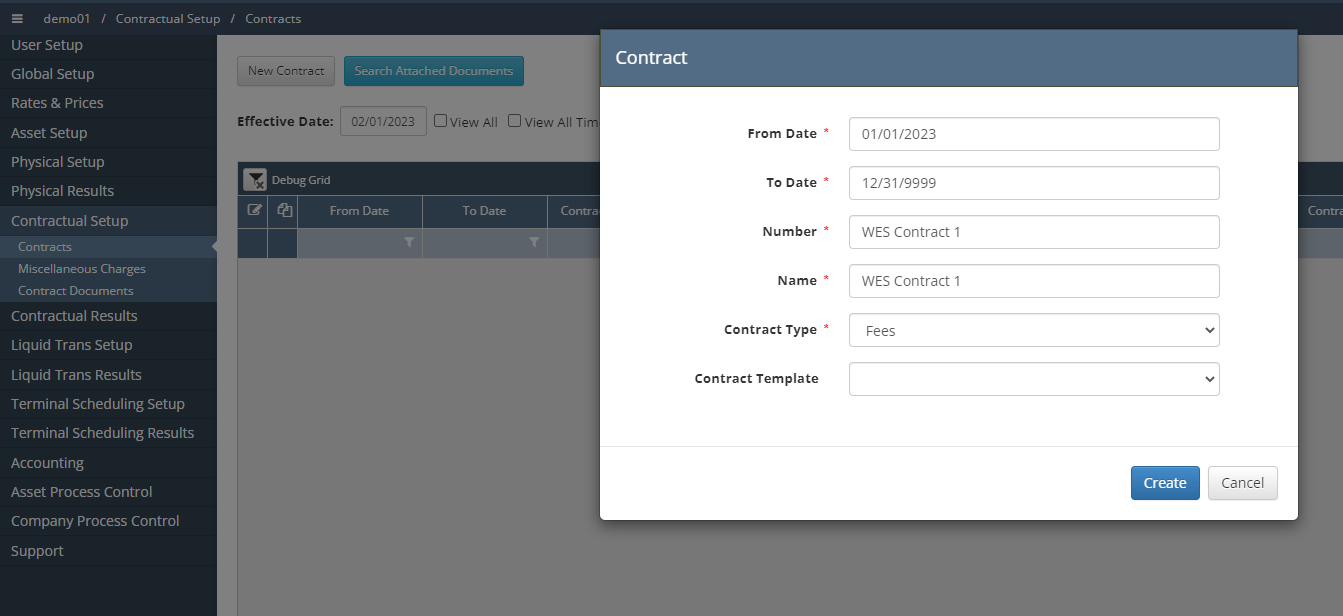
Fill out the necessary information, dependent on what the client requests and then click Create and the system will take you to the following screen
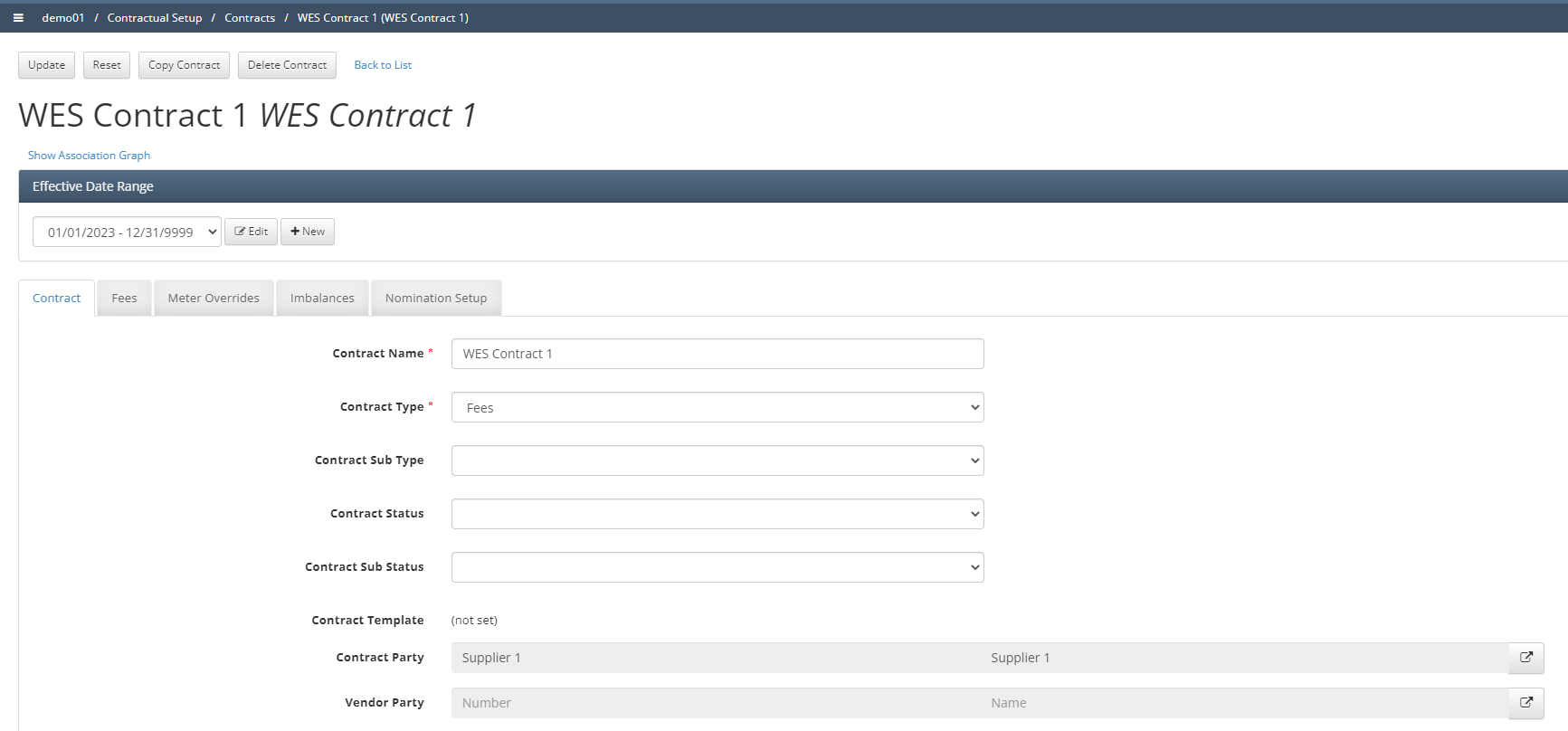
Once you are within the contract setup page, it initially only has the Contract tab, in order to have the other tabs shown (Fees, Meter Overrides, Imbalances, & Nomination Setup) the user will need to check the respective boxes found towns the bottom of the contract tab and then click update.
The main tab that is required in order for the system to function is the Nomination Setup Tab, this is where the user will assign specific meters to the contract as seen below
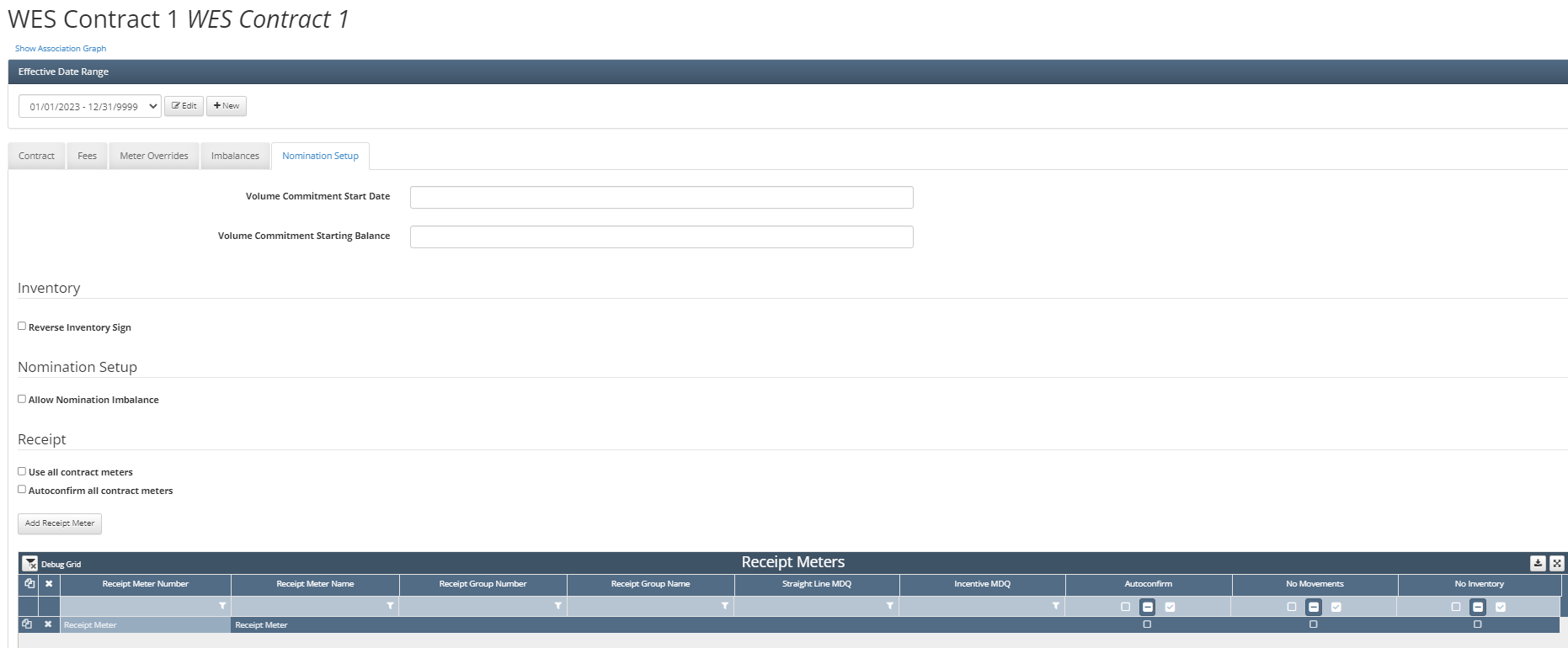
The user would need to add all receipt meters associated with this contract and then below that grid there is one for deliveries as well. Since this asset only has one of each, there will only be one meter setup under Receipt and Delivery Meters. Once you have your nominations setup complete, click Update for the contract.
How does this concept impact/feed other areas in the application?
Contracts can impact and feed into multiple different areas of the application all dependent on how the contract was setup. If they contract involved using fees then the formulas and rates setup under the fees tab would be used to generate valuation results, similarly with meter overrides as well. Inventory screens are also driven by the nomination setup tab on contracts. Volume commitment results will also be generated if the volume commitments are setup within a contract.