
Asset Setup / Products & Usages
What are Products & Usages
Products & Usages found under Asset Setup pull from the Products Code Table & the Usage Code Table. This assigns multiple usages to each given product that will be needed for the asset.
Why would a client use Products & Usages
A client would need to use this setup screen in order to have products and corresponding usages available to use within the asset. For example, you can not assign a meter a particular Product & Usage unless it has been setup in the Products & Usages screen
How to setup Products & Usages in the system
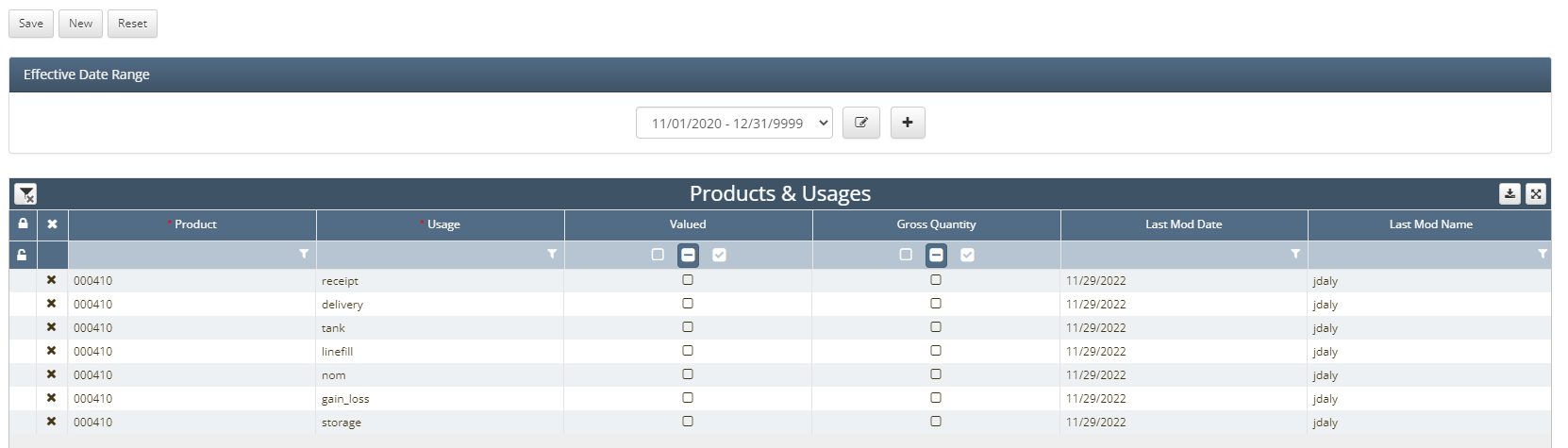
First navigate to Products & Usages under Asset Setup
Next click the New button in the top left hand corner
From there it is required that each product have the three following usages
receipt, delivery, and nom
allowance, gain_loss, linefill, & tank are others that are also commonly used but not required
Once all necessary Product & Usage combinations have been setup click the Save button
How does this concept impact/feed other areas in the application?
Products & Usages feed into almost all other parts of the application. When entering run tickets that are assigned to a particular product, that product will need to be setup under Products & Usages. When looking at results screens that show data at the product level, they will need to be setup in the screen first. Products & Usages drives what products are going to be present in this asset and what usages will accompany them.