
Asset Accounting Dates
What are Asset Accounting Dates
The purpose of this page is to manage accounting dates that are needed for running processes. This section is limited to those who have the authority to open or close accounting dates. Prior to being chosen on the Process Control page, an accounting date must first be opened (or re-opened) here.
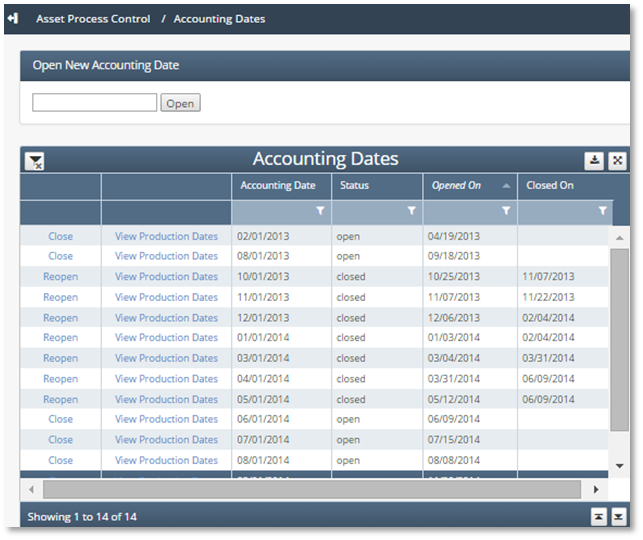
Before processes can be run, an accounting date must be opened. To view asset accounting dates, navigate to Asset Process Control / Asset Accounting Dates.
The Asset Accounting Dates screen displays all accounting dates that exist for the current asset. Accounting dates are used to manage a production month. A standard accounting date is the first day of the month; however, a different accounting date can be used to represent different close cycles or for revisions or PPAs (prior period adjustments). From this screen, create a new accounting date, close an open accounting date, or reopen a closed accounting date.
Before processes can be run, an accounting date must be opened. To view asset accounting dates, navigate to Asset Process Control / Accounting Dates.
How to use Accounting Dates in the system
Open New Asset Accounting Date
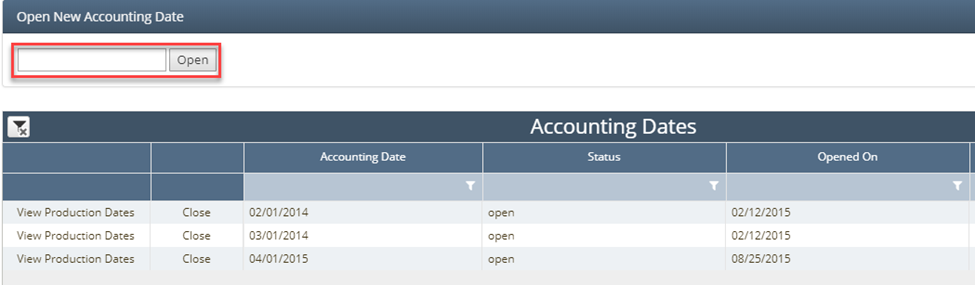
To open an asset accounting date, navigate to Asset Process Control / Asset Accounting Dates. Enter a date in the Open New Asset Accounting Date field or click in the field to launch a date picker and select the desired date. Then click “Open”.
Close Asset Accounting Date
Closing an accounting date protects the data for that period from any changes or modifications and allows the preservation of data for historical or auditing purposes.
To close an asset accounting date, navigate to Asset Process Control / Asset Accounting Dates. Locate the desired accounting date and click “Close”. If there are many accounting dates in the grid, it may be helpful to filter by accounting date to locate the desired accounting date.

Reopen Closed Asset Accounting Date
If the data for a closed asset accounting date needs to be changed and processes rerun, the asset accounting date can be reopened.
To reopen a closed asset accounting date, navigate to Asset Process Control / Asset Accounting Dates. Locate the desired closed accounting date and click “Reopen”. If there are many accounting dates in the grid, it may be helpful to filter by status or accounting date to locate the desired accounting date.

How does this concept impact/feed other areas in the application?
For example, Check input is required for Revenue to to allocate funds to correct owners.