
Agreement Expiration Processes
What is a Land Agreement Expiration Process
Land Payment Processes are utilized to process payables to land owners, operators, and State/Federal/Tribal entities. WE uses an E-Calendar to house all payments, expirations and obligations that need reviewed by a lease analyst, Shut-In Analyst or a Landman each month or for a period of time.
How to run the Land Payment/Agreement Expiration Process
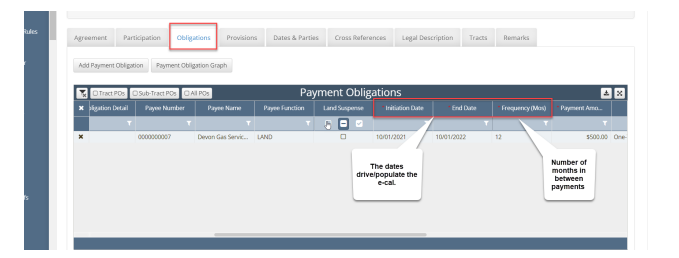
Verify that there are Payment Obligations (PO’s) or Non-Payment Obligations (NPO’s) scheduled for the time slice (effective date) you are looking to process.
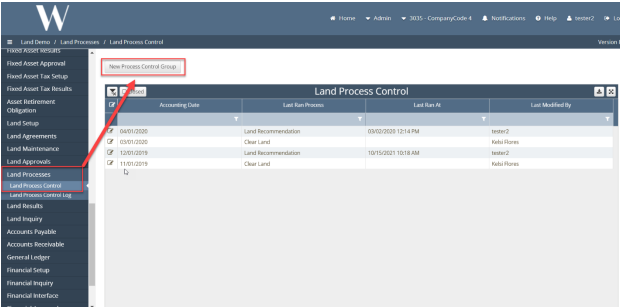
2. Land Process → Process Control → New Process Control Group
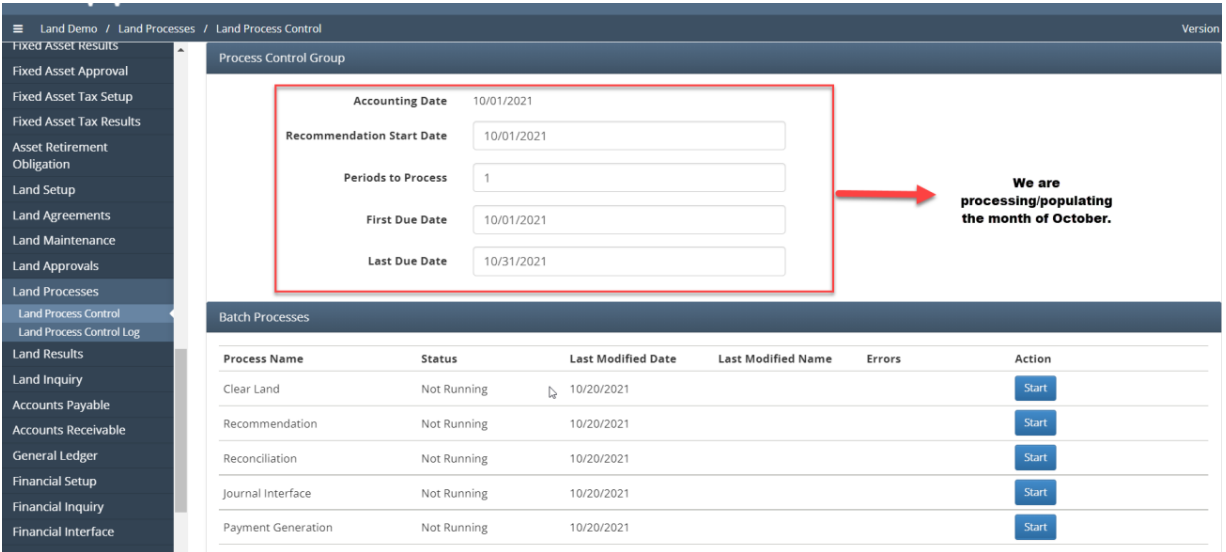
3. Select Accounting Date → Populate Control Group Information
This will be populated to show the effective date of the payment, recommendation of Start date to run the payment process, how many periods of time and first/last due date of payment. This is important because this lays out your payment cycle.
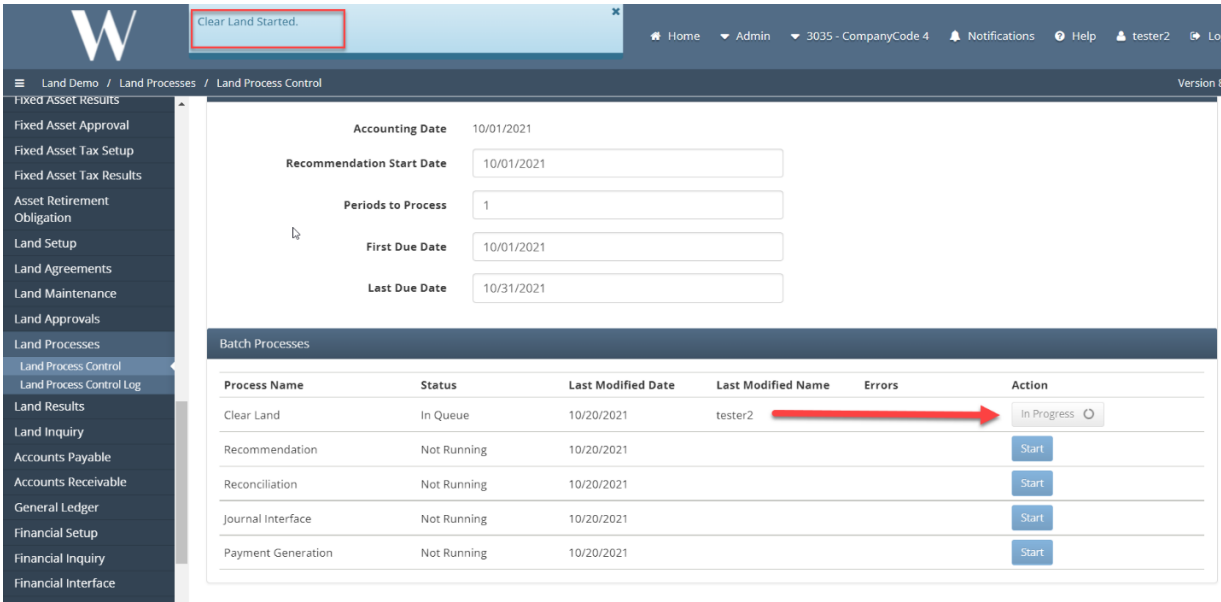
4. Running Clear Land
This is optional unless you have run the “Recommendation” process and made changes to payments and want to clear and start fresh.
5. Run the Recommendation Process.
This will pull all of the PO’s/NPO’s that are slated for the time slice specified above. In addition, it will also pull any Agreements that are schedule to expire.
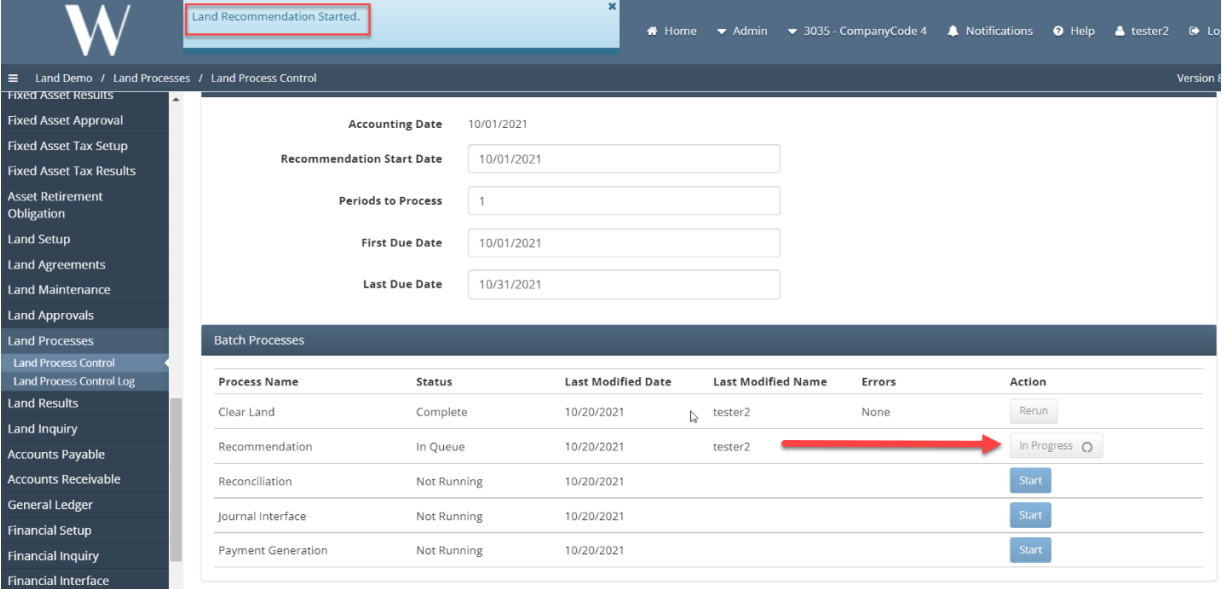
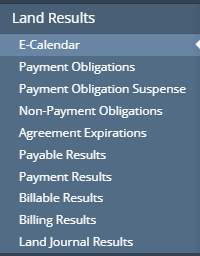
6. Land Results → E-Calendar
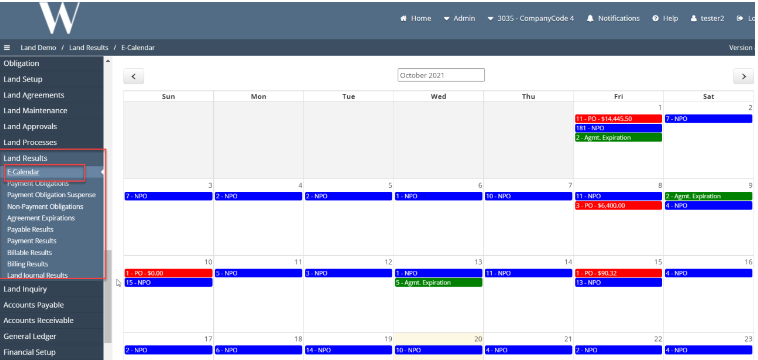
After running the recommendations, the E-Cal will populate.
What is an E-Calendar
Expiration and Obligations Calendar is located under LAND RESULTS in the WE App. It is a color coded monthly calendar that shows when payment obligations and expirations are due for all months.
Who Benefits from E-Calendar and Land Payment/Agreement Expiration Processes
Land Owners
Surface Owners
Operators
Brokers
The Public
What Configurations apply when using Land
LAND: true
How to Use E-Calendar
How does this concept impact/feed other areas in the application?
Revenue
JIB
GIS
Frequently Asked Client Questions
Links provided are from W Energy Software Support Confluence Space