
How to take backup of DB
Create DB Backup of data that needs to be saved for later use.
📘 Instructions
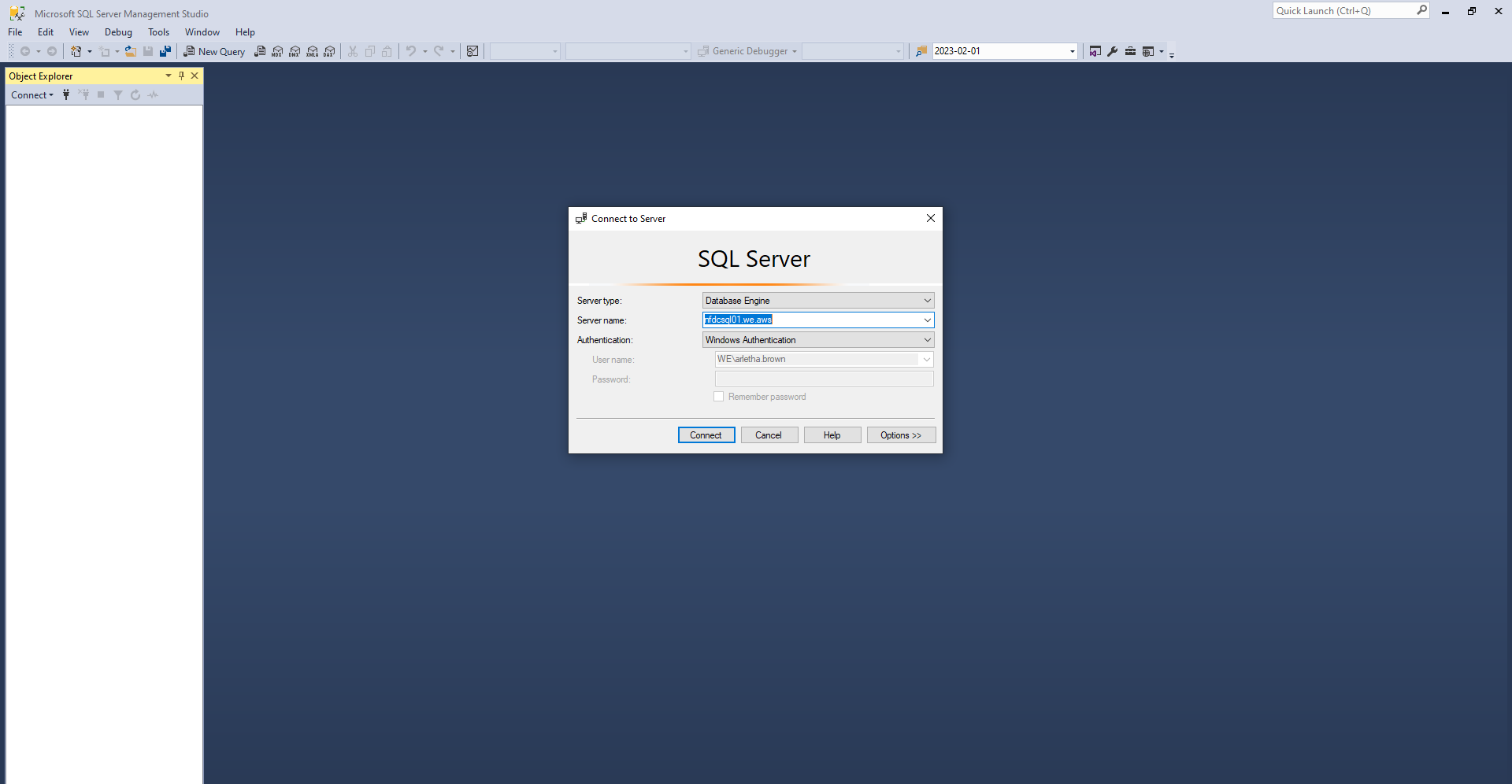
Log into Microsoft SQL Server
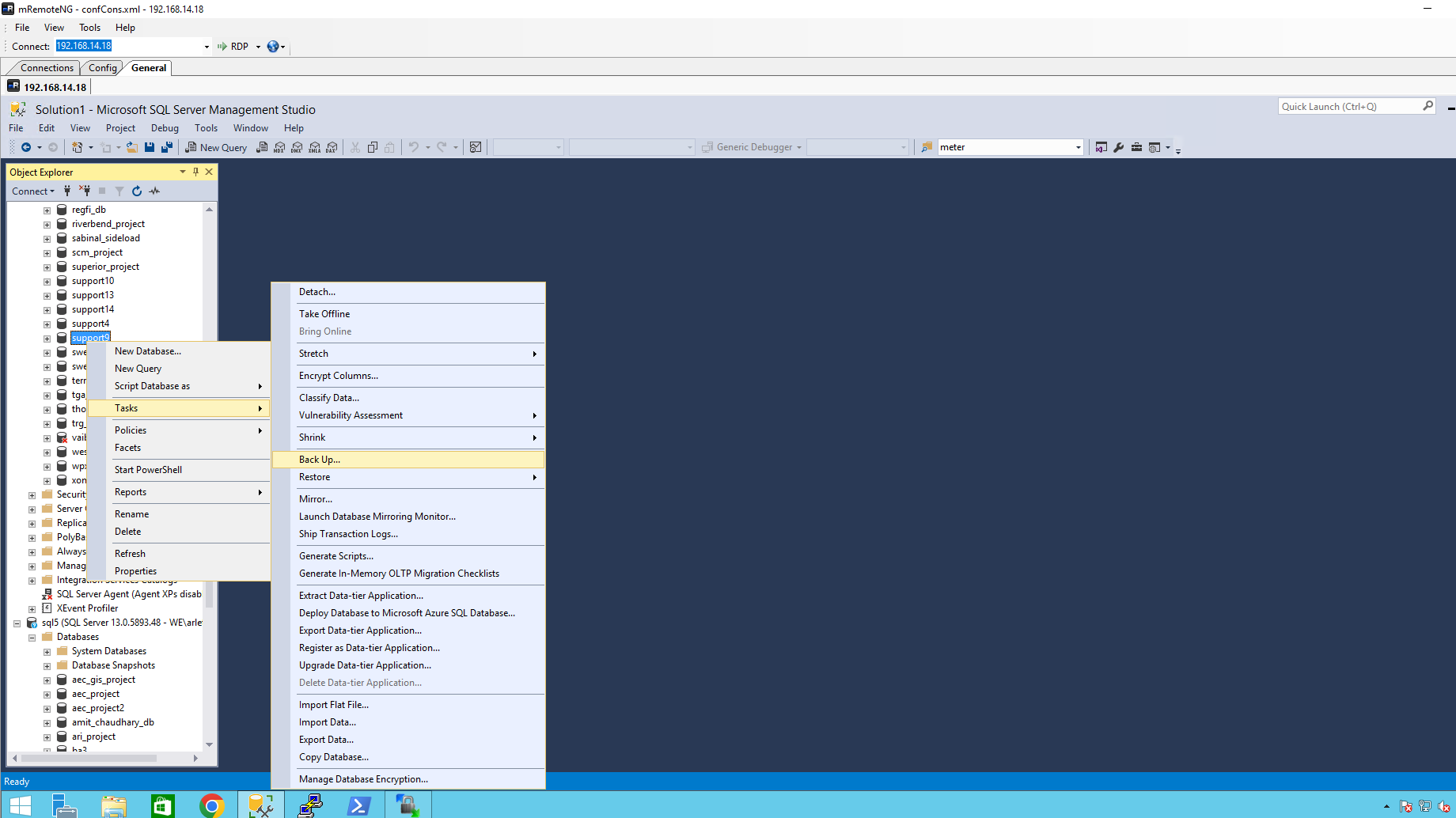
Right-click DB, Tasks, Backup
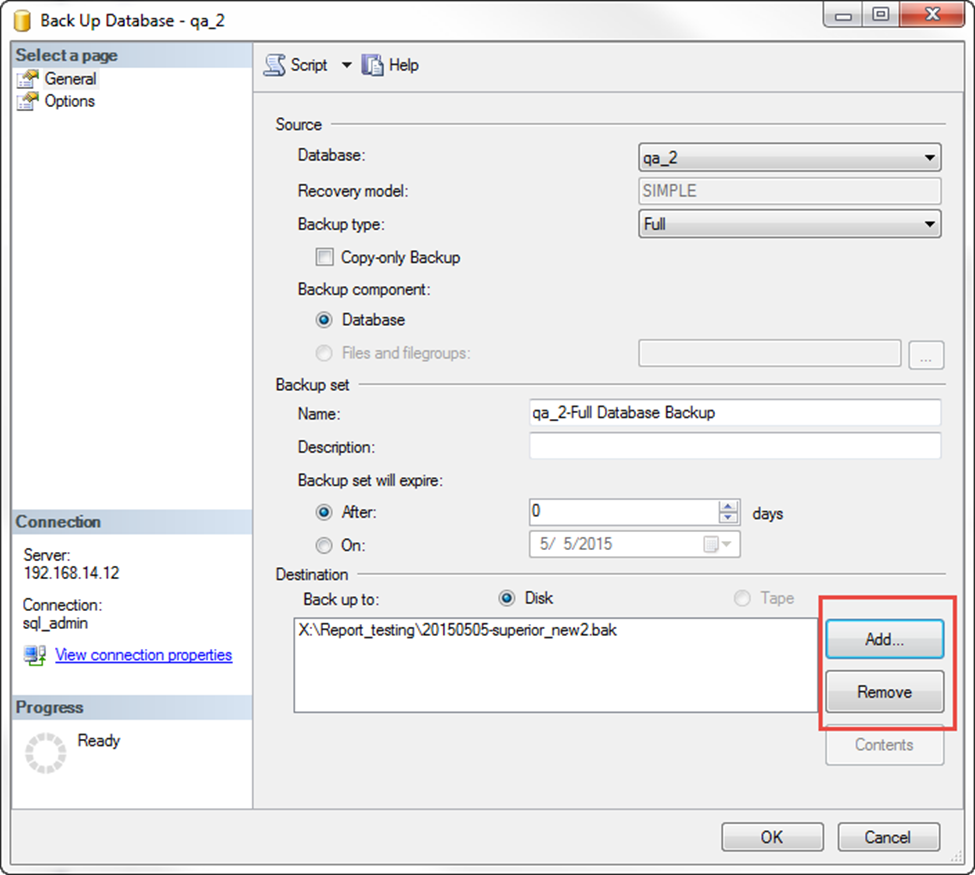
Click remove then add:
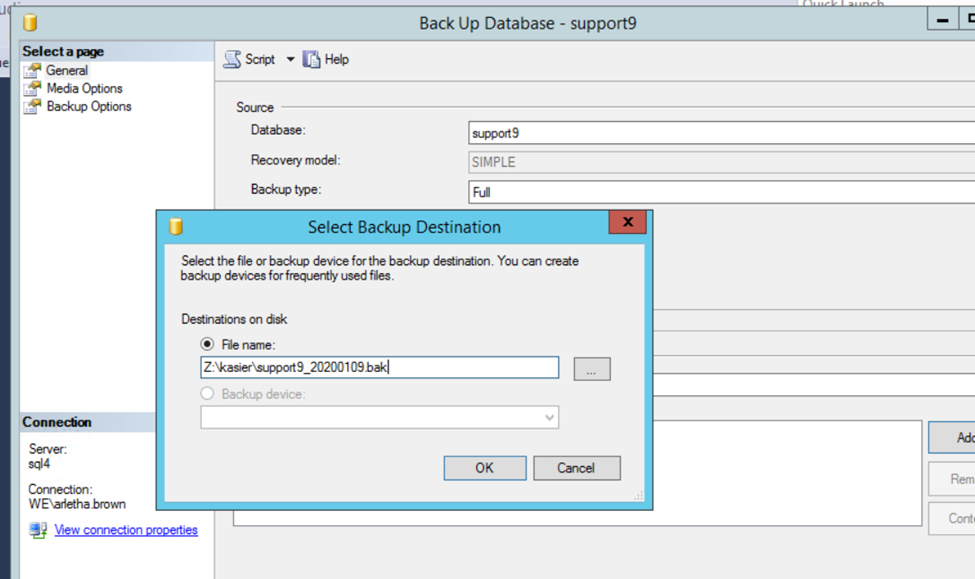
Choose destination folder and add YYYYMMDD to beginning and add “.bak” to end then click OK.

Highlight important information in a panel like this one. To edit this panel's color or style, select one of the options in the menu.