
ProdPad - Idea & Feedback Import tool
The import tool is a powerful means to load ideas and feedback in bulk in a single operation. While it provides a template, using their template isn’t mandatory. During the import process there is mapping ability to translate a personal template header field to the ProdPad field.

Limitations & Pitfalls
Imported Ideas default to the ‘Unsorted’ bucket unless the template specifies a different state.
Template displays the State as ‘Backlog’ but its case sensitive so the value must be backlog.
It is not currently possible to import the workflow for an idea or tie it to an initiative
Once you import, you can mass update the population in bulk from the ideas page using filters to find your group of ideas
How to import Ideas & Feedback
Click on Import from CSV from the Ideas page.
Click on Ideas in the top header ribbon
Click on the ellipsis next to ‘Add an idea’
Select Download the Idea CSV template
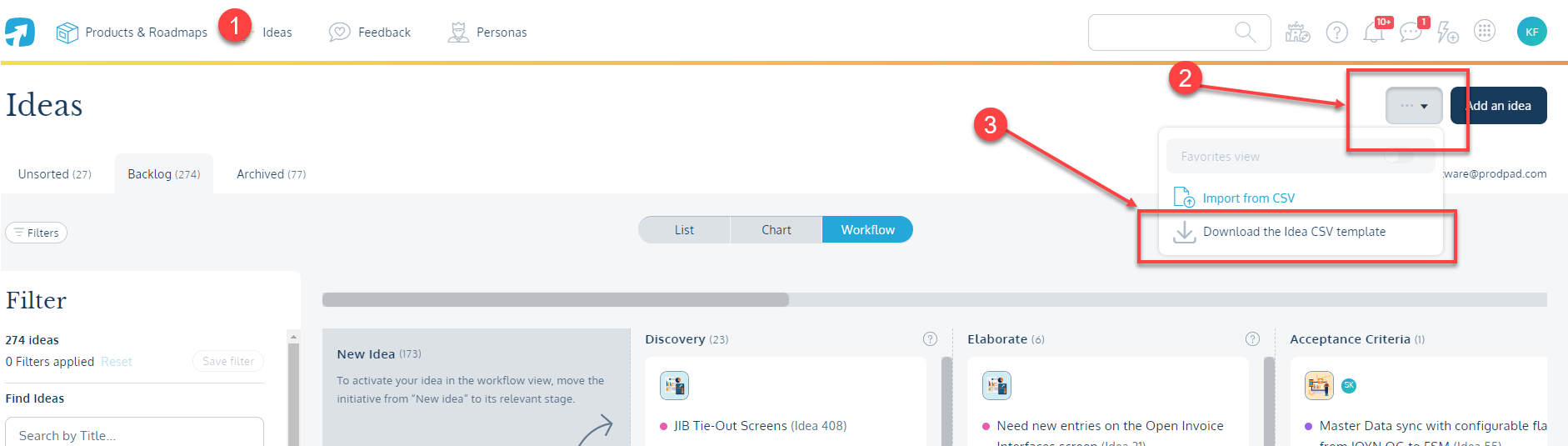
Update the fields on the template
Leave blank whatever you do not wish to import
If importing a single tag/product, be sure to remove the extra columns that are blank for these areas
Save the file
Return to steps 2 and 3 to open the importer pop-up menu
Select Import from CSV
Search for and select your saved file from step 5
Map the CSV data column to the relevant ProdPad field
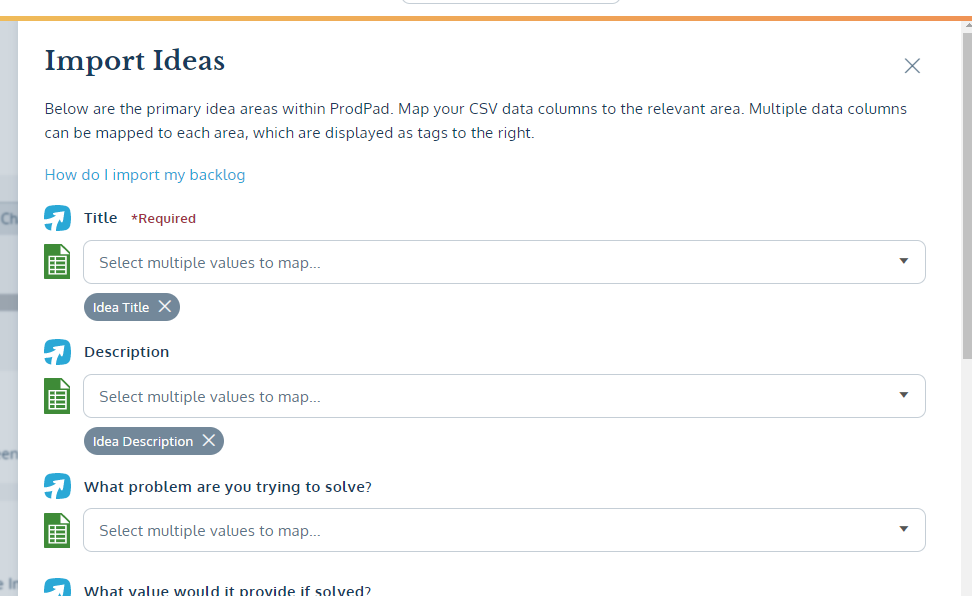
Click Finish
ProdPad will send you an email with the import is complete
Email will contain a direct link to your ideas
This can be useful if you still need to make updates such as linking to an Initiative or changing the Workflow state
View all uploaded ideas from the link.