Frequently faced tie out issues and debug methods
Formatting issues in imports from Client and Difference in unity template.
a. PAV uploads fails due to presence of invalid meters in the upload. Can be found with error in the below bug WEMAIN-17663
b. Gas analysis data is not getting uploaded though there is not error WEMAIN-19581 RCA TBD
DATA PREP failure
a. Due to migration issue around the units table.
WEMAIN-17639
WEMAIN-15413
b. Due to units tables where Unit values are inconsistent across clients WEMAIN-19476
c. Levelled Analysis may mismatch for the meters having analysis part of other assets but not for current asset. There is analysis meter override and for those meters, analyses is present in a different asset.
Unity code ignores the records if the asset is different, but old version add the analyses even if the asset is different. To avoid that we introduced the config features.level_cross_asset_analysis = True
WEMAIN-17712
Allocate Process with Allocation results mismatch
a. Allocations can be mismatched due to meters having 0 allocations/volumes are suppressed and ignored in allocate process. This can be handled by using config at asset level where you can allow allocation to meters with zero allocation. WEMAIN-17697
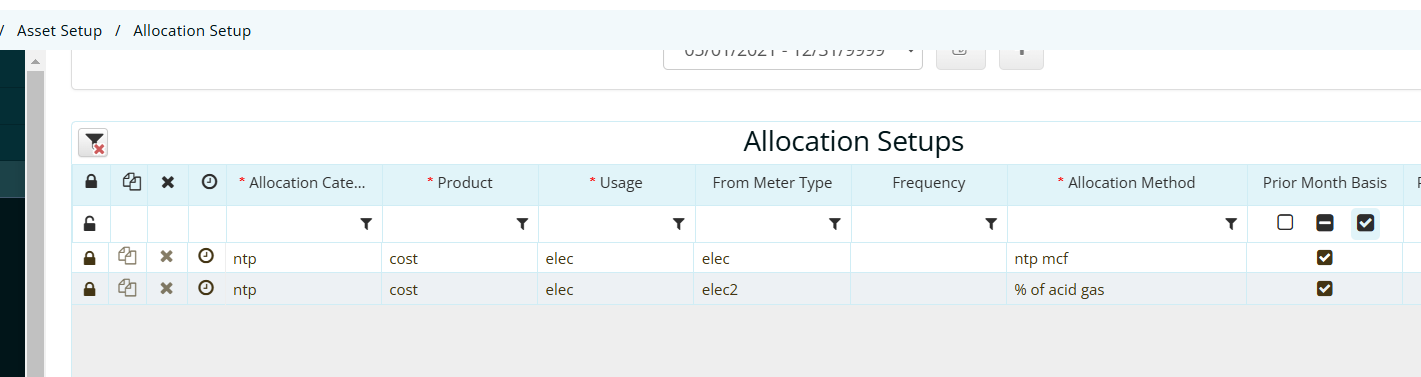
b. Allocations can be mismatched for the allocated type results due to Allocation set up Use prior Month Basis. For this the prior month allocate job must run.