Resolving Stuck Scheduled Jobs through Resque
🤔 Problem
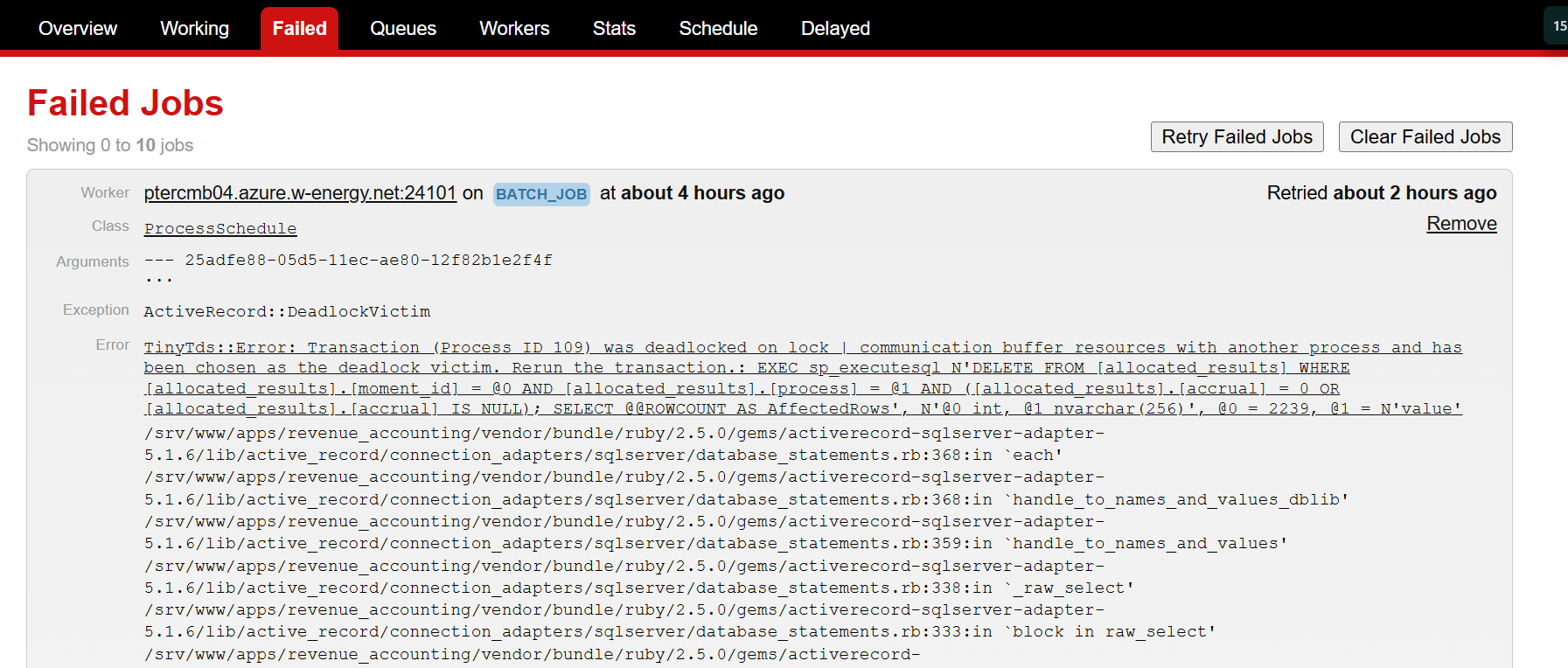
The client has reported that a scheduled job in their company process module appears to be stuck, as it hasn't completed for several hours or even days. Upon checking Resque, you may find that there are jobs currently running, or you might see a failed job related to the ProcessSchedule class.
🌱 Solution
Navigate to the client's Resque environment page (client-url + /resque/overview).
Check the "Failed" tab for any failed jobs.
Identify if the failed job is associated with the
ProcessScheduleclass .Click "Retry."
This action will reinitiate the job, resolving the issue if it was caused by a deadlock.
Example: