
Land - Updating the Lease/Agreement Number via scripting.
Clients may request a lease number update due to incorrect input or post-creation changes. This operation can be only performed via scripting to adjust the lease number or Agreement number directly in the database, ensuring data consistency and accurate linkage with related records.
Example - Client’s request:
“Lease E0-5615-0004 was sold so the lease number needs to be changed to E0-5615-0005”
📘 Instructions
Please follow the instructions below to apply the changes requested by the clients.
Verify the field to modify to check the incorrect value.
Through the UI
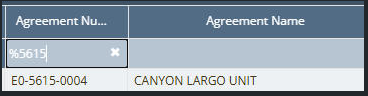
Via DB
SQLselect * from agreements where number='E0-5615-0004';Double-check the record ID to create the updated based on ID.
Create the update script to verify the number in the client’s project box.
SQLupdate a set number='E0-5615-0005' from agreements a where id=7044;
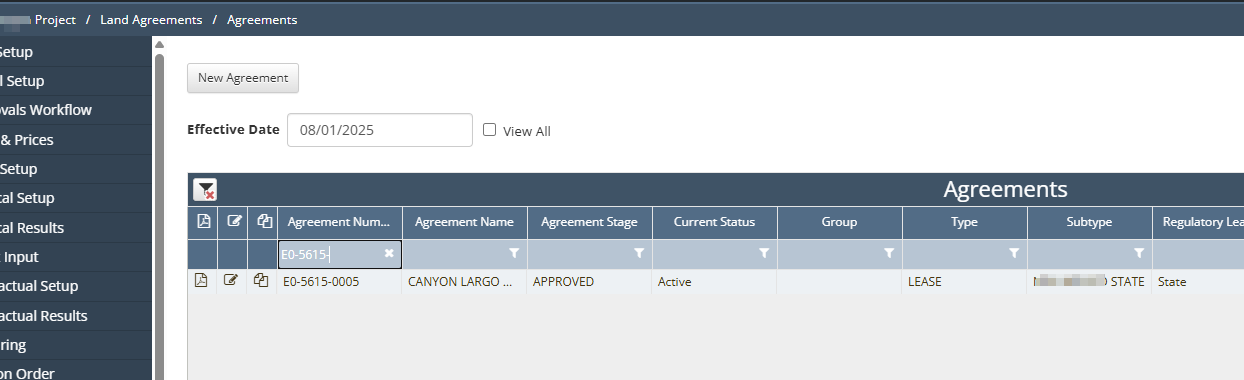
Once verified, deploy the Script in a Non-Prod environment.
Deploy the Script in Prod after receiving approval from the client.

NOTE: Please remember to always get confirmation from the client before deploying any Script in Non-Prod and Prod.