
How to request OpenInvoice Certs to be Created/Renewed
If a customer or an SME request to synchronize one of their environments with Open Invoice, just follow the steps bellow:
📘 Instructions
Select the template Certs - Generate OI Certs on Jira:
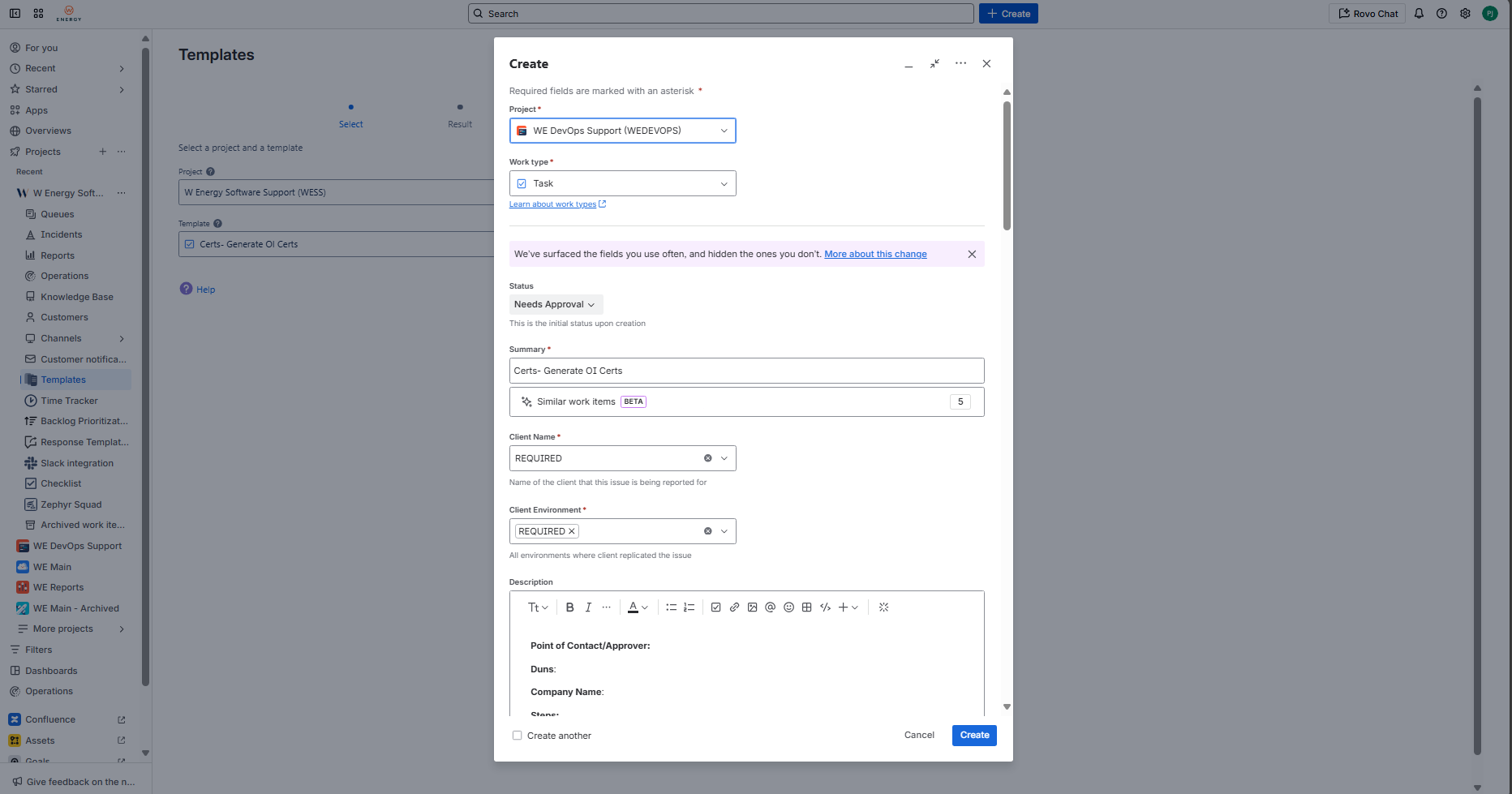
Find the duns number and add to the WEDEVOPS ticket being created.
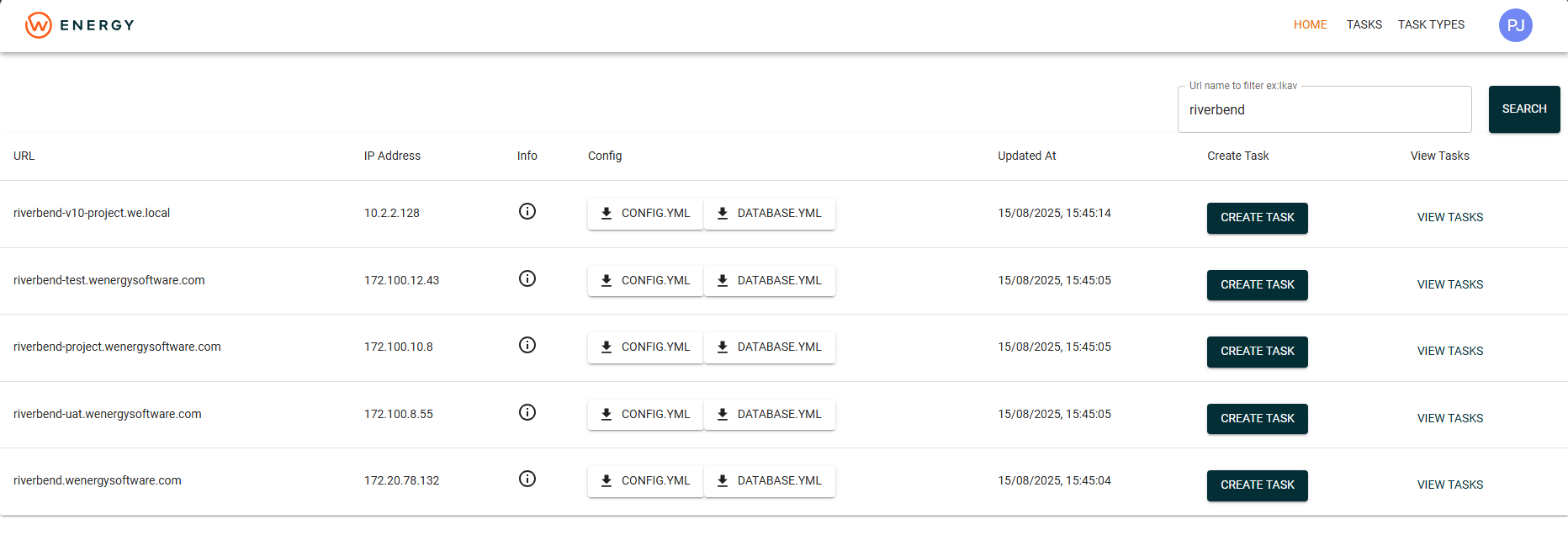
For that, you must access WE Manage and download the CONFIG.YML file:
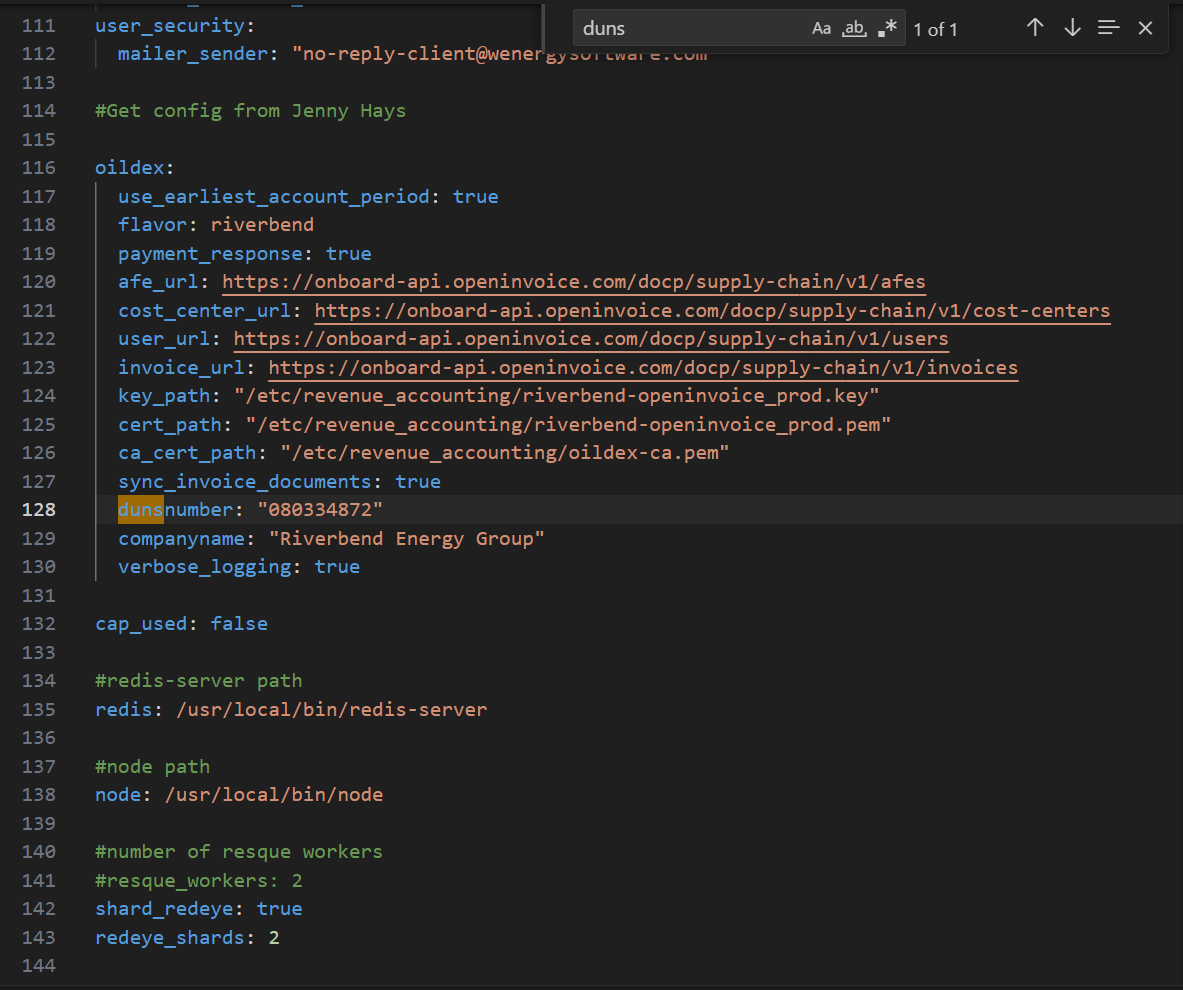
In the file, search for “dunsnumber“:
Once this information is provided, DevOps might request other files which have to be provided by Enverus.
For that, contact them via the email "Enverus OpenInvoice Integration": integrationservices@enverus.com.
The Enverus team will likely request the duns number, the company name you are referring to, and the CSR for that company – with that provided, they will give you link to download the new certificate and share it with DevOps.