
Financials – Payment Date Error (Backdating Permissions)
🤔 Problem
A user could not backdate an AP payment for a company. in the Financials module. Other users could backdate payments, so this likely was a permissions or configuration issue. They received this error: Payment Date must be today’s date or later for the following companies:
🌱 Solution
Check Company Configuration
Navigate to:
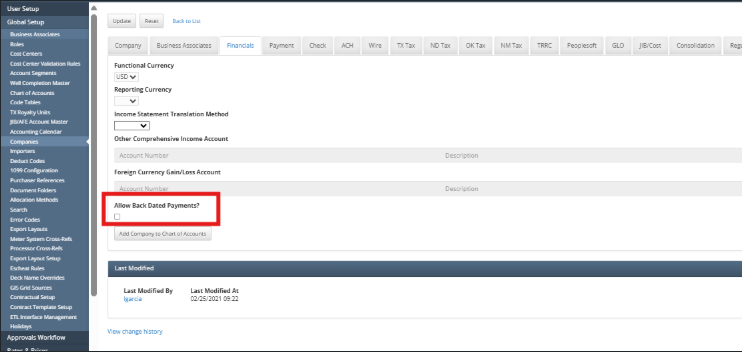
Global Setup → Companies → *Find Company Number*. → Financials TabEnsure the setting ‘Allow Back Dated Payments’ is enabled.
Save the configuration.
Test and Confirm
Have the user attempt to post the payment again with the backdated date.