
Financials - Invoice Export Issue from OI to W: Unpaid Invoices Resolved Through Reprocessing
🤔 Problem
The client encountered a problem when exporting invoices from OI to W. Although the invoices were successfully exported from OI, they were not marked as paid. This issue arose because a flush jobs process was executed just minutes before OI was synchronized.
🌱 Solution
Within the Financial Interface, under the Interface Inquiry section, you will find a button labeled 'Reprocess Incomplete Integrations.'
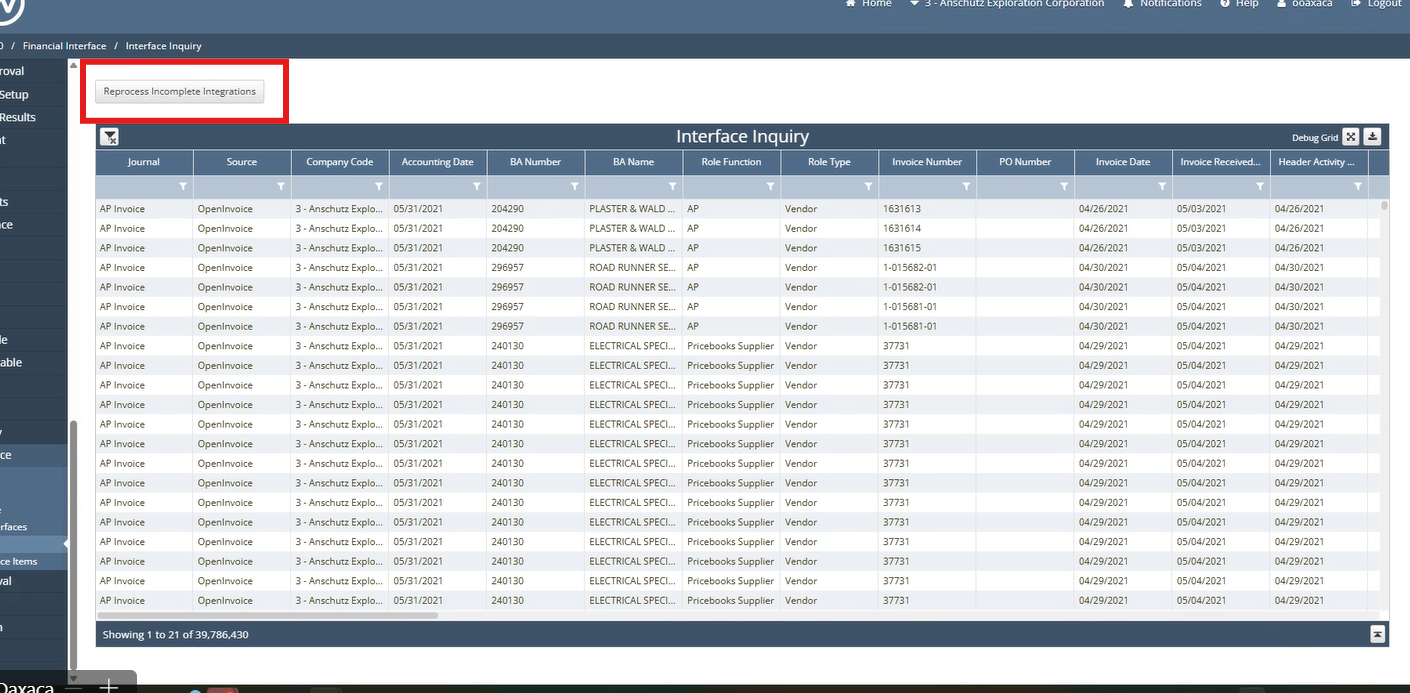
Execute the Job
Confirm Results on the AP Invoice screen. In the AP Invoice, the corresponding Invoice Numbers should now be displayed.