
Division Order - Locked Owner Amounts in Transfer Queue
🤔 Problem
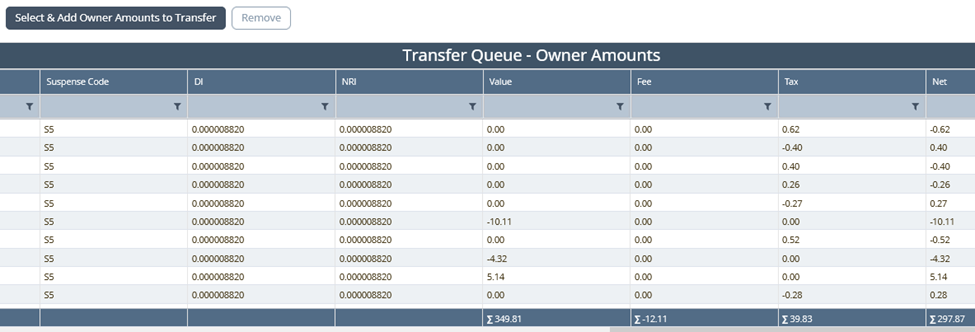
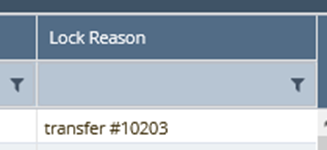
A known issue exists in version 8 code, where the lock reason occasionally fails to clear from the Owner Amounts Queue. You can confirm this by creating a new Transfer and applying a filter on the ‘Lock Reason’ column in the Owner Amounts table.
🌱 Solution
To begin, we must confirm that the ‘Lock Reason’ is exclusively assigned through either a discarded transfer or a posted transfer. Please check this information using the workflow events table. Additionally, ensure that the entity_number is updated with the relevant transfer number.
select * from workflow_events where entity_number = '10203' and entity_type = 'upstream_owner_transfer' order by id ascEnsure that the latest status is either "Posted" or "Discarded or Draft Abandon."
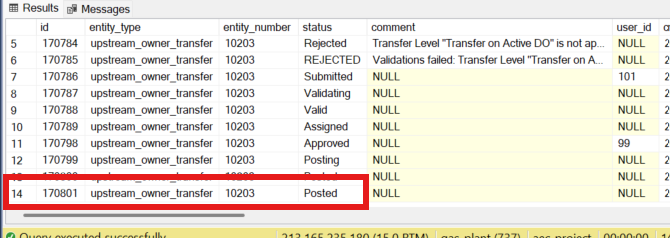
If the status is anything other than "Posted" or "Draft Abandon," please do not proceed to step 3. Further investigation will be required. Confirm whether the transfer is still active. If it is, the user has the option to either discard the active transfer or complete it.
Run the following script to remove the faulty lock reason from the Owner Amounts table:
update owner_amounts set lock_reason = NULL where lock_reason = 'transfer #10203'
Please be aware that this information pertains exclusively to Owner Amounts Queue. If locks are present on the Lines of Interest queue, a separate set of scripts will need to be executed.